

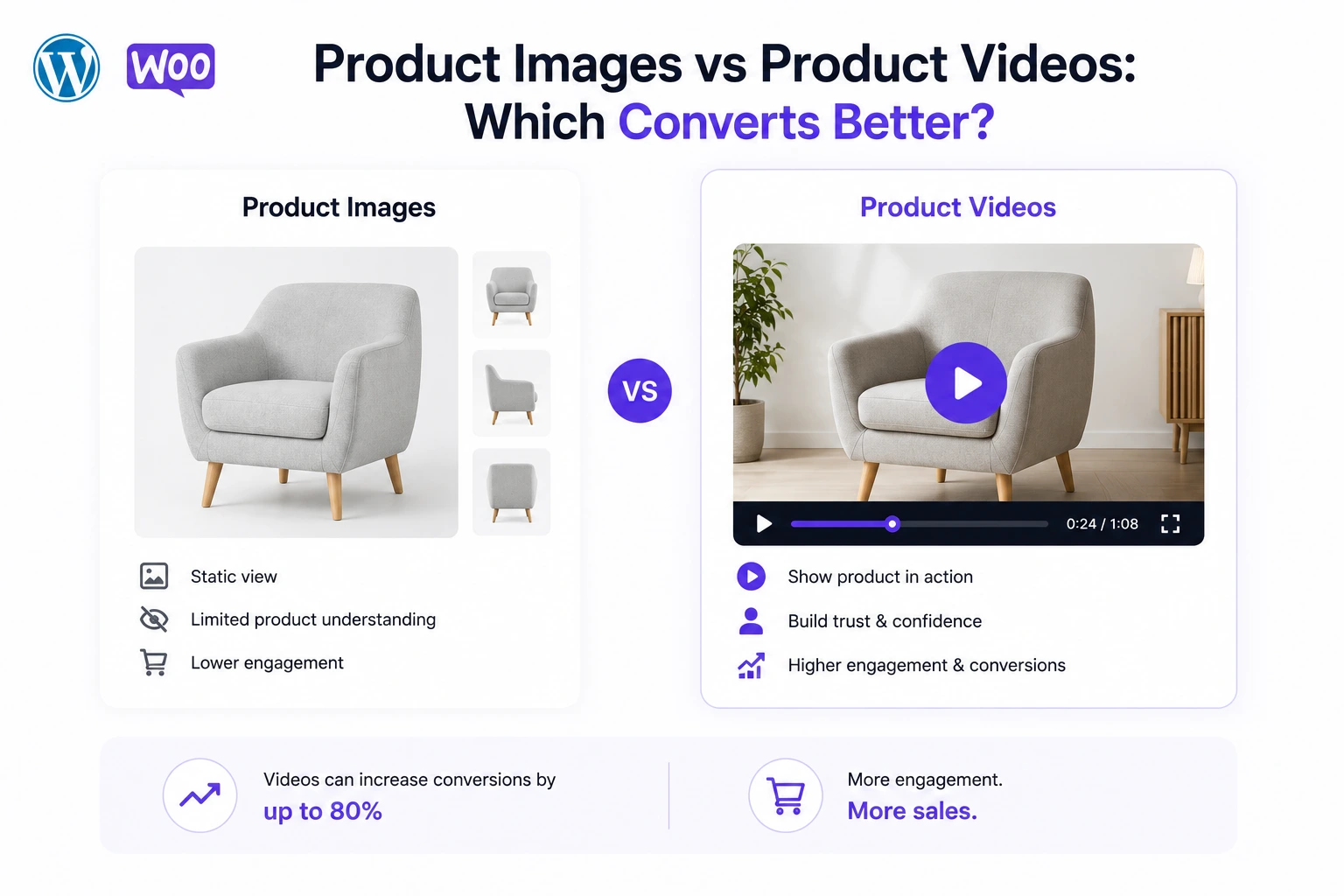
Adding a product video to a WooCommerce page isn’t a single lever — it’s a mechanism that acts on multiple stages of the buying funnel simultaneously: discovery, evaluation, conversion, and post-purchase satisfaction. Understanding how video increases sales — not just that it does — is what separates stores that see a marginal bump from stores that see a genuine step change in revenue.
This article breaks down the specific mechanisms by which product video increases WooCommerce sales, with 2026 data behind each one, and shows exactly how to implement them using MediaHaven.
Mechanism 1: Video Increases the Baseline Conversion Rate
The most direct effect is the simplest to measure: shoppers who watch a product video convert at a meaningfully higher rate than those who don’t.
Websites with video achieve an average conversion rate of 4.8%, compared to 2.9% for those without — a 65% lift (WebFX, cited by Rocketium, 2026). Some implementations go considerably further: Videowise reports video-engaged visitors converting at 9–14% on average, with top performers reaching 26–27% during peak periods, against a 1–3% baseline ecommerce conversion rate.
The gap between the WebFX baseline figure and Videowise’s much higher numbers reflects a real pattern: the conversion lift from video scales with how well the video is integrated — not just whether one exists. A video buried below the fold produces a smaller lift than one placed directly in the product gallery, above the Add to Cart button.
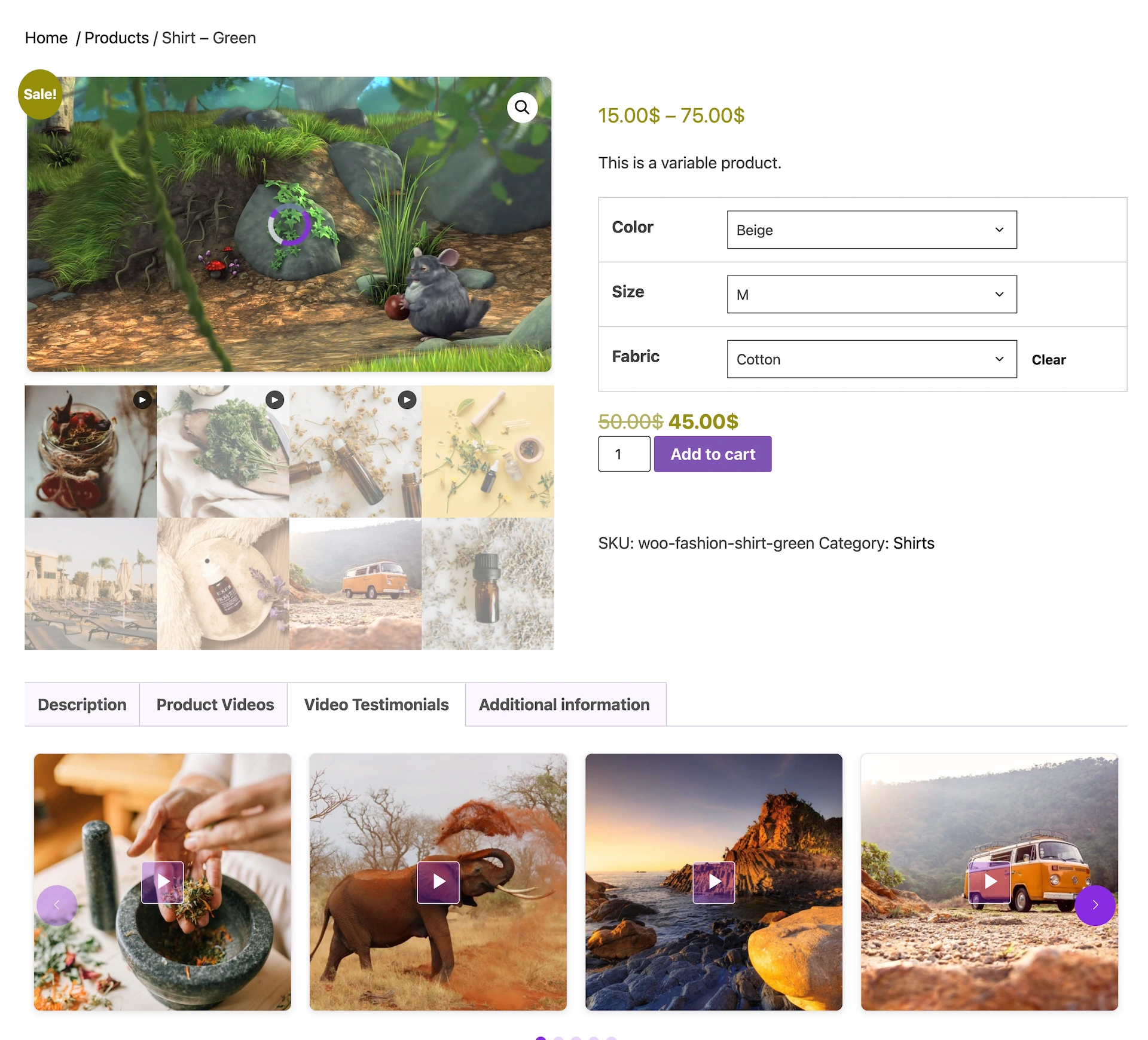
Where to place it: Videowise’s 2026 guide is specific on this: “The highest-impact placement for product videos is the product detail page (PDP), specifically above the fold near primary product imagery.” MediaHaven Pro’s WooCommerce integration is built around exactly this placement — it lets you replace the default static image gallery with video directly, so the demo occupies the primary, above-the-fold position rather than being an afterthought.
Mechanism 2: Video Increases Add-to-Cart Behavior
Before a shopper converts, they add to cart — and video measurably changes this earlier-funnel behavior too.
Shoppers who watch a product video are up to 144% more likely to add the item to their cart (Invesp). This matters because add-to-cart rate is often the first meaningful signal that a shopper has moved from passive browsing to active purchase consideration. A video that increases this rate is increasing the volume of shoppers who enter your checkout funnel in the first place — before any checkout-page optimization even comes into play.
Practical application: if your WooCommerce analytics show healthy traffic but a weak add-to-cart rate, product video is one of the highest-leverage fixes available, because it addresses the exact stage of the funnel where the drop-off is happening.
Mechanism 3: Video Increases Average Order Value Through Cross-Sell
Video’s effect on revenue isn’t limited to whether a shopper buys — it also affects how much they buy.
Retailers using in-video product overlays — clickable product cards embedded directly inside a video, letting a shopper add a featured or related item to cart without leaving the player — report average order value increases of 15–25%, driven by surfacing multiple products in a single viewing session (documented MediaHaven monetization data, corroborated by Smartzer, 2023). Sequential multi-product exposure within a single video — showing a “1 of 5 ads” style rotation — has been shown to increase cross-sell revenue by up to 35% (Salesforce Commerce Cloud).
How this works technically in MediaHaven: the plugin’s shoppable video feature lets you tag 4–6 complementary products in a single video (for example, a blouse, trousers, belt, and bag for a “summer wardrobe” video). Tagged products rotate randomly across viewer sessions, so your entire selection gets exposure over time — not just the one item literally on screen. A shopper watching a demo of one product may be shown, and purchase, a completely different item from your catalog moments later, inside the same video.
Mechanism 4: Video Removes the Confidence Gap for Higher-Priced Items
Video’s conversion effect isn’t uniform across your catalog — it’s strongest exactly where you need it most: on your higher-price, higher-consideration products.
As purchase price rises, so does the amount of information a buyer needs before they feel confident committing. Videowise’s 2026 framework states this plainly: a $15 product typically needs only a good photo, while a $150+ product needs video to justify the price relative to a generic alternative and to reduce buyer hesitation.
This has a direct implication for prioritization. If your WooCommerce catalog spans a wide price range, the sales impact of adding video is not evenly distributed. Your highest-AOV products — the ones where a lost sale represents the most lost revenue — are also the ones where video will produce the largest proportional conversion improvement. Prioritizing video production for these SKUs first produces the fastest measurable revenue impact per video produced.
Mechanism 5: Video Increases Search Traffic Before the Sale Ever Happens
Video’s sales impact starts before a shopper even lands on your product page.
Websites with video see 41% more traffic from search engines, and visitors stay 81% longer on-site once they arrive (LunaBloomAI, 2026). This works through two channels: video-rich pages tend to rank for a broader set of queries (including video-specific search intent), and Google can display video rich results — a clickable thumbnail directly in the search results page — for pages with properly structured VideoObject schema markup.
The technical requirement: this SEO benefit is entirely conditional on the video actually carrying valid schema.org markup — a step many stores skip. MediaHaven generates VideoObject structured data automatically for every video, with no separate SEO plugin configuration required, meaning this traffic channel is available by default rather than something you have to build separately.
Mechanism 6: Video Reduces Returns, Protecting Net Revenue After the Sale
An increase in gross sales that comes with a proportional increase in returns isn’t really a revenue increase — it’s a net loss disguised as a conversion win. This is where video does something no other conversion tactic reliably does: it improves the quality of the sales it generates.
Explainer and demo videos can reduce return rates by up to 35% (SellersCommerce, 2026). Since roughly 22% of ecommerce returns happen because the product didn’t match its description (Shopify data, cited by XICTRON, 2026), a video that accurately sets expectations before purchase directly reduces this category of returns.
The compounding revenue effect: a store that adds video and sees, for example, a 50% conversion lift alongside a 30% return-rate reduction isn’t just selling more — it’s keeping a larger share of what it sells. Both effects flow from the same underlying mechanism: video closes the information gap between what a shopper expects and what actually arrives.
Mechanism 7: Trust Signals Compound With Social Proof Formats
Product demo videos are the foundation, but they compound in effectiveness when paired with trust-focused video formats.
Video testimonials can increase conversions by 80% and make customers 72% more likely to trust a brand (WiserReview, 2026). 79% of consumers are more likely to buy a product after watching a video testimonial showcasing it, and businesses using video testimonials report 49% more sales than those without (WiserReview, 2026). Ads and pages featuring customer video reviews see up to 4× higher click-through rates than those without.
Practical implementation: MediaHaven’s Video Tab feature — a dedicated tab on the product page separate from the main gallery — is specifically suited to housing a curated set of customer testimonial clips alongside your primary demo video. A shopper can watch the product demo in the main gallery position, then click over to a “Video Testimonials” tab for social proof before completing the purchase — layering two distinct trust mechanisms on a single product page.
Putting the Mechanisms Together: A WooCommerce Revenue Model
Consider a WooCommerce store with 20,000 monthly product page visitors and a $70 average order value, currently converting at the 2.9% no-video baseline:
| Stage | Baseline (no video) | With demo video + shoppable overlay + testimonials |
|---|---|---|
| Conversion rate | 2.9% | 4.8%+ (WebFX baseline; higher with full integration per Videowise) |
| Monthly orders | 580 | 960+ |
| Average order value | $70 | $80–87 (+15–25% from cross-sell overlays) |
| Monthly revenue | $40,600 | $76,800–$83,520 |
| Return rate impact | Baseline | −35% on video-covered SKUs, protecting net revenue |
The combined effect of a higher conversion rate and a higher average order value — both driven by the same video investment — is why product video is frequently the single highest-ROI change available to an established WooCommerce store, ahead of most paid acquisition optimizations.
Implementation: How MediaHaven Delivers Each Mechanism
| Sales mechanism | MediaHaven feature that delivers it |
|---|---|
| Baseline conversion lift from above-the-fold placement | Replace Product Gallery Image with video (Pro) |
| Add-to-cart lift from demonstrated use | Any gallery placement — Grid, Carousel, Video Tab |
| AOV lift from cross-sell | Shoppable video overlays with multi-product tagging (Pro) |
| Confidence gap closure on high-AOV items | Prioritize video production using MediaHaven on top-revenue SKUs |
| Search traffic and video rich results | Automatic Schema.org VideoObject markup (Free) |
| Return-rate reduction | Any video placement that accurately demonstrates the product |
| Testimonial trust compounding | Dedicated Video Tab for customer testimonial content (Pro) |
Frequently Asked Questions
How do product videos help increase WooCommerce sales?
Product videos help customers understand how a product looks, works, and solves their problems before they buy. By reducing uncertainty and showcasing products in action, videos can improve shopper confidence, increase engagement, and encourage more completed purchases.
Why are product videos more effective than product images alone?
Product images highlight appearance, while videos demonstrate movement, functionality, and real-world usage. Using both together gives shoppers a more complete understanding of your products, creating a better shopping experience than relying on static images alone.
How does MediaHaven help increase WooCommerce conversions?
MediaHaven enhances WooCommerce product pages with responsive video galleries, product videos, and Interactive Shoppable Video. Instead of sending visitors elsewhere, it lets customers watch demonstrations and interact with products directly on your website, creating a shorter path from discovery to purchase.
Can I add product videos to the WooCommerce gallery?
Yes. MediaHaven lets you display videos alongside or within the native WooCommerce product gallery. You can use self-hosted videos, Bunny Stream, HLS (M3U8), YouTube, Vimeo, and other supported sources to create more engaging product pages.
Can I add clickable products inside my videos?
Yes. MediaHaven Pro includes Interactive Shoppable Video for supported videos, allowing you to display clickable WooCommerce product overlays with customizable call-to-action buttons. Customers can explore featured products while watching, helping reduce friction during the buying journey.
Which video sources does MediaHaven support?
MediaHaven supports self-hosted videos, Bunny Stream, HLS (M3U8), YouTube, Vimeo, TikTok, Facebook, Instagram, LinkedIn, Twitch, Wistia, Dailymotion, Rumble, and external video URLs. You can manage multiple video platforms from one WordPress dashboard while delivering a consistent viewing experience.
Does MediaHaven improve SEO for WooCommerce product videos?
Yes. MediaHaven automatically generates Schema.org VideoObject structured data for every published video. Combined with dedicated video pages and responsive galleries, this helps search engines better understand your content and improves eligibility for Google video-rich results.
Will product videos slow down my WooCommerce website?
No. MediaHaven is designed with performance in mind. Smart Asset Loading, lazy loading, and optimized media delivery ensure plugin resources are loaded only where they’re needed, helping maintain fast page speeds while delivering high-quality video experiences.
Can I stream WooCommerce product videos using HLS?
Yes. MediaHaven supports existing HLS (.m3u8) streams and integrates with Bunny Stream for automatic adaptive HLS delivery. This provides smoother playback across different devices and connection speeds while helping deliver professional-quality product videos.
Does MediaHaven work with Gutenberg and page builders?
Absolutely. MediaHaven includes native Gutenberg blocks and shortcode support for Elementor, Divi, Beaver Builder, WPBakery, and other popular page builders. You can place product videos and responsive galleries anywhere on your WooCommerce website without writing custom code.
Can I monetize product videos while selling products?
Yes. MediaHaven Pro supports VAST advertising with pre-roll, mid-roll, and post-roll placements for compatible videos. You can combine video monetization with Interactive Shoppable Video, allowing you to generate advertising revenue while promoting your WooCommerce products.
Why choose MediaHaven for WooCommerce product videos?
MediaHaven combines WooCommerce product videos, Interactive Shoppable Video, responsive galleries, multiple video source support, HLS streaming, VideoObject schema, VAST advertising, Gutenberg integration, and performance optimization in one plugin. Instead of managing separate solutions for playback, SEO, monetization, and product galleries, you get a complete WordPress video commerce platform built to increase engagement, conversions, and long-term revenue.
Getting Started
The mechanisms above don’t require choosing just one. A single MediaHaven Pro license lets you combine a gallery-replacing demo video, a shoppable overlay tagging 4–6 related products, a separate testimonials tab, and automatic SEO schema markup — stacking multiple independently-documented revenue levers on the same product page.
- Install free: wordpress.org/plugins/mediahaven-lite
- Official documentation: mediahaven.io/docs/
- Upgrade to Pro: mediahaven.io/pricing — from $79/year · 14-day money-back guarantee
- Support: support@wpninjadevs.com
Leave a Reply