

Over 60% of portfolio traffic now comes from mobile devices (SliderRevolution, 2026), which means the moment a client taps your reel on a phone in a coffee shop is very often the moment they decide whether to hire you. A portfolio that buffers, misaligns, or loads eight videos at once and grinds to a halt doesn’t just look unpolished — it actively costs you the booking.
This guide covers how to build a genuinely professional video portfolio on WordPress using MediaHaven, a free video gallery plugin (currently version 1.7.3) purpose-built for exactly this use case: multiple video sources in one gallery, cinematic responsive layouts, and the performance architecture that keeps a reel-heavy page fast on any device.
What a Filmmaker’s Portfolio Actually Needs to Do
Looking across dozens of professional filmmaker and videographer portfolios in 2026, a consistent pattern emerges in what actually converts a visitor into a client inquiry (Colorlib, 2026; SiteBuilderReport, 2026):
- A strong hero reel up front — 60–90 seconds, immersive, minimal distraction around it
- Work grouped by project type — commercials, music videos, documentary, weddings, corporate — with a rule of thumb that each category needs at least three pieces before it’s worth its own section (SliderRevolution, 2026)
- Filtering once your library exceeds about 15 projects — beyond that volume, an unfiltered scroll becomes a genuine usability problem, not just an aesthetic one (SliderRevolution, 2026)
- Fast loading with poster frames, not autoplaying video stacked on video, since mobile visitors specifically need videos that “play smoothly on phones without autoplay issues” (SliderRevolution, 2026)
- A professional domain, since free subdomain URLs “signal amateur status to potential clients” (SliderRevolution, 2026) — a detail worth remembering when you’re choosing WordPress (your own domain) over a hosted portfolio subdomain
MediaHaven is built around solving each of these specific requirements natively, rather than requiring a patchwork of separate plugins.
Why WordPress + MediaHaven Beats a Hosted Portfolio Builder
Hosted platforms (Squarespace, Wix, Webflow) are common choices in the filmmaker portfolio space, and they’re genuinely capable for basic use. But there’s a structural trade-off worth understanding: on most hosted builders, video hosting itself is still handled by Vimeo or YouTube under the hood — “This is Vimeo’s and YouTube’s job. A single 4K minute can be 1GB+; streaming it yourself would cost more in bandwidth than your entire website subscription” (SitesPlaced, 2026).
That’s true of naive self-hosting on WordPress too — but it’s specifically the problem MediaHaven’s Bunny Stream integration solves. Per the plugin’s official WordPress.org listing: “MediaHaven connects directly to Bunny Stream — the world’s fastest video CDN — and automatically converts every video you sync into secure, adaptive HLS format… Zero server load — your hosting never serves a single video byte.”
That means a WordPress-based portfolio with MediaHaven gets the same CDN-backed delivery advantage as a hosted platform, while you retain full ownership of your domain, your branding, your SEO equity, and your client data — none of which you fully control on a third-party hosted builder.
Building the Portfolio: A Practical Walkthrough
Step 1: Install MediaHaven and Complete the Setup Wizard
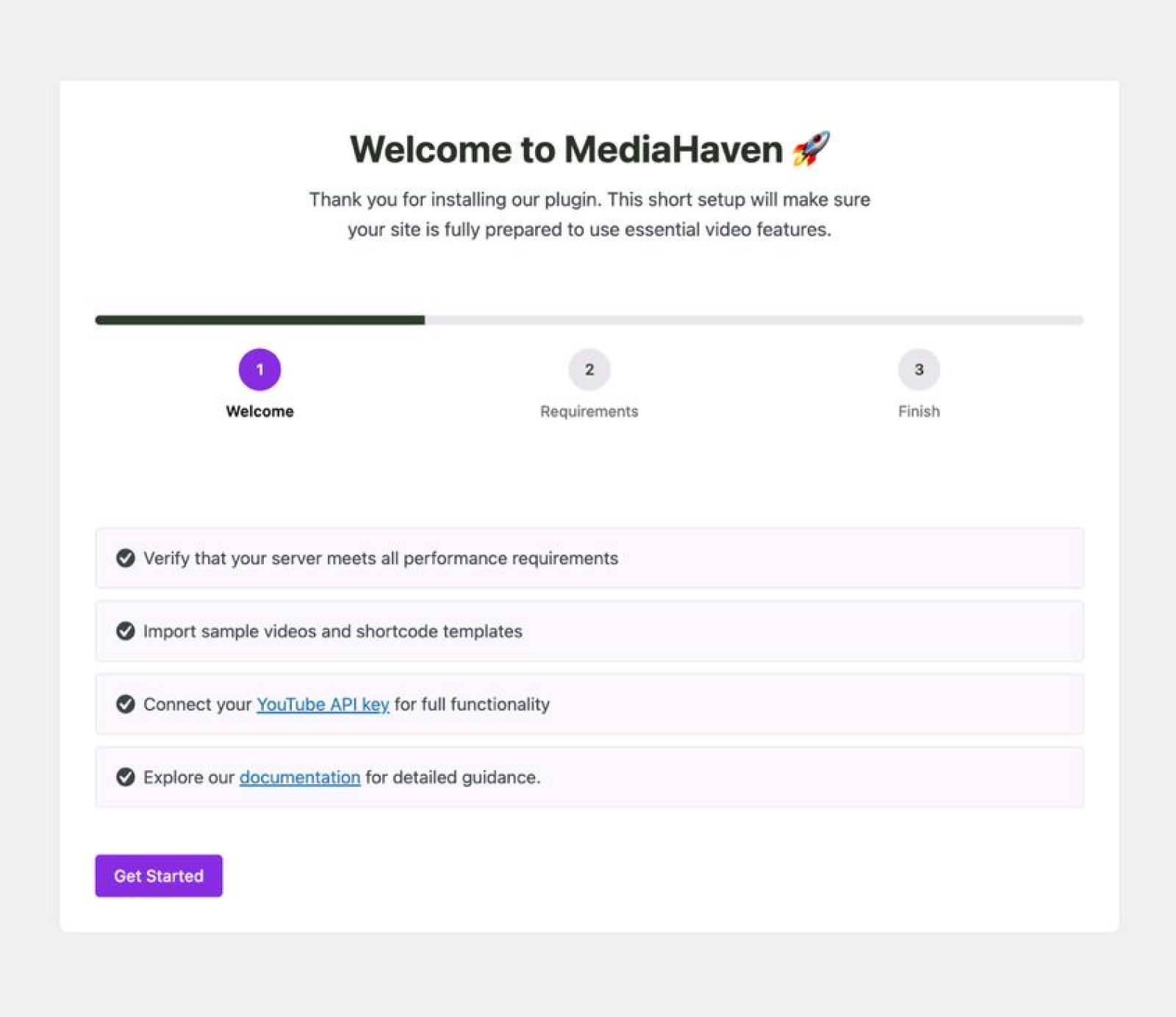
From Plugins → Add New Plugin, search “MediaHaven”, install “MediaHaven – Video Gallery, HLS Player & WooCommerce Product Videos” by WPninjaDevs, and activate. The Setup Wizard runs automatically, including a short video tutorial (added in version 1.6.5) to walk you through initial configuration.
Step 2: Choose Your Video Source Strategy
MediaHaven supports 10+ video sources in a single plugin — YouTube, Vimeo, TikTok, Twitch, Wistia, Dailymotion, Rumble, Facebook, Instagram, LinkedIn, plus self-hosted files (MP4, WebM, MOV, MKV, AVI) and HLS/M3U8 streams.
For a filmmaker portfolio specifically, a mixed approach is often the right call:
- Your hero reel and flagship projects, hosted self-hosted or via Bunny Stream for full quality control and no competitor branding
- Client-approved or NDA-sensitive work, kept behind self-hosted secure HLS delivery with token authentication
- Publicly available work already on YouTube/Vimeo, embedded directly to save re-uploading and preserve those platforms’ own view counts
Explore Documentation Add Your First Video and Configure External Video Sources
Step 3: Build Your Gallery Layout
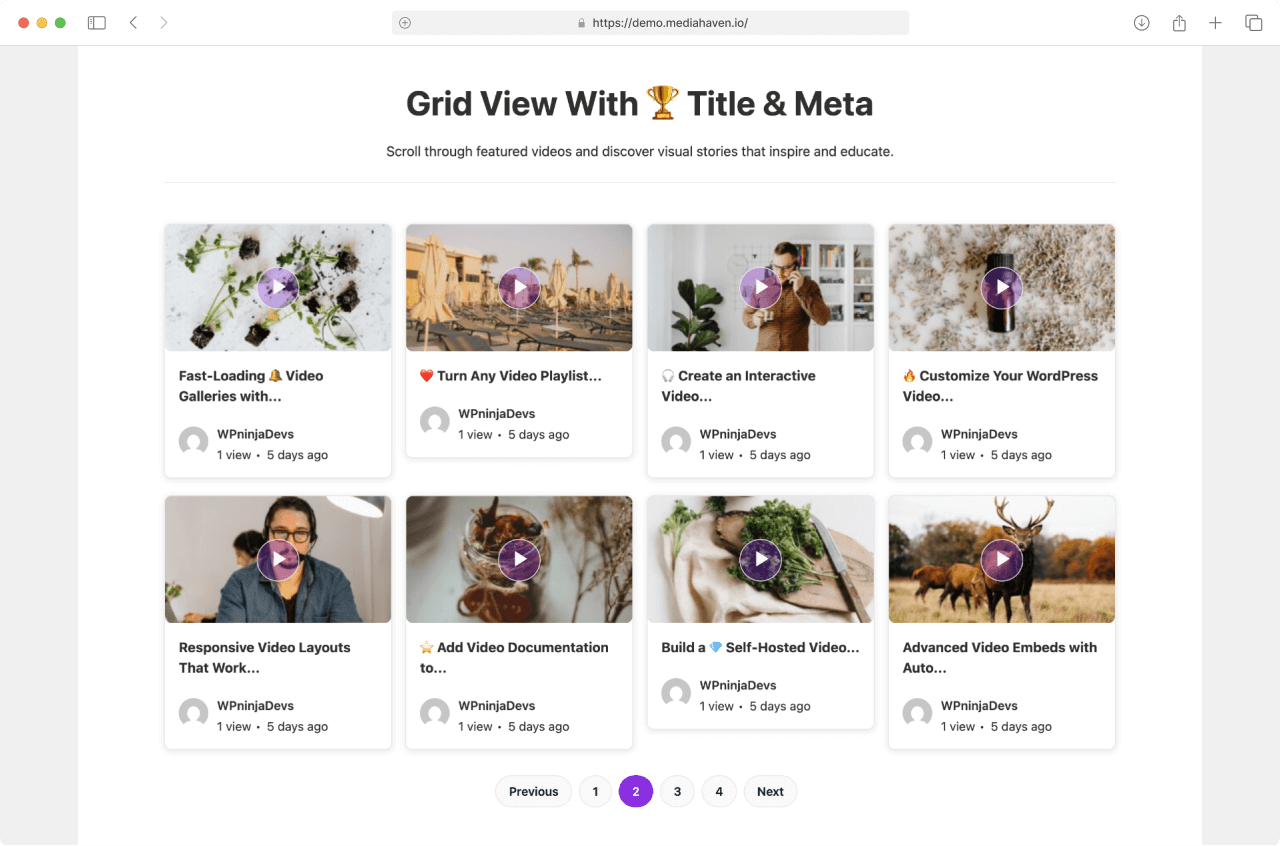
Go to MediaHaven → Add New to create a gallery. Choose from the plugin’s 3 responsive layouts — Grid, Carousel, and Multi-row Carousel — and set your columns per breakpoint, including the extra-small and extra-large device controls added specifically for precise responsive layouts in version 1.6.4.
For a cinematic feel, MediaHaven’s aspect ratio options (added in version 1.7.2) let you lock playback to 16:9, 4:3, 1:1, 4:5, 9:16, or 21:9 — meaning a widescreen commercial reel and a vertical social-format piece can both display correctly without letterboxing or cropping issues within the same portfolio.
Step 4: Organize by Project Category with Term Grid/Carousel
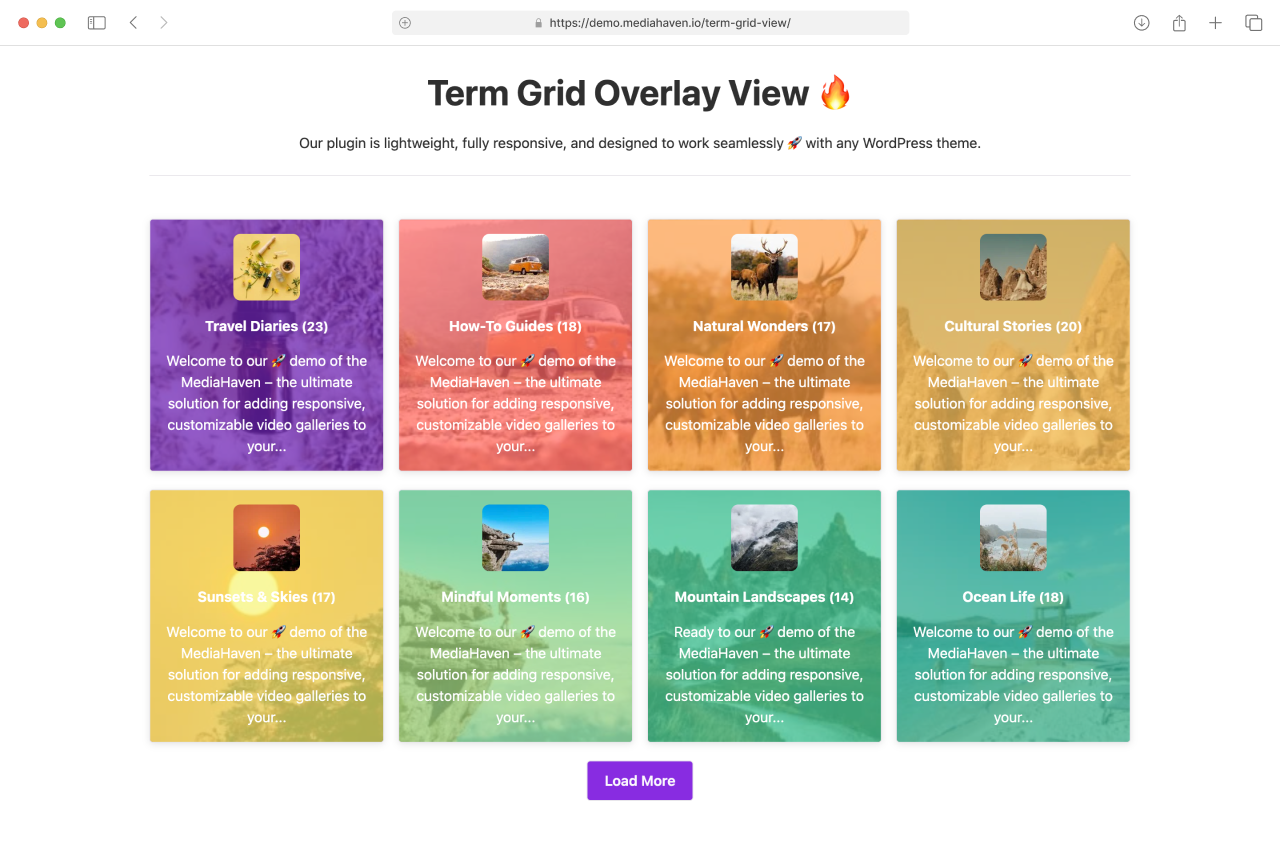
Once your library grows past a handful of pieces, MediaHaven’s Term Grid and Term Carousel layouts (introduced in version 1.4.0) let you build a visual category navigation system — commercials, music videos, documentary, weddings, corporate — each represented with its own background image, icon, and hover styling, rather than a flat unsegmented list.
This directly answers the “group by project type, minimum three pieces per category” guidance from current portfolio best practices — MediaHaven gives you the exact navigation structure to implement it without custom development.
Step 5: Add Filtering Once Your Library Scales
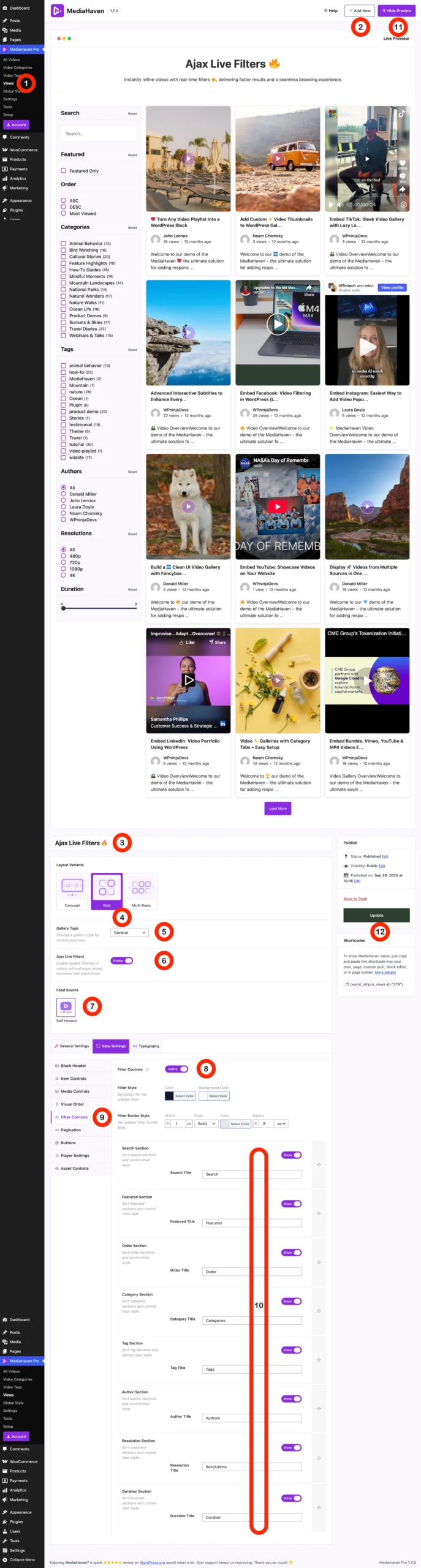
Portfolio guidance is specific that filtering becomes necessary once you exceed roughly 15 projects (SliderRevolution, 2026). MediaHaven Pro’s Ajax Video Live Filter lets visitors search live, filter by category/tag/duration/resolution, and browse via numbered pagination, Load More, or Infinite Scroll — all without page reloads, and with SEO-friendly, shareable filter URLs (a capability added and refined across versions 1.5.0 through 1.7.2).
Step 6: Style the Player and Cards to Match Your Brand
For a portfolio, visual polish is not optional — it’s the product. MediaHaven Pro’s Drag & Drop Layout Builder gives you:
- Custom colors for the play button, control bar, volume bar, and progress bar
- Drag-and-drop rearrangement of card sections (media, title, meta, description)
- Full Google Fonts typography control
- Per-shortcode and global style overrides
This lets a portfolio feel like a bespoke, designed experience rather than a generic plugin default — critical for a creative professional whose entire pitch is aesthetic judgment.
Handling 4K and High-Resolution Footage Correctly
A specific, current issue worth addressing directly: displays have outpaced most portfolio video in 2026. As one 2026 technical guide puts it: “The uncomfortable truth in 2026 is that video is now the weakest visual link on most well-built websites. Screens have raced ahead… A clip that looked fine in 2019 can look dated today” (PortoTheme, 2026).
The critical, often-missed detail: resolution and bitrate are separate dials. A file can be labeled 4K yet still look soft because it carries too little data per frame — “Often it is bitrate, not resolution” (PortoTheme, 2026). When exporting your reel footage, check your actual export bitrate, not just the resolution label, before uploading.
MediaHaven’s role here is on the delivery side: Bunny Stream’s adaptive bitrate streaming automatically serves the appropriate quality rendition for each viewer’s connection — meaning your source footage can be mastered at full quality without every viewer on a slower connection being forced into a single fixed (and potentially buffering) bitrate.
Performance: Why a Reel-Heavy Page Doesn’t Have to Be Slow
A portfolio with 20–50 videos across multiple projects is exactly the scenario that breaks poorly-built video plugins. MediaHaven’s architecture is specifically built to avoid this, confirmed from the official plugin listing:
- Smart asset loading — plugin CSS/JS load only on pages that actually contain a gallery shortcode
- Built-in lazy loading — images, videos, and iframes load only as they enter the viewport, meaning a page with 30 project thumbnails doesn’t load 30 videos’ worth of data on first paint
- Automatic image optimization with WebP conversion available in Pro, reducing thumbnail file sizes by up to 35% with no quality loss
- Zero server load for any video routed through Bunny Stream — your WordPress hosting never serves the actual video bytes
This directly mirrors the “lazy-loads every embed with a poster frame, so even a page with eight videos stays quick on mobile” principle that specialized videographer site builders rely on (SitesPlaced, 2026) — except natively inside WordPress rather than locked to a proprietary hosted platform.
Real Portfolio Structures by Creator Type
Wedding and event videographers: Lead with a 60–90 second highlight reel hero, followed by 3–4 full feature pieces — a structure current best-practice guidance specifically recommends, since “couples watch the highlight; parents watch the features” (SitesPlaced, 2026). Package pricing (highlights only / feature film / multi-day) presented alongside the reel converts better than pricing buried on a separate page.
Commercial and brand filmmakers: Open with a 30-second montage reel, then follow with case-study style cards — brand, brief, deliverables, result — since producers and marketing decision-makers tend to skim rather than watch linearly (SitesPlaced, 2026). MediaHaven’s single video page templates support exactly this kind of structured context alongside the embedded player.
Documentary and narrative filmmakers: A fullscreen video hero with minimal navigation and elegant typography is the consistent pattern across award-recognized documentary portfolios (SiteBuilderReport, 2026) — achievable with MediaHaven’s single-video-without-metadata display mode, which strips title, description, and meta entirely so “the video speaks for itself.”
Agencies managing multiple filmmakers or clients: Term Grid navigation segmented by client or project category, combined with the Ajax Live Filter for larger combined libraries, lets an agency portfolio scale to dozens of projects across multiple creators without becoming unnavigable.
Free vs. Pro: What a Serious Portfolio Actually Needs
| Feature | Free (Lite) | Pro |
|---|---|---|
| 10+ video sources in one gallery | ✅ | ✅ |
| Grid, Carousel, Multi-row Carousel layouts | ✅ | ✅ |
| Bunny Stream HLS conversion, adaptive streaming | ✅ | ✅ |
| Aspect ratio controls (16:9, 9:16, 1:1, etc.) | ✅ | ✅ |
| Term Grid / Term Carousel category navigation | ✅ (basic) | ✅ (overlay styles, Pro) |
| Built-in lazy loading, smart asset loading | ✅ | ✅ |
| Schema.org SEO markup | ✅ | ✅ |
| Ajax Live Filter for large libraries | ❌ | ✅ |
| Drag & drop player/card styling | ❌ | ✅ |
| WebP thumbnail conversion | ❌ | ✅ |
| Video chapters (for long-form reels) | ❌ | ✅ |
For a portfolio under 15 projects with no need for deep custom branding, the free tier alone builds a genuinely professional result. Pro ($79/year, 14-day money-back guarantee) becomes worthwhile once your library scales or you want full visual control over player styling to match a specific brand identity.
- Install free: wordpress.org/plugins/mediahaven-lite
- Live demo: demo.mediahaven.io
- Official documentation: mediahaven.io/docs/
- Upgrade to Pro: mediahaven.io/pricing — from $79/year · 14-day money-back guarantee
- Support
Leave a Reply