

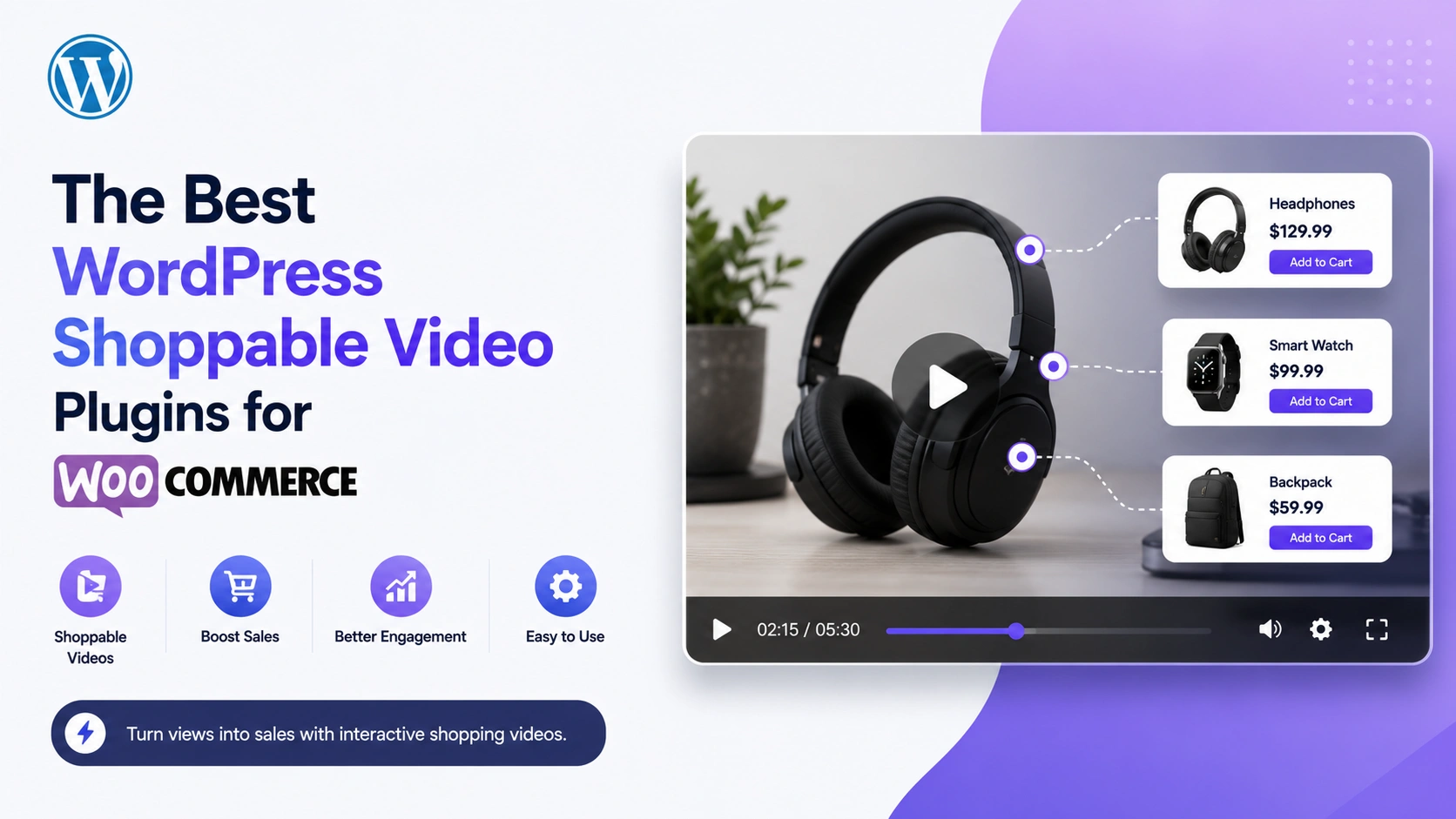
Social commerce is projected to reach $2.1 trillion globally in 2026, with US sales alone crossing $100 billion for the first time (eMarketer, Mordor Intelligence, cited across multiple 2026 industry reports). The platforms leading that growth — TikTok Shop, Instagram Shopping — share one structural feature: video with an embedded purchase action. WooCommerce store owners increasingly want that same capability on their own domain, rather than depending entirely on third-party platforms for video-driven sales.
This is a direct evaluation of the WordPress plugins that actually deliver shoppable video for WooCommerce in 2026 — what each one does, what it costs, and which is the right fit depending on your store’s specific needs.
What “Shoppable Video” Actually Requires From a Plugin
Before comparing options, be clear about what distinguishes genuine shoppable video from a video that merely has a link nearby:
- Interactive overlays inside the player — clickable product cards, not just an external link in a caption or description
- Live product data — pricing, images, and availability pulled directly from your store, not manually re-entered and prone to going stale
- An add-to-cart action reachable without leaving the video — the core friction-reduction mechanism that makes shoppable video convert better than a standard product page
- WooCommerce-native integration — working with your existing product catalog rather than requiring a parallel commerce system
A plugin that only embeds YouTube videos with no product-linking capability doesn’t qualify, regardless of how good its gallery layouts are.
MediaHaven (Free / Pro from $79/year)
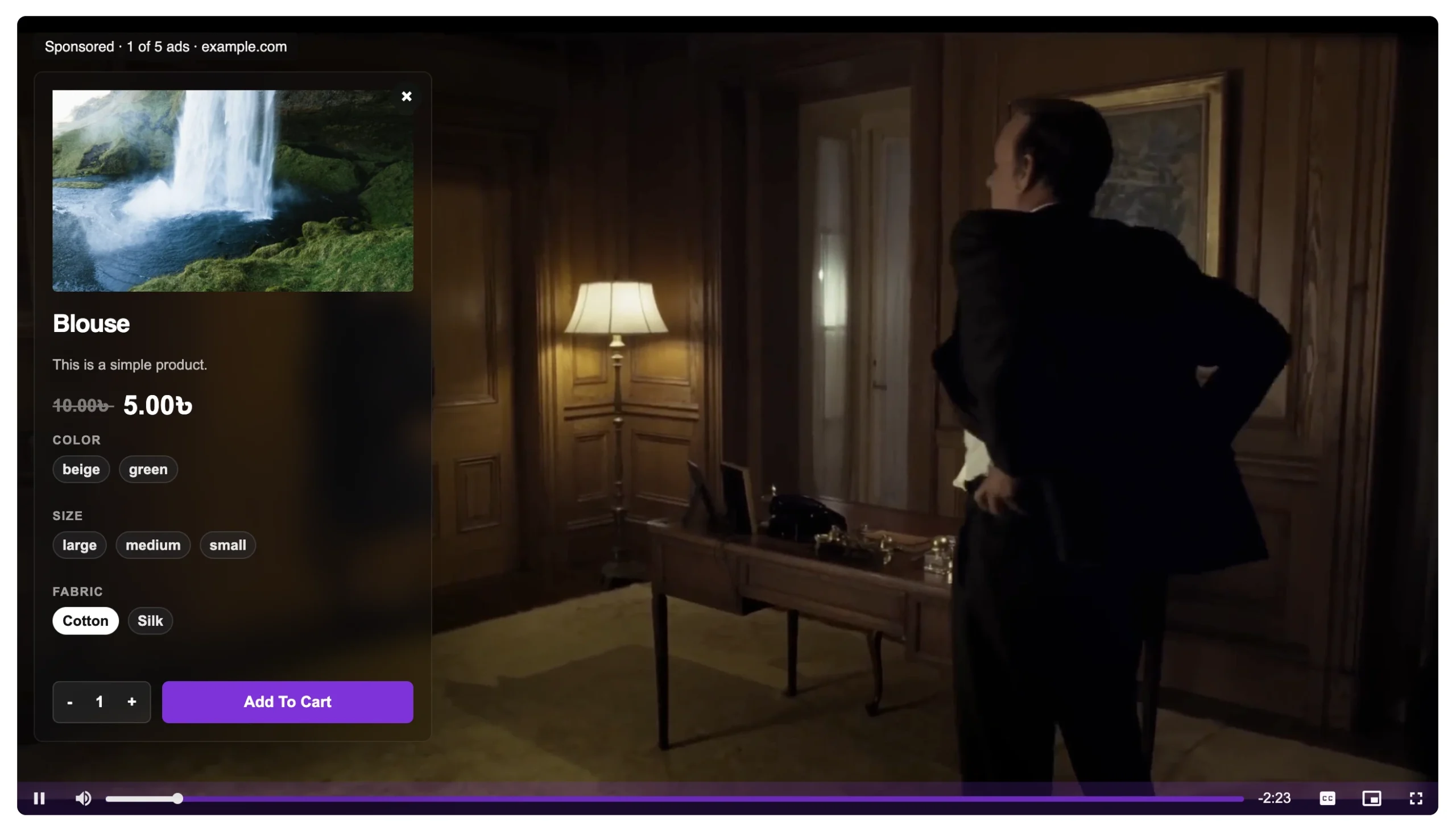
Shoppable capability: Native WooCommerce product video overlays, configurable via a dedicated settings toggle (MediaHaven → Settings). Confirmed compatible with self-hosted, HLS, and Bunny Stream videos.
How the overlay works: Each video links to a specific WooCommerce product (or a category for multi-product videos), with a configurable CTA label and precise timing control over when the overlay appears during playback. MediaHaven Pro provides 9 positioning options so the overlay doesn’t obscure the product being shown.
Additional bundled capabilities: VAST video ad support (pre-roll, mid-roll, overlay formats) for sites wanting a secondary revenue stream from views; automatic Schema.org VideoObject markup for SEO; a full gallery system supporting 10+ video sources (YouTube, Vimeo, TikTok, Bunny Stream, self-hosted, and more) beyond just the shoppable use case.
Important limitation, stated directly in MediaHaven’s own documentation: shoppable overlays and VAST ads work with self-hosted, HLS, and Bunny Stream video specifically — not with YouTube, TikTok, or Vimeo embeds, since those platforms control their own player and ad systems independently.
Pricing: Free core plugin; Pro (required for shoppable overlays) starts at $79/year for one site, with a 14-day money-back guarantee.
Best for: WooCommerce stores that want shoppable video bundled with a complete video gallery and SEO system, rather than a single-purpose overlay tool — and that are willing to host video content themselves (self-hosted or via Bunny Stream) rather than relying purely on YouTube embeds.
Generic Video Gallery Plugins With No Product-Linking Layer
A large category of WordPress video plugins handle gallery display, responsive layouts, and multi-source embedding well, but have no mechanism to link video content to WooCommerce products at all. These are genuinely good tools for video presentation — but they are not shoppable video solutions, regardless of how they’re sometimes marketed.
What to check before assuming a plugin supports shoppable video: does it have a specific WooCommerce integration setting, or does it only provide a generic embed/shortcode with no product-linking configuration? If the latter, it’s a gallery plugin, not a commerce plugin.
Best for: Sites that want video presentation without a commerce layer — portfolios, blogs, general content sites.
Standalone WooCommerce Product Video Plugins (Non-Shoppable)
Several plugins add product demo videos to WooCommerce product pages — displaying a video in the product gallery, a dedicated tab, or a specific hook position — without an interactive overlay layer inside the video itself.
The distinction that matters: these plugins improve the product page experience (a shopper sees a demo before buying) but don’t compress the funnel the way an in-video overlay does. The viewer still has to be on the product page already to see the video; the video isn’t itself a standalone, shareable, embeddable shoppable asset the way a MediaHaven-powered overlay video is.
Best for: Stores that specifically want product-page video enhancement rather than a portable, embeddable shoppable video asset for use elsewhere on the site or in campaigns.
Side-by-Side Comparison
| Capability | MediaHaven Pro | Generic gallery plugin | Product-page video plugin (non-shoppable) |
|---|---|---|---|
| Interactive in-video product overlay | ✅ | ❌ | ❌ |
| Live WooCommerce price/product sync | ✅ | ❌ | ⚠️ Varies |
| Add-to-cart from inside video | ✅ | ❌ | ❌ |
| Works as standalone shareable shoppable asset | ✅ | ❌ | ❌ |
| VAST ad monetization | ✅ (Pro) | ❌ | ❌ |
| Multi-source gallery (YouTube, TikTok, etc.) | ✅ | ✅ (varies) | ⚠️ Limited |
| SEO schema markup | ✅ (automatic, free) | ⚠️ Varies | ⚠️ Varies |
| Cost | Free core / $79/year Pro | Varies | Varies |
The Funnel Compression Argument (Why This Category Matters at All)
The reason shoppable video plugins exist as a category — rather than everyone just embedding a video with a link below it — comes down to documented conversion mechanics. As MediaHaven’s own analysis puts it: “Between [discovering a product video and completing a purchase], there are four separate navigation events — four distinct opportunities for the buyer to abandon the funnel. Industry conversion data consistently shows that reducing purchase steps from 4 to 2 can double conversion rates.”
This mirrors exactly why TikTok Shop (4.7% conversion) outperforms platforms requiring an app switch or external redirect to complete a purchase (Instagram Shopping at 2.1%, Facebook Shops at 1.8% — eMarketer 2026, corroborated by HubSpot). The mechanism generalizes to WordPress: a plugin that keeps the purchase action inside the video will consistently outperform one that merely displays video near a separate buy button.
FAQ: Choosing a WordPress Shoppable Video Plugin
Do I need a shoppable video plugin, or is a regular product video enough? If your goal is simply showing a product in use before purchase, a standard product-page video plugin is sufficient. If your goal is reducing the number of steps between video discovery and purchase — particularly for video content shared outside the product page itself (social, email, blog embeds) — a genuinely shoppable, overlay-capable plugin like MediaHaven is the correct category.
Can I use YouTube videos for shoppable overlays? Not with MediaHaven’s overlay/VAST system specifically — per its own documentation, this requires self-hosted, HLS, or Bunny Stream video, since YouTube (and TikTok, Vimeo) control their own independent player and ad infrastructure.
Is shoppable video only useful for fashion/apparel stores? No — MediaHaven’s documentation cites use cases spanning fashion lookbooks, but the underlying mechanism (reducing navigation steps between discovery and purchase) applies to any product category with video content: electronics demos, home goods, beauty, food and beverage, and digital products alike.
How much does implementation actually cost? MediaHaven’s core gallery system is free; the shoppable overlay and VAST monetization layer require Pro at $79/year for one site (with multi-site tiers available), with a 14-day money-back guarantee — a materially lower cost than most dedicated shoppable-video SaaS platforms.
Will adding shoppable video slow down my WooCommerce store? Properly built plugins in this category use lazy loading and per-page asset scoping specifically to avoid this. MediaHaven’s smart asset loading ensures its scripts load only on pages actually containing a gallery, and built-in lazy loading defers video/thumbnail loading until content is in view.
Do shoppable videos need to be produced differently than regular product videos? Not fundamentally — but timing your overlay to match when the product is actually visible on screen (rather than a fixed, arbitrary timestamp) meaningfully improves click-through, since the viewer sees the product and the purchase option simultaneously.
Can one shoppable video link to multiple products? Yes, with MediaHaven — link a WooCommerce product category rather than a single product for “shop the look” style multi-product videos, where several tagged items can each carry their own overlay.
The Bottom Line
For WooCommerce stores evaluating shoppable video plugins in 2026, the decision comes down to whether you want a bundled solution — video gallery, SEO, monetization, and shoppable overlays in one plugin — or a narrower, single-purpose tool. MediaHaven Pro is the strongest bundled option currently available, delivering genuine in-video WooCommerce overlays at $79/year, a fraction of what dedicated shoppable-video SaaS platforms typically charge for comparable functionality.
- Install free: wordpress.org/plugins/mediahaven-lite
- Live shoppable video demo: demo.mediahaven.io/shoppable-video-for-ecommerce/
- Official documentation: mediahaven.io/docs/
- Upgrade to Pro: mediahaven.io/pricing — from $79/year · 14-day money-back guarantee
- Support
Leave a Reply