

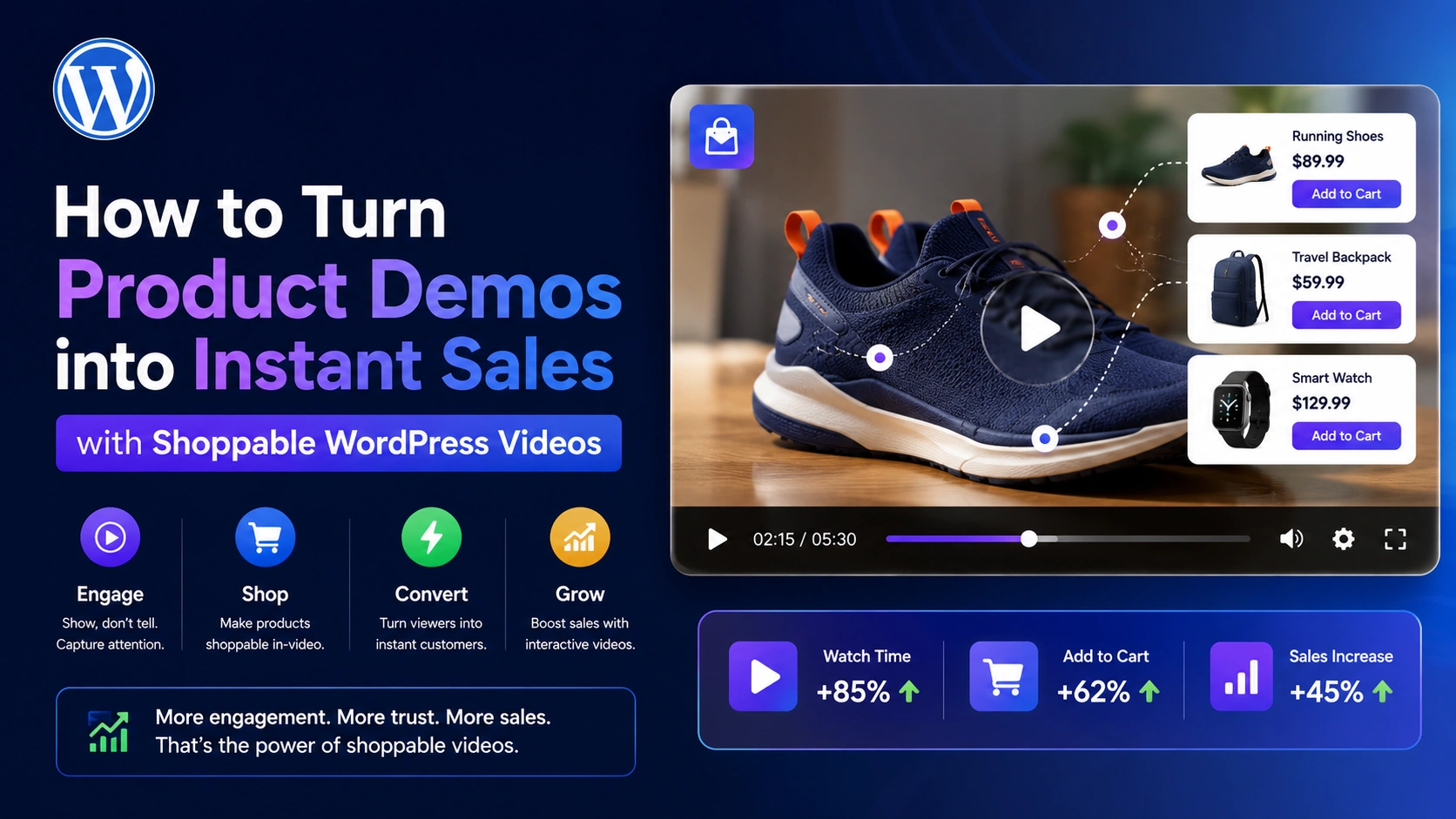
You already have the product demo videos. Most WooCommerce stores do — unboxing clips, feature walkthroughs, tutorials showing a product in use. The problem isn’t content creation. It’s that these videos, as currently embedded, ask a viewer to stop watching, remember what they saw, navigate somewhere else, and then decide to buy — and at every one of those steps, some percentage of interested viewers simply doesn’t follow through.
This guide covers exactly how to convert existing product demo videos into direct, instant-purchase assets using MediaHaven‘s shoppable video system — turning content you’ve already produced into a working sales channel, without reshooting anything.
Why Your Existing Demo Videos Are Already Underperforming
If your product demo videos currently live on a product page, in a blog post, or embedded from YouTube with a link in the description, they’re operating at a structural disadvantage that has nothing to do with the video’s quality.
MediaHaven’s own conversion analysis lays out the funnel precisely: a typical video marketing setup without shoppable infrastructure requires a viewer to (1) find the product video, (2) watch it, (3) navigate to the product page, (4) review the listing again, (5) add to cart, (6) proceed to checkout, and (7) complete payment. Between steps 2 and 7, there are four separate navigation events — four distinct opportunities for the buyer to abandon.
The data behind this is consistent industry knowledge: reducing purchase steps from four to two can double conversion rates. Every additional required click costs measurable conversion percentage. Your demo video isn’t underperforming because it’s a bad video — it’s underperforming because of everything that has to happen after someone watches it.
The Fix: Move the Purchase Action Inside the Video
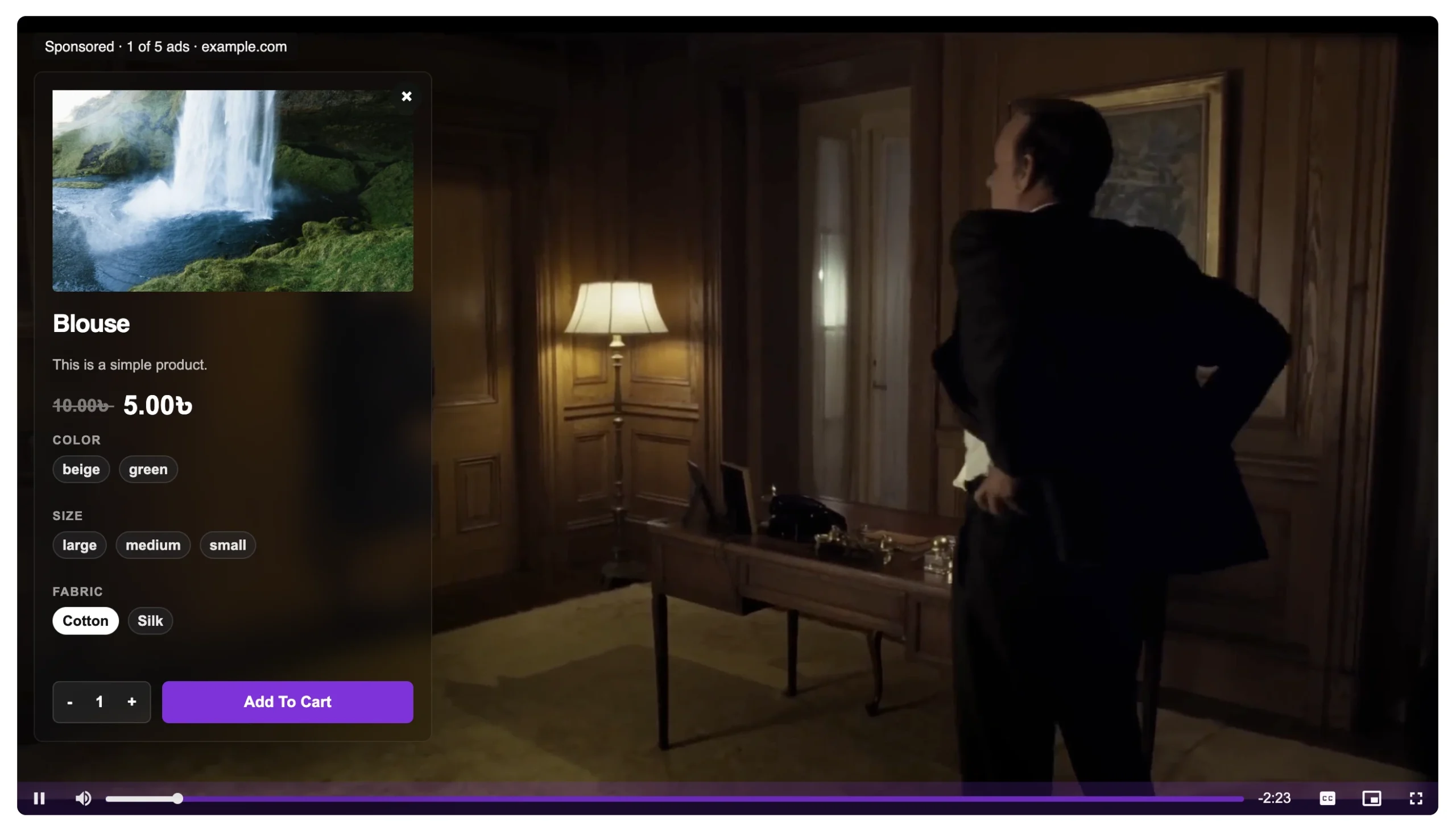
Shoppable video doesn’t ask you to change your content strategy. It changes what happens the moment a viewer decides they want the product they’re watching — instead of navigating away, they act immediately, from inside the player.
MediaHaven’s implementation, step by step:
Step 1: Confirm Your Video Qualifies
Shoppable overlays work with self-hosted, HLS, and Bunny Stream video. If your existing demo videos are currently YouTube embeds, you’ll need to either re-host them (Bunny Stream’s automatic HLS conversion makes this a roughly 10-minute process per video, with no manual encoding) or produce new demo content directly in a compatible format going forward.
Step 2: Install MediaHaven and Enable WooCommerce Overlays
Install MediaHaven Lite free, upgrade to Pro ($79/year, 14-day money-back guarantee), then navigate to MediaHaven → Settings and enable WooCommerce product video overlays in the WooCommerce integration section.
Step 3: Link Your Existing Demo Video to Its Product
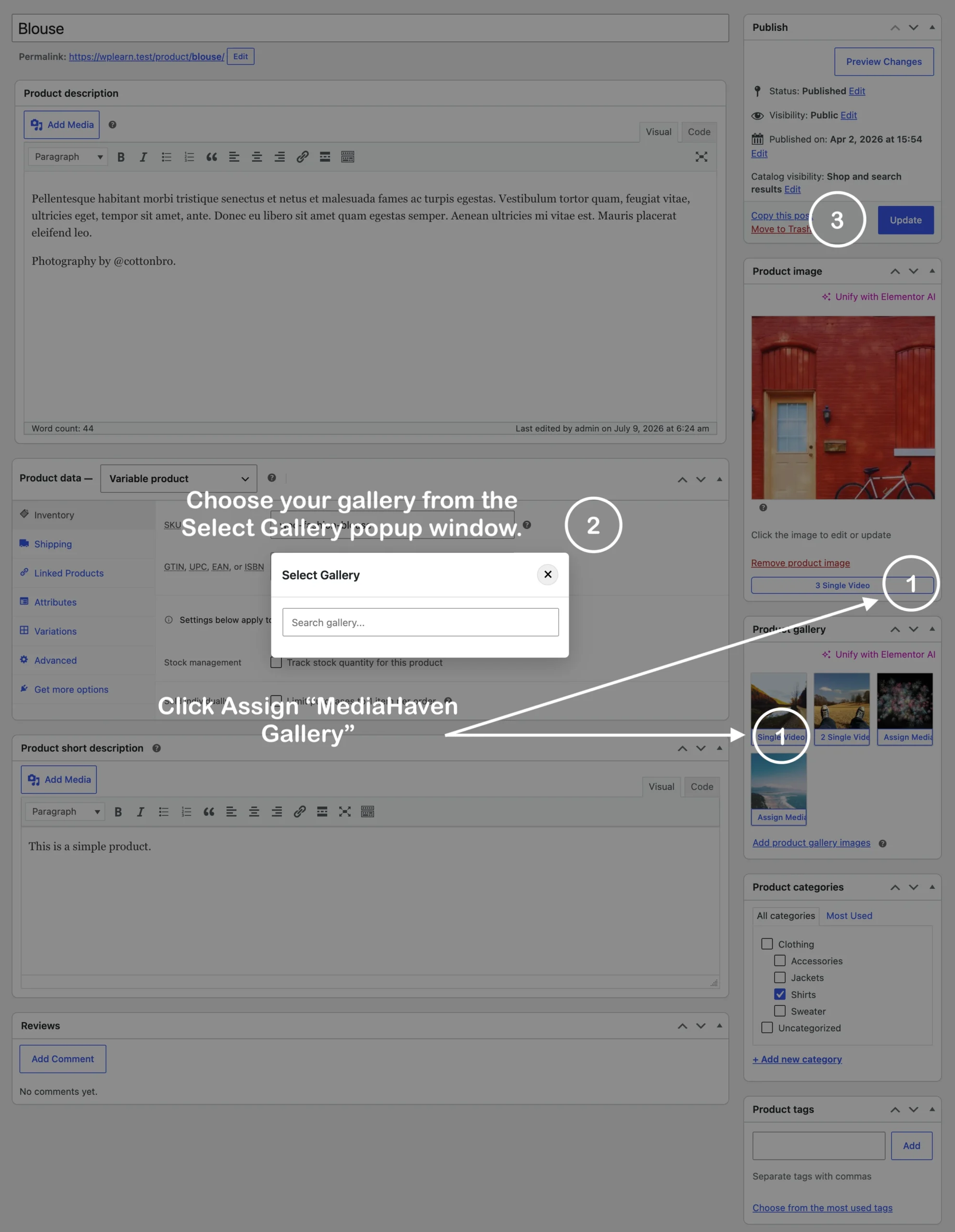
For each demo video already in your library, open its settings and link the corresponding WooCommerce product. If the demo covers multiple related items (a full kitchen tool set, a bundle, an outfit), link a product category instead so each featured item can carry its own tag.
Step 4: Time the Overlay to the Moment of Desire, Not an Arbitrary Point
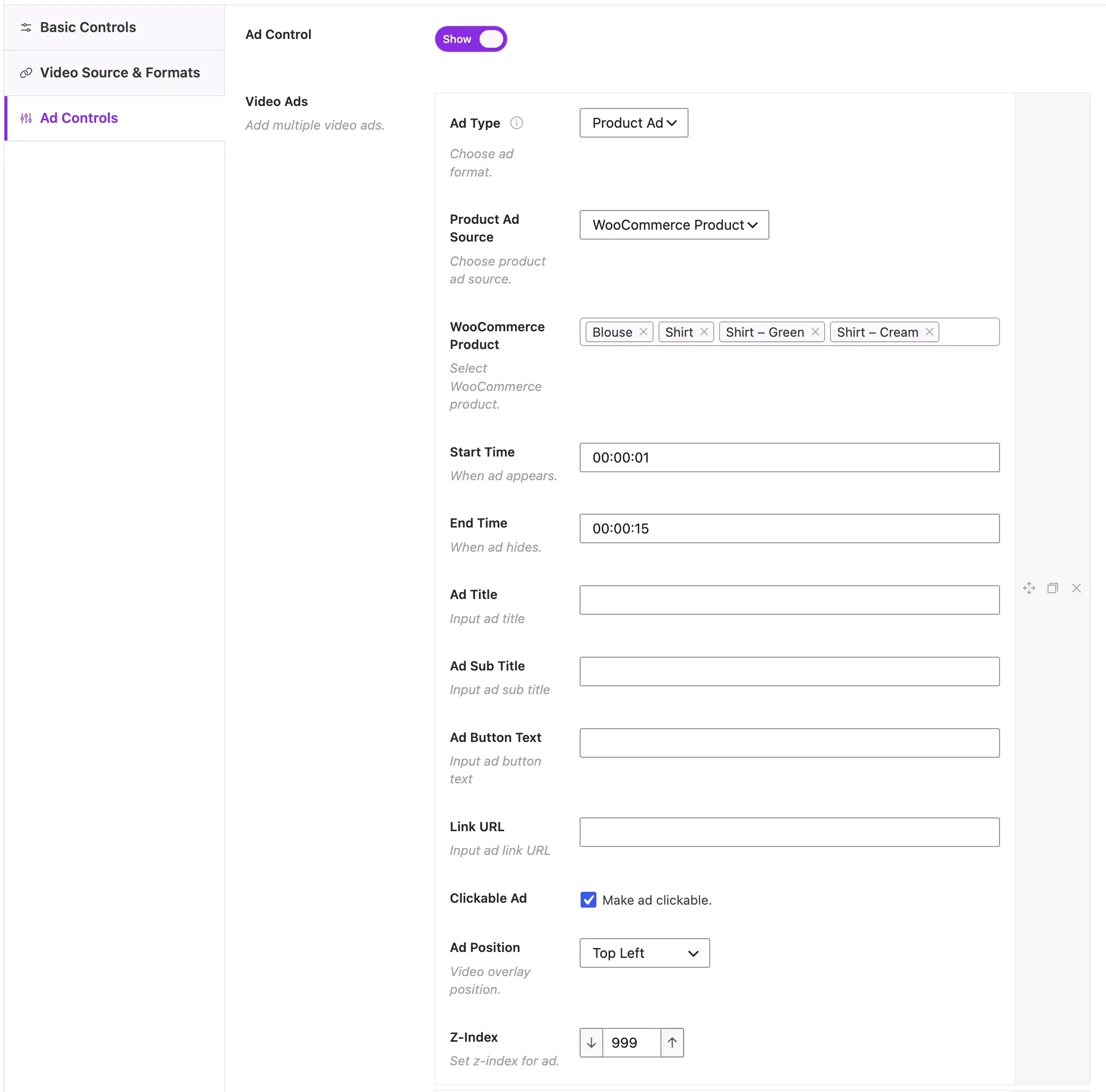
This is the detail that separates a shoppable video that converts from one that doesn’t: set the CTA to appear exactly when the product is on screen and being demonstrated — not at a fixed 10-second mark regardless of content. If your demo shows the product working at the 0:22 mark, that’s when the overlay should appear, giving the viewer the purchase option at the precise moment their interest peaks.
Step 5: Choose a CTA Label That Matches Intent
MediaHaven lets you customize the CTA text specifically. “Add to Cart” suits a viewer who already knows they want it. “Shop Now” works for a first-touch demo where you’re still building desire. “See Price” can work as a softer entry point for higher-consideration purchases. Match the label to where the viewer likely is in their decision process at that point in the video.
Step 6: Position for Visibility Without Obstruction
Choose from MediaHaven Pro’s 9 overlay positions — bottom-center and bottom-left are generally the safest defaults for product demos, since they rarely obscure the item being shown while remaining clearly visible against most video compositions.
Step 7: Re-Embed the Video Everywhere It Currently Lives
Once configured, the same shoppable video can be embedded on your product page, in a blog post, in an email campaign (as a linked thumbnail), or shared on social — every instance now carries the same instant-purchase capability, without you needing to rebuild the funnel separately for each placement.
Turning a Single Demo Into a Compounding Asset
Here’s the strategic shift this represents: a demo video without shoppable infrastructure is a traffic-dependent asset — its value exists only for as long as people are actively watching it in a specific place. A shoppable demo video is a conversion-compounding asset — every new placement (a blog post, a follow-up email, an organic search result thanks to MediaHaven’s automatic Schema.org markup) becomes another instance of the exact same purchase-ready experience, with zero additional setup cost per placement.
As MediaHaven’s own materials frame it: “Paid advertising is a traffic rental… Shoppable video on your WordPress site is a traffic-owning, conversion-compounding, SEO-building asset that continues generating revenue long after the initial investment.”
Realistic Revenue Math for an Existing Store
Per MediaHaven’s own published example: “For a WooCommerce store generating $5,000/month in revenue, achieving even a 10% conversion rate improvement through shoppable video pays for the annual Pro license in the first week.”
Scale that logic: a store doing $20,000/month with a handful of existing demo videos converted to shoppable format, seeing a conservative 10–15% relative lift in conversion on the pages/placements where those videos appear, is looking at $2,000–$3,000/month in incremental revenue — against a $79/year plugin cost. The math strongly favors converting existing content before producing anything new.
Adding a Second Revenue Layer: VAST Ads on the Same Video
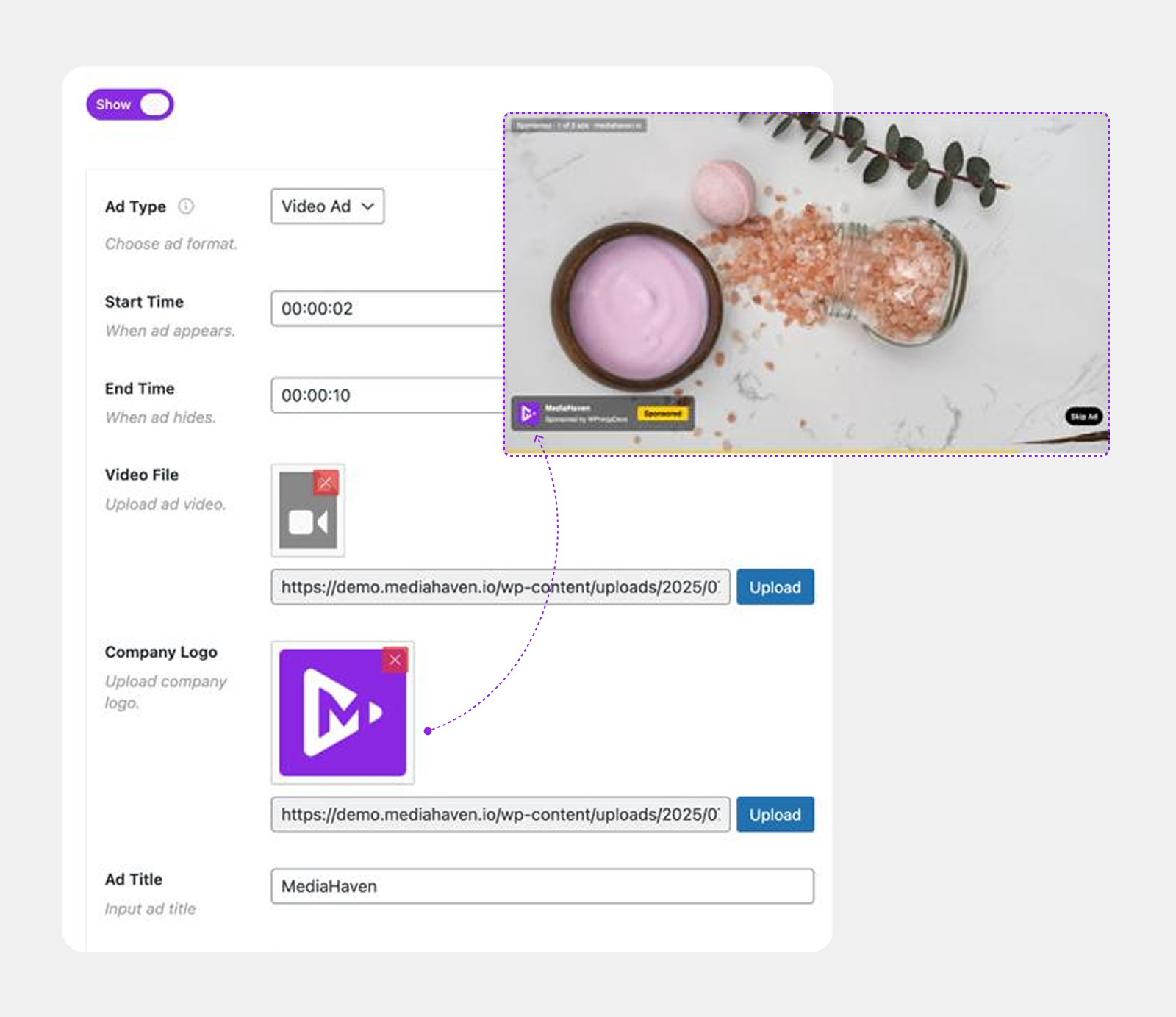
Once your demo video is shoppable, MediaHaven Pro lets you layer VAST video advertising on top of the same content — pre-roll, mid-roll, or overlay ad formats, with 9 configurable positions and precise timing controls. This means a single demo video can simultaneously drive direct product sales and generate advertising revenue from views that don’t convert to a purchase — two monetization mechanisms from one asset.
FAQ: Converting Product Demos to Shoppable Video
Do I need to reshoot my existing demo videos? No — if your videos are already self-hosted, HLS, or ready to move to Bunny Stream, you can add shoppable overlays directly to existing footage. Only the video source format matters, not the content itself.
What if my demo videos are currently on YouTube? Shoppable overlays specifically require self-hosted, HLS, or Bunny Stream delivery — YouTube embeds run YouTube’s own player and don’t support MediaHaven’s overlay system. Migrating existing footage to Bunny Stream (via MediaHaven’s one-click Sync, which auto-converts to secure adaptive HLS) is a documented, roughly 10-minute process per video with no manual encoding required.
How long does it take to set up shoppable overlays on one video? MediaHaven’s own guidance states the full setup — install, WooCommerce integration, and configuring your first shoppable video — is deployable in under an hour, with no coding required.
Can I use the same shoppable video in multiple places on my site? Yes — once configured, the video and its overlay function identically wherever it’s embedded: product page, blog post, category page, or landing page.
What’s a realistic CTA placement strategy for a 60-second demo? Time the CTA to appear when the product is clearly visible and being actively demonstrated, not during an intro or context-setting moment. For multi-feature demos, consider multiple timed CTAs — one per feature segment — each potentially linking to a different SKU or variant.
Does this replace my product page, or work alongside it? It works alongside — the shoppable video adds a direct purchase path from wherever the video is embedded; your standard product page remains available for shoppers who prefer to browse full specifications and reviews before buying.
Is there a minimum store size or revenue level where this makes sense? MediaHaven’s own cost-benefit example uses a $5,000/month store as the baseline where the annual Pro license pays for itself within the first week from a modest conversion improvement — the mechanism scales down to smaller stores and up to larger ones proportionally.
What happens if I also want ad revenue from the same video? MediaHaven Pro’s VAST ad system can run on the same self-hosted/HLS video simultaneously with the shoppable overlay — giving you both a direct sales mechanism and a passive ad-revenue mechanism from one piece of content.
- Install free: wordpress.org/plugins/mediahaven-lite
- Live shoppable video demo: demo.mediahaven.io/shoppable-video-for-ecommerce/
- Official documentation: mediahaven.io/docs/
- Upgrade to Pro: mediahaven.io/pricing — from $79/year · 14-day money-back guarantee
- Support
Leave a Reply