

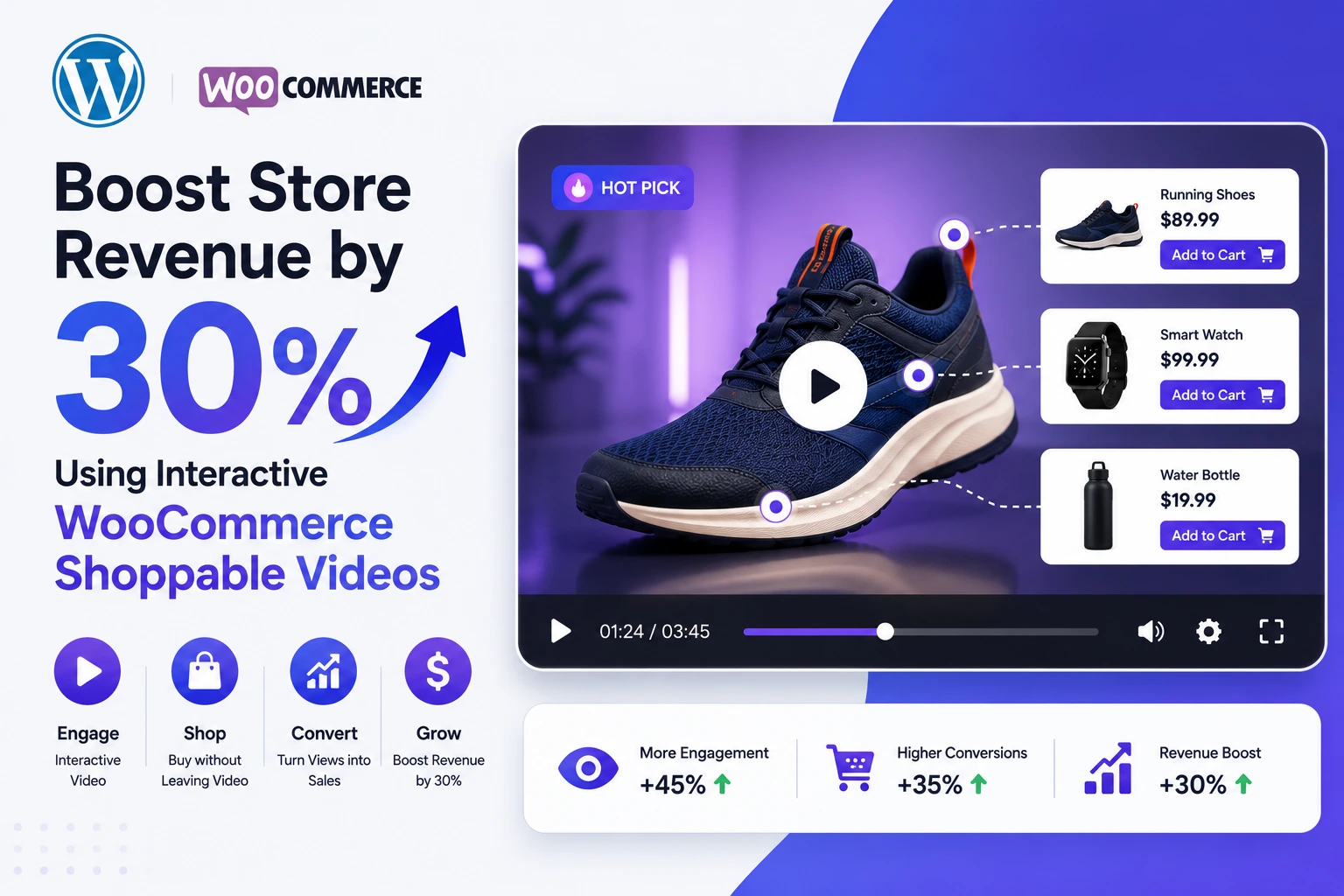
Every WooCommerce owner has the same three levers to pull for more revenue: get more traffic, raise average order value, or convert more of the traffic already showing up. The first two get most of the marketing budget. The third — conversion — is where interactive shoppable video quietly outperforms almost everything else, because it works on the traffic you already paid for.
This article is about that third lever specifically: what the revenue upside actually looks like, why it works, and how to build it inside WooCommerce using the MediaHaven plugin without hiring a developer or a video agency.
Why “30% More Revenue” Isn’t Just a Marketing Number
The 30% figure isn’t invented — it’s a conservative read of what independent 2026 studies are reporting across ecommerce:
- A Channelize 2026 report found retailers adding shoppable short-form video to product pages saw conversion lifts in the 25–30% range.
- A Yans Media benchmark found sites using video convert at roughly 4.8% versus 2.9% for pages without it — a gap of nearly 65%.
- Wyzowl’s video marketing research found 88% of consumers say a product video convinced them to make a purchase.
- Broader ecommerce data covering tens of thousands of Shopify and Amazon listings in early 2026 showed static product pages stuck around 2–3.5% conversion, while stores layering in optimized shoppable video pushed well into double-digit conversion rates on those same pages.
None of this means you’ll see the exact same number — your niche, your traffic quality, and the quality of the video itself all matter. But the direction is consistent across every independent dataset: video with a shopping layer converts meaningfully better than video alone, and video alone converts better than static images. Thirty percent is a realistic, well-supported mid-range outcome, not a ceiling.
The Math on a Real Store
Take a WooCommerce store doing $50,000/month with a 3% baseline conversion rate. A 30% conversion lift on the product pages where shoppable video is active doesn’t require a single extra visitor or an extra ad dollar — it turns the same traffic into roughly $65,000/month from those pages alone. That’s the entire argument for treating shoppable video as a revenue project, not a “nice to have” content upgrade.
What Makes a Video “Shoppable” (and Why It Converts Better Than a Regular Product Video)
A regular product video informs. A shoppable video transacts. The difference is the interactive layer sitting on top of playback:
- Clickable product cards that appear at the right moment in the video
- Live pricing, variation, and quantity selectors inside the player
- Promotional banners and coupon codes timed to the viewer’s attention
- An Add to Cart button that fires without the viewer leaving the video
Every one of those elements removes a decision point that would otherwise happen off-video — searching for the size selector, hunting for the discount code, scrolling back up to find “Add to Cart.” Each removed step is one less chance for the shopper to lose momentum and bounce.
Building It in WooCommerce With MediaHaven
MediaHaven is a WordPress plugin (free Lite version plus a Pro upgrade) purpose-built for video-driven WooCommerce stores. Here’s the revenue-relevant feature set, mapped directly to what moves conversion.
1. Get Product Video Onto the Page (Free)
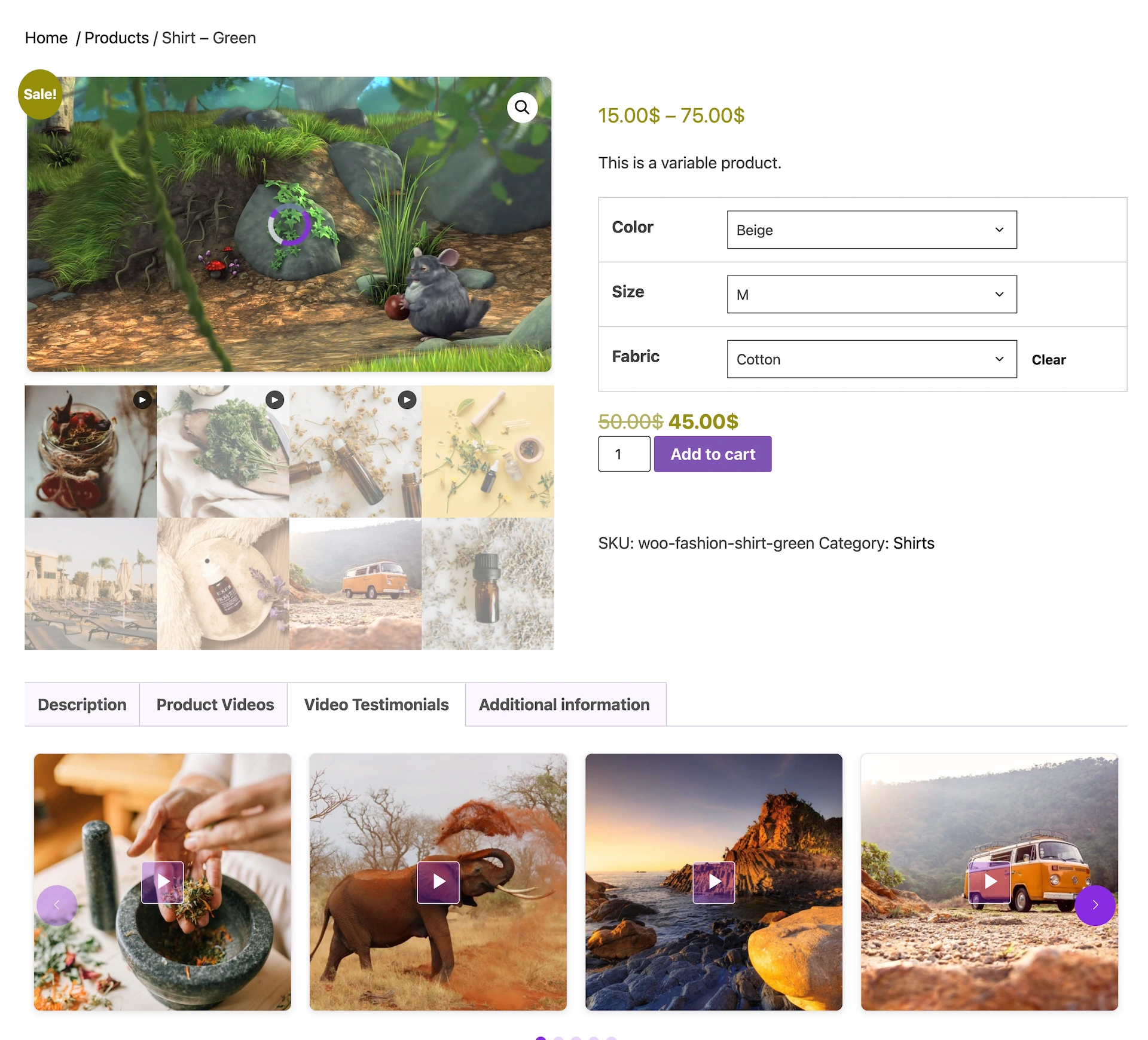
MediaHaven Lite lets you attach video to any WooCommerce product and display it:
- In a dedicated product video tab
- Before the product summary
- After the product summary, using native WooCommerce hooks
This is the baseline every store should have before adding shopping overlays — it’s free, and it’s the step that starts building buyer trust.
2. Replace Static Images With Shoppable Video (Pro)
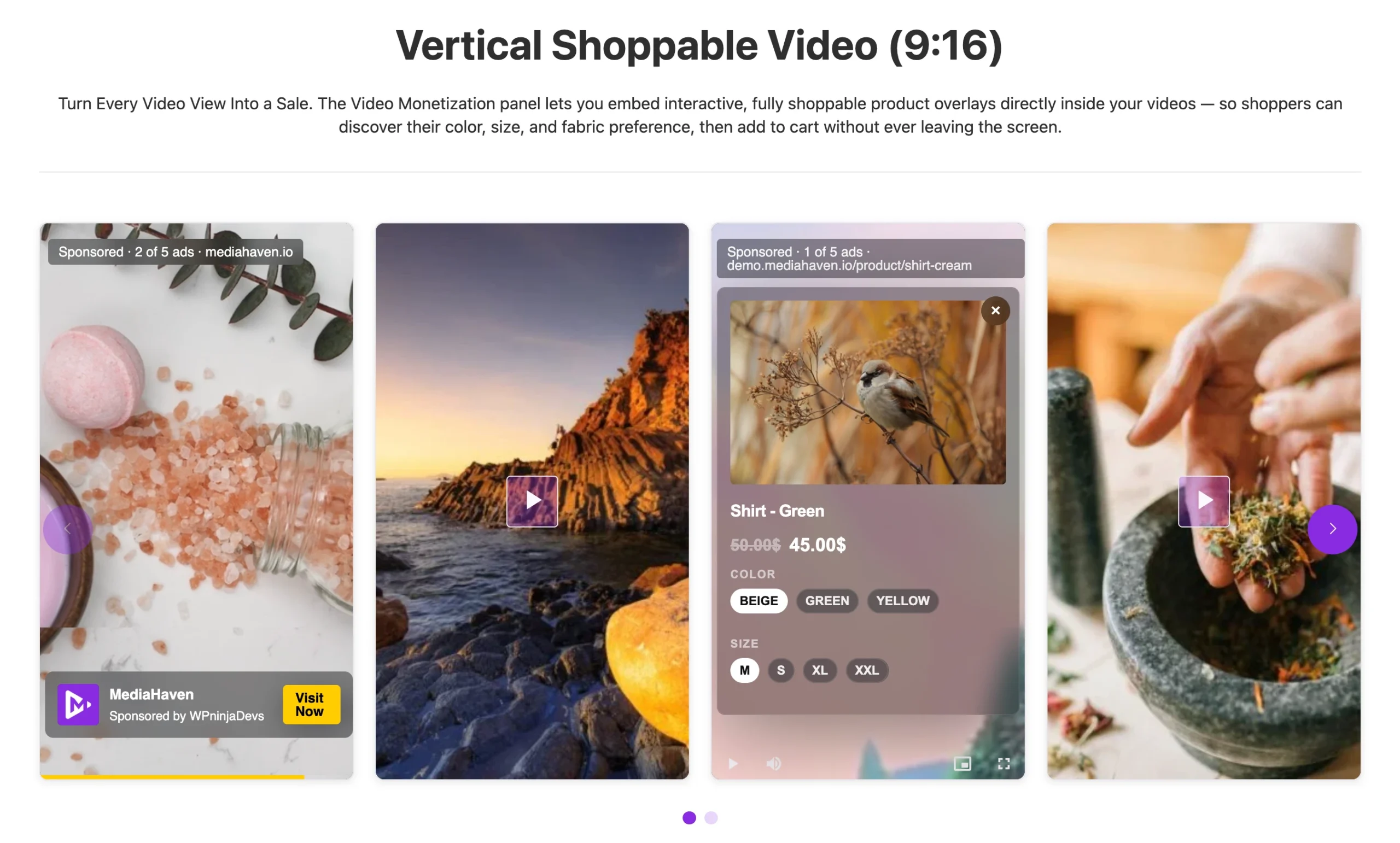
MediaHaven Pro lets you:
- Replace the default WooCommerce product gallery images with video, or show video alongside them
- Add clickable product cards, live pricing, variation selectors, quantity selectors, coupon codes, and Add to Cart buttons directly inside the video
- Automatically assign video by product category, tag, or storewide so you’re not tagging SKUs one by one
- Place the video anywhere on the page using advanced WooCommerce hooks
- Use the same overlay system with FluentCart and SureCart, not just WooCommerce
This overlay system runs on self-hosted, HLS, and Bunny Stream video. Embedded YouTube or TikTok videos will still display in your galleries, but the clickable shopping layer is built for content MediaHaven hosts directly, since third-party platforms control their own players.
3. Add a Second Revenue Stream With VAST Ads (Pro)
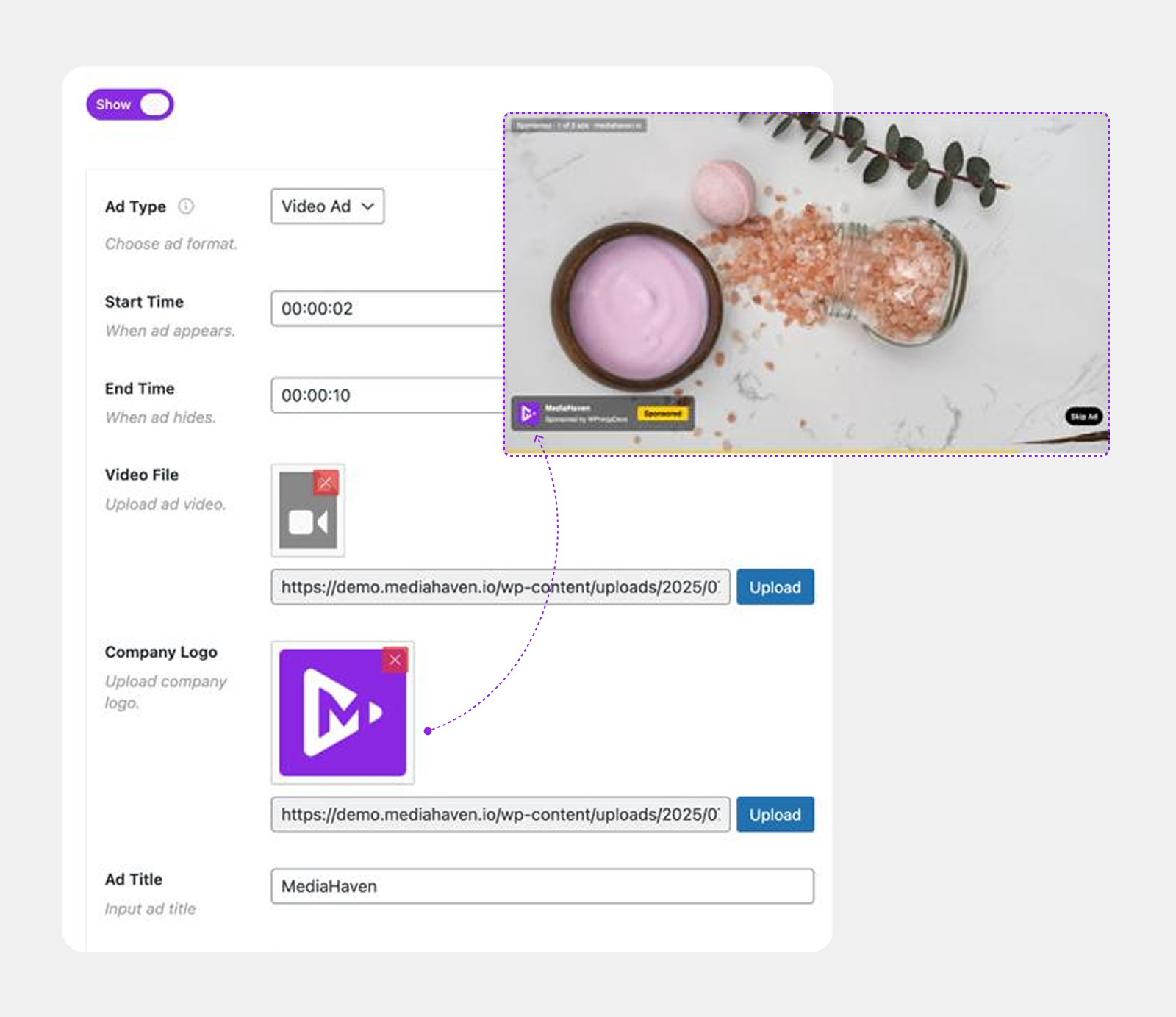
Beyond direct product sales, MediaHaven Pro includes full VAST ad support for self-hosted video — image, video, link, and text ads in 9 configurable positions, with precise timing controls and full style customization. For publishers and agencies running video content at volume, this turns existing video assets into ad inventory without extra production work.
4. Protect the Speed That Makes All of This Convert (Free)
None of the above matters if the video buffers. MediaHaven’s Bunny Stream integration — free in the Lite version — automatically converts synced video to secure, adaptive HLS format, delivers it through a global CDN, and takes the load off your own server entirely. Adaptive bitrate means smooth playback even on a slow connection, which matters because a shopper who gives up waiting for a video to load never sees the shoppable overlay at all.
A 90-Day Revenue Tracking Plan
Don’t take an industry benchmark’s word for it — build your own proof before scaling storewide.
| Days | Focus | What to Measure |
|---|---|---|
| 1–14 | Add free product video (MediaHaven Lite) to your 5 highest-revenue SKUs; connect Bunny Stream | Video completion rate, engagement rate |
| 15–30 | Upgrade to Pro; add shoppable overlays (product cards, pricing, Add to Cart) to those same 5 SKUs | Click-through to product card, add-to-cart rate |
| 31–60 | Compare conversion rate and last-click revenue on shoppable-video product pages vs. the rest of your catalog | Page-level conversion rate, revenue attribution |
| 61–90 | Roll out to your next tier of products using category/tag auto-assignment; re-measure | Store-wide conversion rate, average order value |
The metric that predicts everything else is engagement rate — the percentage of visitors who actually interact with the video. Stores that see the strongest conversion lift are, without exception, the ones whose viewers are actually watching and clicking. If engagement is low, the fix is almost always the video itself (hook, length, or placement) rather than the shopping overlay.
Where the Extra Revenue Actually Comes From
It’s worth being specific about the mechanism, because “video increases sales” is vague enough to ignore. The revenue lift comes from three distinct places:
- Higher conversion rate — fewer visitors bounce with unanswered questions, because the video answers them.
- Higher add-to-cart rate — the in-video Add to Cart button captures purchase intent at its peak, instead of losing it to scrolling or navigation.
- Lower return rate — video sets more accurate expectations about size, material, and function than photos alone, which means fewer refunds eating into that new revenue.
That third point matters for the bottom line as much as the conversion number does — a sale that gets returned isn’t really revenue.
Frequently Asked Questions
1. Is a 30% revenue increase realistic for a small WooCommerce store? It’s a realistic mid-range outcome based on multiple independent 2026 studies, but it depends on your traffic quality, niche, and video quality. Test on your top 5 products first and measure your own numbers before assuming the industry average applies to your store.
2. Do I need Pro to see any revenue benefit, or does the free version help too? The free MediaHaven Lite version already lets you add product video to WooCommerce pages, which on its own tends to improve trust and conversion. The Pro shoppable overlay (clickable product cards, in-video Add to Cart) is what compounds that further by removing the extra step of leaving the video to buy.
3. What’s the fastest way to prove ROI before paying for Pro? Add free product video to a handful of top-selling SKUs, connect Bunny Stream for fast delivery, and track completion rate and conversion rate for two weeks against the rest of your catalog. If those pages already show a lift, the Pro overlay is a low-risk next investment.
4. Does shoppable video work with videos I already have on YouTube? Your existing YouTube or Vimeo videos can still display beautifully inside MediaHaven galleries. The clickable shopping overlay itself needs self-hosted, HLS, or Bunny Stream video, since embedded platform players don’t allow third-party interactive layers.
5. Will adding shoppable video hurt page speed and therefore SEO? Not if it’s delivered through a CDN. MediaHaven’s Bunny Stream integration (free) offloads playback entirely off your own server and includes lazy loading and smart per-shortcode asset loading, so pages stay fast.
6. Can I automatically add shoppable video to an entire product category instead of one product at a time? Yes — MediaHaven Pro supports automatic video assignment by product category, tag, or storewide, which is the practical way to scale shoppable video across a large catalog.
7. How long does it take to set this up? Basic product video (free tier) can be live in under an hour using the plugin’s Setup Wizard. Connecting Bunny Stream for CDN delivery takes about 10 minutes. Building out shoppable overlays on your top products is realistically a one-day project once Pro is installed.
8. Does this work with page builders like Elementor or Divi? Yes. MediaHaven is compatible with Elementor, WPBakery, Divi, Beaver Builder, Gutenberg, and Bricks Builder — you build the video shortcode in MediaHaven and drop it into any page builder element.
The Bottom Line
Revenue growth from shoppable video doesn’t come from a gimmick — it comes from removing friction at the exact moment a shopper is deciding whether to buy. MediaHaven gives WooCommerce stores a practical, budget-friendly path to that outcome: start free with product video and CDN delivery, prove the lift on your own top sellers, then scale into fully interactive shoppable video with Pro once the numbers back it up.
👉 Start with MediaHaven Lite (free) — explore the plugin, understand the gallery and video system
👉 Upgrade to MediaHaven Pro from $79/year — unlock VAST ads, Ajax filtering, video chapters, and all monetization features
👉 View the live VAST ad demo — see exactly how ads render in the player
Leave a Reply