

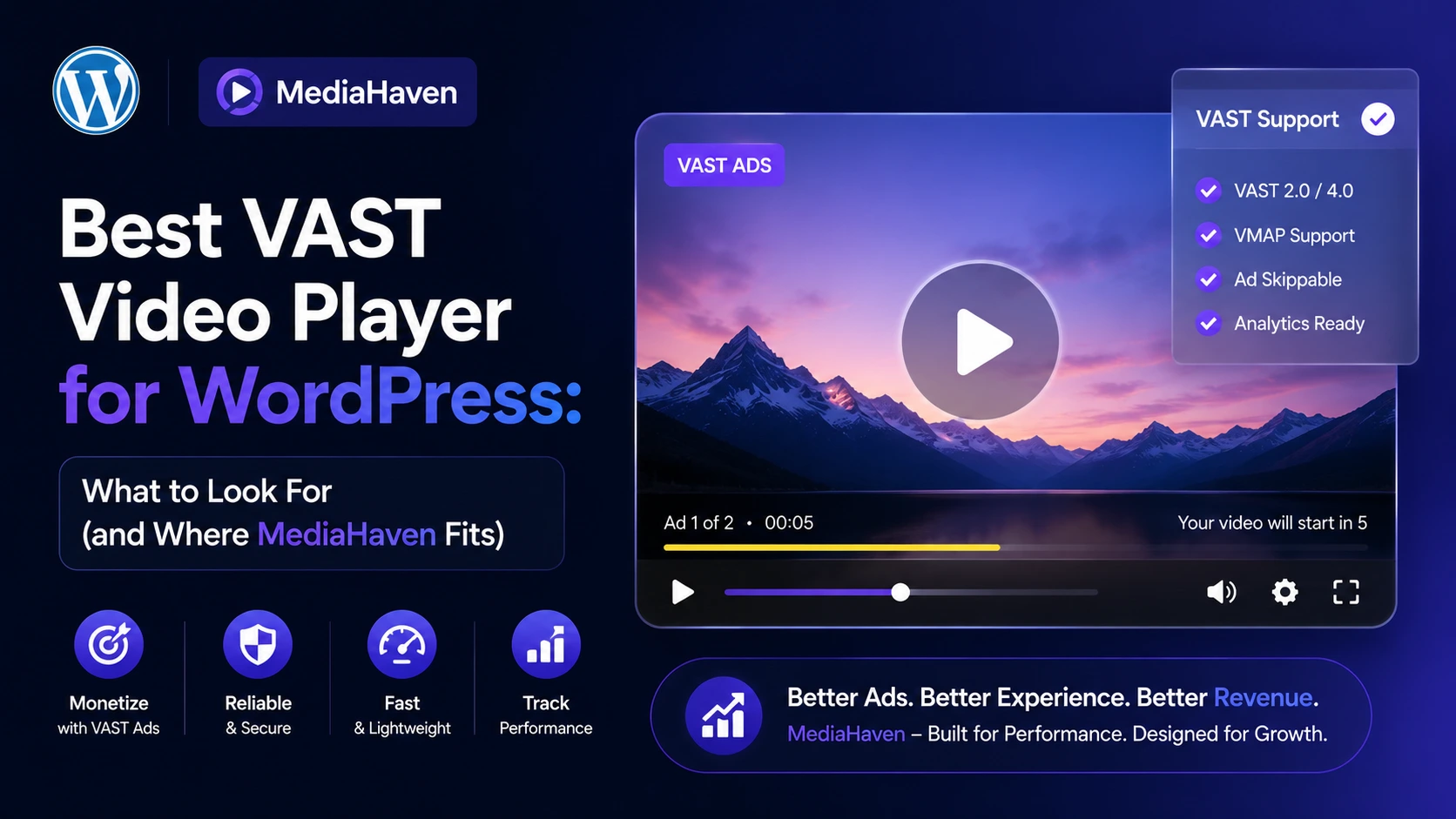
“Best VAST video player for WordPress” is a search that hides two different intents: some people want a player that consumes standard VAST tags from a programmatic ad network, and others want a WordPress video player with a built-in way to run their own video ads and monetize content directly. Those are different problems with different solutions, and conflating them is how a lot of buyers end up with the wrong tool. This guide breaks down the real decision criteria, then covers where MediaHaven fits.
First, a Necessary Distinction: VAST-the-Standard vs. VAST-Style Features
VAST (Video Ad Serving Template) is an IAB-maintained XML standard that lets a video player request an ad from an ad server and receive structured playback instructions. It’s the protocol behind most programmatic video advertising — Google Ad Manager and similar ad exchanges speak VAST.
Some WordPress video plugins market ad features as “VAST support” while actually meaning something more specific: a built-in system for managing your own ad creative directly inside the plugin, rather than a connector that ingests a third-party ad exchange’s VAST tag URL. Both are useful — they just solve different problems, and it’s worth knowing which one you’re evaluating before you buy.
If your goal is running your own promotions, sponsor placements, or house ads, a native ad management system is often simpler to set up and gives you full control over creative and timing.
If your goal is plugging into a programmatic ad exchange to sell inventory at scale, you need a plugin that specifically documents ingesting external VAST tag URLs — confirm this explicitly with any vendor before assuming it, since “VAST” in a product name or description doesn’t automatically guarantee it.
What to Actually Evaluate in a WordPress Video Ad Player
Regardless of which category you need, these are the criteria that separate a genuinely useful setup from a frustrating one:
- Ad placement flexibility — can you control exactly where on the player the ad appears, or are you stuck with a single fixed position?
- Timing control — can you set precisely when an ad shows and how long it stays visible, or only pre-roll/post-roll with no in-between options?
- Ad format support — image, video, link (clickable), and text ads cover the most real-world use cases; a player limited to one format is limiting your monetization options unnecessarily.
- Styling control — does the ad visually match your brand, or does it look like an obviously bolted-on third-party element?
- Audio handling — can ad audio be independently muted so it doesn’t clash with the surrounding page or autoplay elsewhere?
- Which video sources it actually covers — self-hosted only? HLS? Does it work with embedded platforms like YouTube? This determines whether your existing video library is even compatible with the ad system before you buy.
- Whether it’s bundled with real streaming infrastructure — a plugin that only handles ad placement, with no CDN or adaptive streaming underneath, still leaves you solving the performance half of the problem separately.
- Total cost of ownership — is CDN/streaming a separate paid service on top of the plugin license, or included?
Where MediaHaven Fits
MediaHaven provides a built-in video advertising system for WordPress, designed for publishers, businesses, and store owners who want to manage and display their own promotional content directly inside videos.
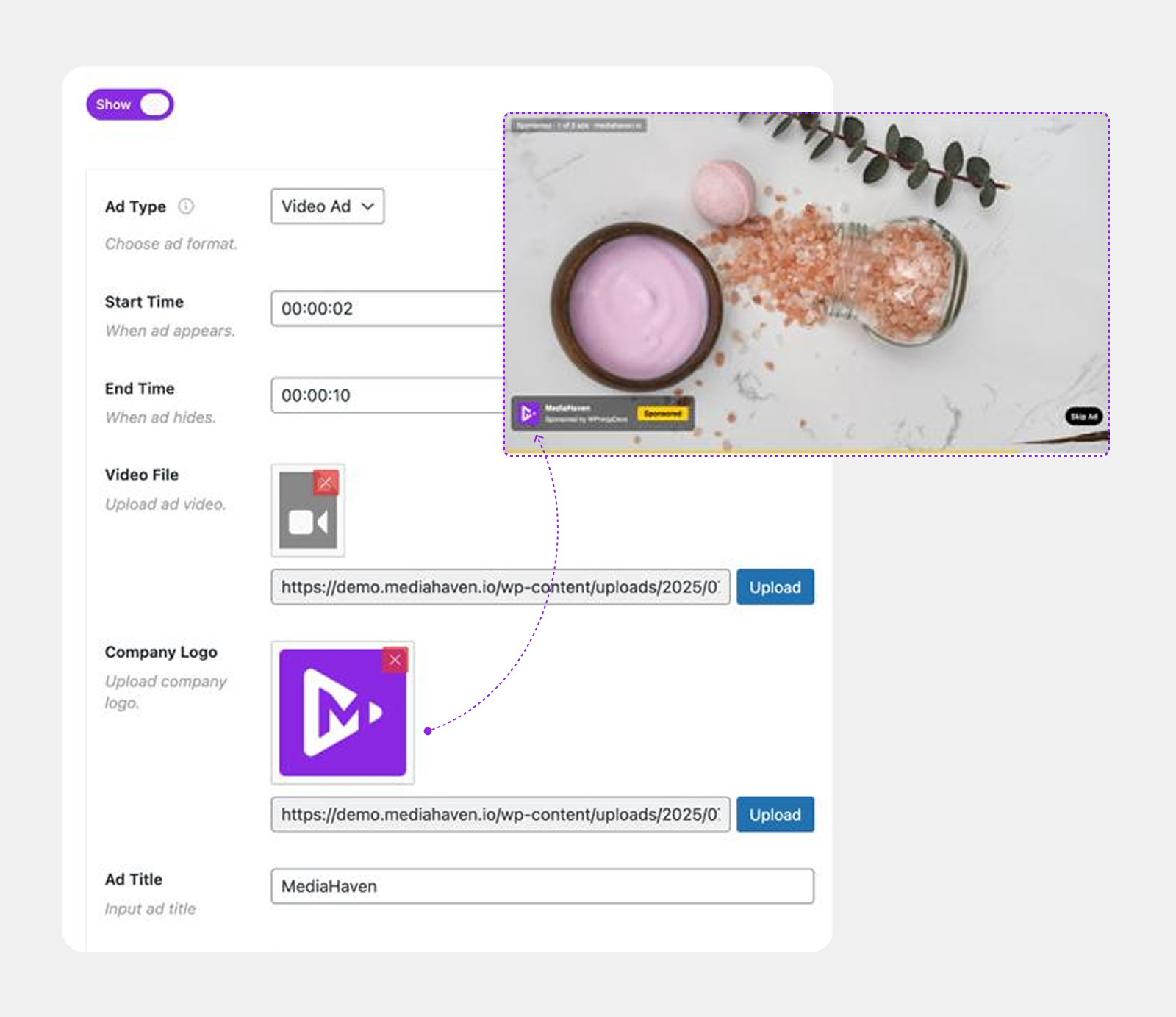
Rather than relying on an external ad exchange workflow, MediaHaven lets you create and manage ad campaigns directly from WordPress. You can use image, video, link, and text ads, control where they appear, and define when they are displayed during video playback.
Here’s what MediaHaven currently offers:
Ad placement and format:
- Image, video, link, and text ad creative, uploaded and managed directly in WordPress
- 9 fixed positions — top left/center/right, middle left/center/right, bottom left/center/right
- Precise timing controls for when an ad appears and its duration
- Full style controls to match your brand
- Independent ad audio mute
- Custom ad button label
Video source compatibility:
- Ads and shoppable overlays work on self-hosted (MP4, WebM, MOV, MKV, AVI), HLS, and Bunny Stream video only
- They do not work on embedded YouTube, TikTok, or Vimeo videos, since those platforms run their own player and ad systems
Streaming infrastructure bundled in:
- Free (Lite) integration with Bunny Stream — automatic adaptive HLS transcoding, global CDN delivery, signed-URL security
- This is included at no extra plugin cost (though Bunny.net itself has its own separate usage-based pricing)
What it adds beyond ads alone:
- Interactive shoppable video overlays (Pro) — product cards, pricing, variation selectors, Add to Cart, layered on the same video
- Video chapters, multi-language subtitles, and Bunny Storage for offloading the rest of your media library (all Pro)
For a store or publisher whose actual need is “run my own promotional or sponsor content inside videos I control, on a player that also streams efficiently” — MediaHaven’s feature set matches that need directly. For a business specifically trying to plug in an external programmatic ad exchange’s VAST tag, that workflow isn’t documented as a MediaHaven capability, and you should verify it directly with the vendor before purchasing on that assumption.
A Practical Decision Framework
- Running WooCommerce and want to both demo and monetize product video? A native ad system paired with shoppable overlays (MediaHaven Pro’s combination) covers both in one plugin.
- Need programmatic ad exchange integration specifically? Confirm explicit VAST tag URL ingestion with any vendor in writing before purchasing — don’t assume it from a product name alone.
- Only need fast, secure video hosting with no ad requirement at all? A free Bunny Stream integration (available in MediaHaven Lite) may be all the “player” you need.
- Publishing long-form or course content? Look for chapters and subtitle support alongside the ad system, since ads alone don’t address navigation or accessibility for longer video.
Setting Up MediaHaven’s Ad System
- Install MediaHaven (free Lite download) and complete the Setup Wizard.
- Connect Bunny Stream (Settings → Storage & CDN) so your video is served via adaptive HLS from the start.
- Upgrade to Pro to access the ad system.
- Upload your ad creative — image, video, link, or text — and place it at one of the 9 available positions.
- Set timing so the ad doesn’t interrupt the most important part of the video content.
- Style the ad to match your brand, and mute ad audio if needed.
- Test across desktop and mobile before publishing, since position and readability can render differently by screen size.
Free vs. Pro Feature Comparison
(Pulled directly from MediaHaven’s official pricing and feature comparison, current as of plugin v1.7.3)
| Feature | Free (Lite) | Pro |
|---|---|---|
| Bunny Stream — adaptive HLS streaming & CDN delivery | ✅ | ✅ |
| 10+ video source support | ✅ | ✅ |
| Native ad system (image/video/link/text, 9 positions) | ❌ | ✅ |
| Shoppable video overlays | ❌ | ✅ |
| Interactive video chapters | ❌ | ✅ |
| Multi-language subtitles | ❌ | ✅ |
| Bunny Storage (offload images/docs/audio) | ❌ | ✅ |
| Custom player styling | ❌ | ✅ |
Frequently Asked Questions
1. Is MediaHaven a true VAST-standard ad player, or something else?
MediaHaven’s ad system is a native, self-managed tool for placing your own image, video, link, or text ad creative — not a documented connector for ingesting third-party VAST XML tag URLs from ad exchanges. It’s best suited for direct/house ads and sponsor placements rather than programmatic ad network integration.
2. What should I look for if I specifically need programmatic VAST tag support?
Ask the vendor directly and in writing whether the plugin ingests external VAST tag URLs from an ad exchange (like Google Ad Manager) — don’t assume this from a product name or general “VAST” marketing language, since some tools use the term to describe their own native ad-placement features instead.
3. Does MediaHaven’s ad system work on YouTube-embedded videos?
No. Ads and shoppable overlays only work with self-hosted video, HLS streams, and Bunny Stream video. YouTube, TikTok, and Vimeo embeds use their own player and ad systems.
4. How many ad positions does MediaHaven support?
Nine — top left, top center, top right, middle left, middle center, middle right, bottom left, bottom center, and bottom right — each with independent timing controls.
5. Can I combine ads with shoppable product overlays on the same video?
Yes. Both features work on the same qualifying video types (self-hosted, HLS, Bunny Stream), so a single video can carry both a promotional ad placement and shoppable product cards.
6. Is streaming infrastructure included, or is that a separate cost?
Bunny Stream integration (automatic HLS transcoding, adaptive delivery, global CDN) is included in the free MediaHaven Lite plugin. You’ll need your own Bunny.net account, which has its own separate usage-based pricing, but there’s no additional MediaHaven cost for the streaming layer itself.
7. Do I need Pro to use any ad features at all?
Yes — the ad system, along with shoppable overlays, video chapters, and Bunny Storage, is Pro-only. There’s no scaled-down ad feature in the free Lite version.
8. What’s the actual cost difference between a native ad system and a programmatic VAST tag integration?
A native system like MediaHaven’s has no per-impression ad revenue share since you’re running your own creative, but also no access to a broader ad marketplace. Programmatic VAST tag integration typically involves the ad exchange taking a revenue share in exchange for supplying advertiser demand automatically. Which is better depends on whether you already have advertisers/sponsors lined up (native) or need the exchange to supply them (programmatic).
Bottom Line
“Best VAST video player for WordPress” usually really means one of two different things, and it’s worth knowing which one you need before evaluating any plugin. If the goal is running your own promotional content, sponsorships, or house ads inside videos you already control — combined with real streaming infrastructure underneath — MediaHaven’s native ad system plus free Bunny Stream integration is a direct match. If the goal is specifically plugging into a programmatic ad exchange, confirm that exact capability with any vendor in writing rather than assuming it from marketing language alone.
- Download MediaHaven Lite Free — start with free HLS streaming today.
- See the live demo — view the ad system and shoppable overlays in action.
- Upgrade to Pro from $79/year — unlock the full ad system, shoppable video, and chapters. 14-day money-back guarantee
Leave a Reply