

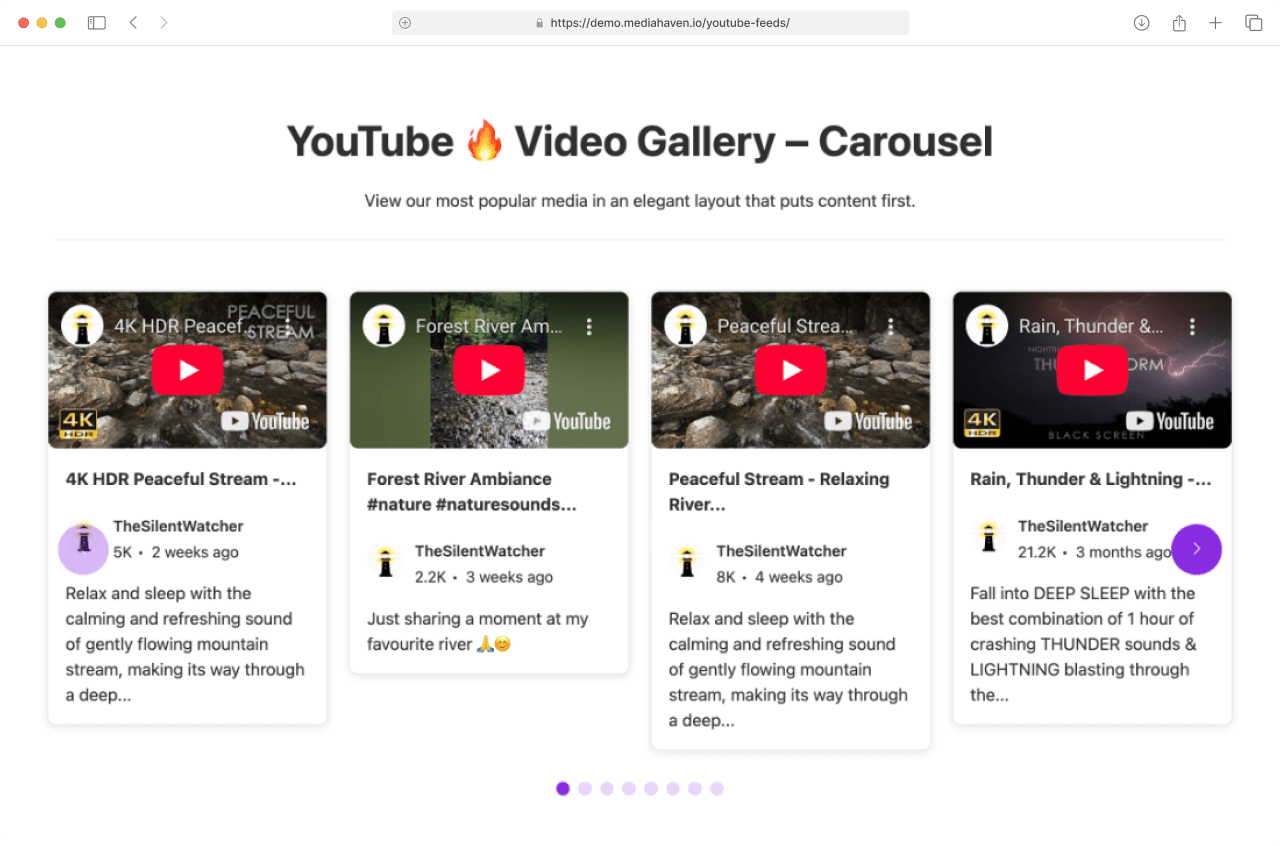
Just here to set it up? Follow the steps below. Done in under 5 minutes. See Live Demo
Before You Start
You need one thing: a YouTube API Key (free from Google). → How to generate your API key (2-minute guide)
Step 1 — Add Your API Key
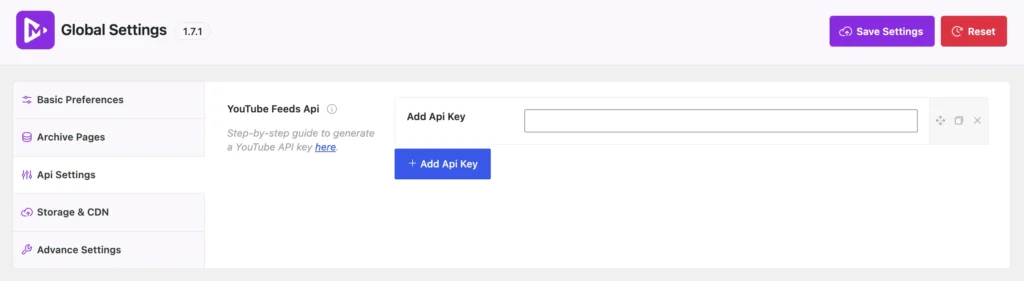
- Go to MediaHaven → Settings → Api Settings
- Click YouTube Feeds API
- Paste your key into the Add Api Key field
- Click + Add Api Key
- Click Save Settings (top right)
✅ Done. Your site can now pull videos from YouTube.
Step 2 — Create Your Feed
Open your gallery block or shortcode settings and configure the following:
Go to MediaHaven → Views → Add New Views
Feed Source
Select YouTube.
Channel ID or Playlist ID
- Channel ID — shows all videos from your YouTube channel Use the Generate Channel ID helper link to convert your
@handleto an ID - Playlist ID — shows only one specific playlist Find it in your playlist URL after
?list=
Only fill one of these, not both.
Items to Display
| Option | What It Does |
|---|---|
| All Items (Free) | Auto-shows everything from your channel or playlist |
| Only Selected Items (Pro) | Search YouTube and hand-pick specific videos |

Step 3 — Choose Your Layout
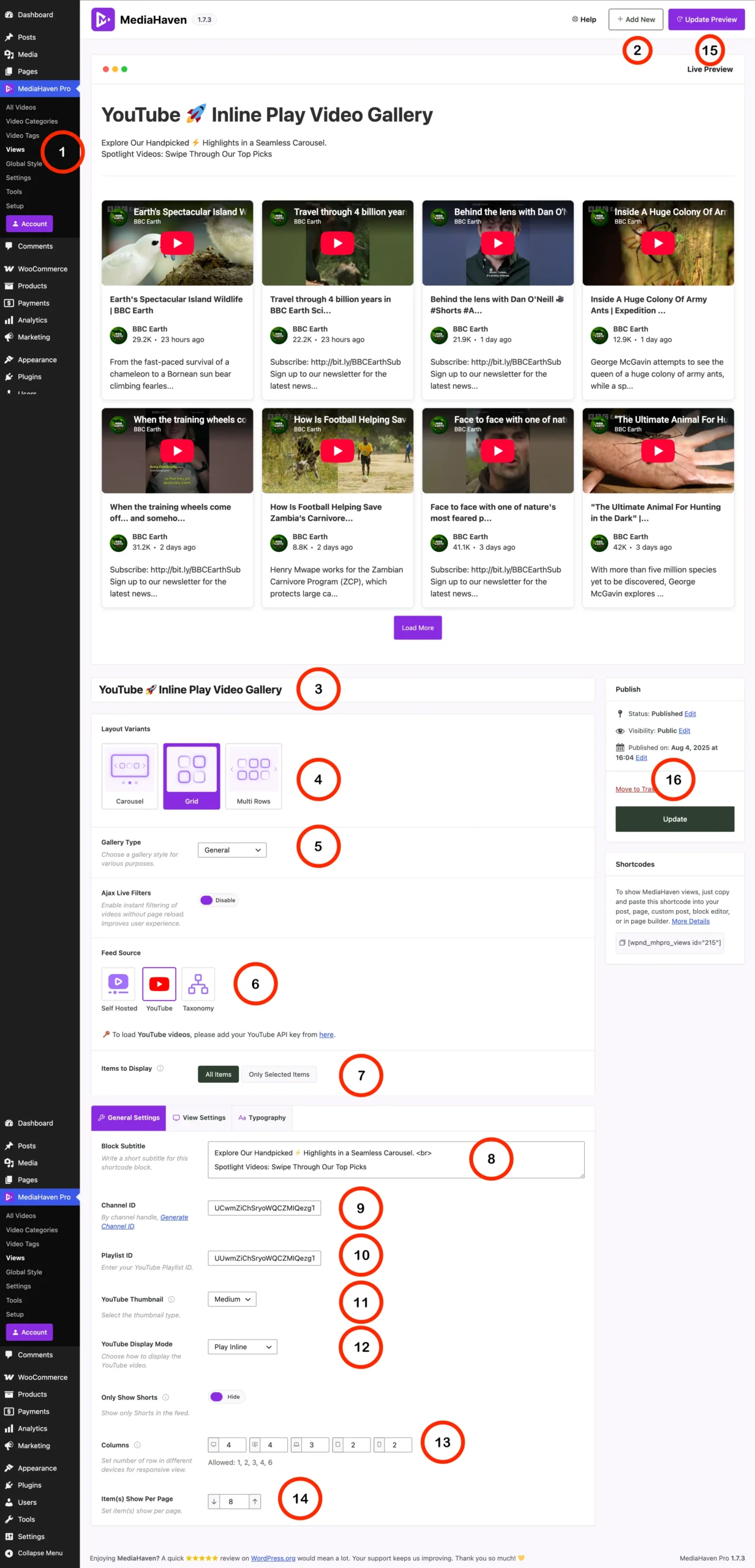
Layout Variants
| Layout | Use When |
|---|---|
| Carousel | Homepage hero, featured series, spotlight |
| Grid | General video library, product demos (recommended start) |
| Multi Rows | Large archive, course library, news-style page |
Columns (responsive)
Set how many columns appear per device. Recommended:
| Device | Columns |
|---|---|
| Desktop | 3 – 4 |
| Tablet Landscape | 3 – 4 |
| Tablet Portrait | 2 – 3 |
| Mobile Landscape | 2 |
| Mobile Portrait | 1 |
Items Show Per Page
- Product/landing pages → 4–6
- Dedicated video pages → 8–12
- Large archives → 12–24
Step 4 — Configure YouTube-Specific Settings
YouTube Thumbnail
| Option | Resolution | When to Use |
|---|---|---|
| Default | ~120×90px | Avoid — too low quality |
| Medium | ~320×180px | ✅ Default choice for most grids |
| High | ~480×360px | Larger cards, cleaner look |
| Standard | ~640×480px | Wide layouts |
| Maxres | 1280×720px | Hero/featured video, large displays |
YouTube Display Mode
| Option | What Happens on Click | Best For |
|---|---|---|
| Thumbnail Only | Opens in popup/lightbox (Coming soon) | Browsable libraries, mobile-first |
| Play Inline | Plays inside the gallery card | Product pages, demos, courses |
Only Show Shorts
- Hide — shows only regular landscape videos (recommended default)
- Show — shows only YouTube Shorts (vertical, under 60s)
Step 5 — Optional Settings
Block Subtitle
A short line displayed under the gallery title. Example: “Watch our latest tutorials and product demos”
Quick-Start Checklist
- API key added and saved in Global Settings
- Feed Source set to YouTube
- Channel ID or Playlist ID entered
- Layout Variant chosen
- Columns set for each device
- Thumbnail quality selected
- Display Mode selected
- Items per page set
- Save and preview
Field Reference (Quick Lookup)
| Field | Location | Default | Options |
|---|---|---|---|
| API Key | Global Settings → API Settings | — | Any valid YouTube Data API v3 key |
| Feed Source | General Settings | Self Hosted | Self Hosted, YouTube, Taxonomy |
| Items to Display | General Settings | All Items | All Items, Only Selected Items (Pro) |
| Layout | Feed Settings | Carousel | Carousel, Grid, Multi Rows |
| Channel ID | General Settings | — | UC… format, use helper to generate |
| Playlist ID | General Settings | — | From YouTube playlist URL |
| YouTube Thumbnail | General Settings | Medium | Default, Medium, High, Standard, Maxres |
| YouTube Display Mode | General Settings | Play Inline | Thumbnail Only, Play Inline |
| Only Show Shorts | General Settings | Hide | Show / Hide |
| Columns | View Settings | 4/4/3/2/1 | 1, 2, 3, 4, 6 per breakpoint |
| Items Per Page | View Settings | 8 | Any number |
Common Issues
Feed not loading? → Check your API key is saved correctly in Global Settings → Make sure YouTube Data API v3 is enabled in your Google Cloud project
Quota error appearing? → Your free API key has hit Google’s daily limit (10,000 units) → Wait until the next day, or upgrade to Pro for multiple rotating keys
Videos not updating? → Clear your site cache and MediaHaven’s cache if applicable → Check that your Channel ID is correct (use Generate Channel ID helper)
Shorts appearing when you don’t want them? → Set Only Show Shorts to Hide