

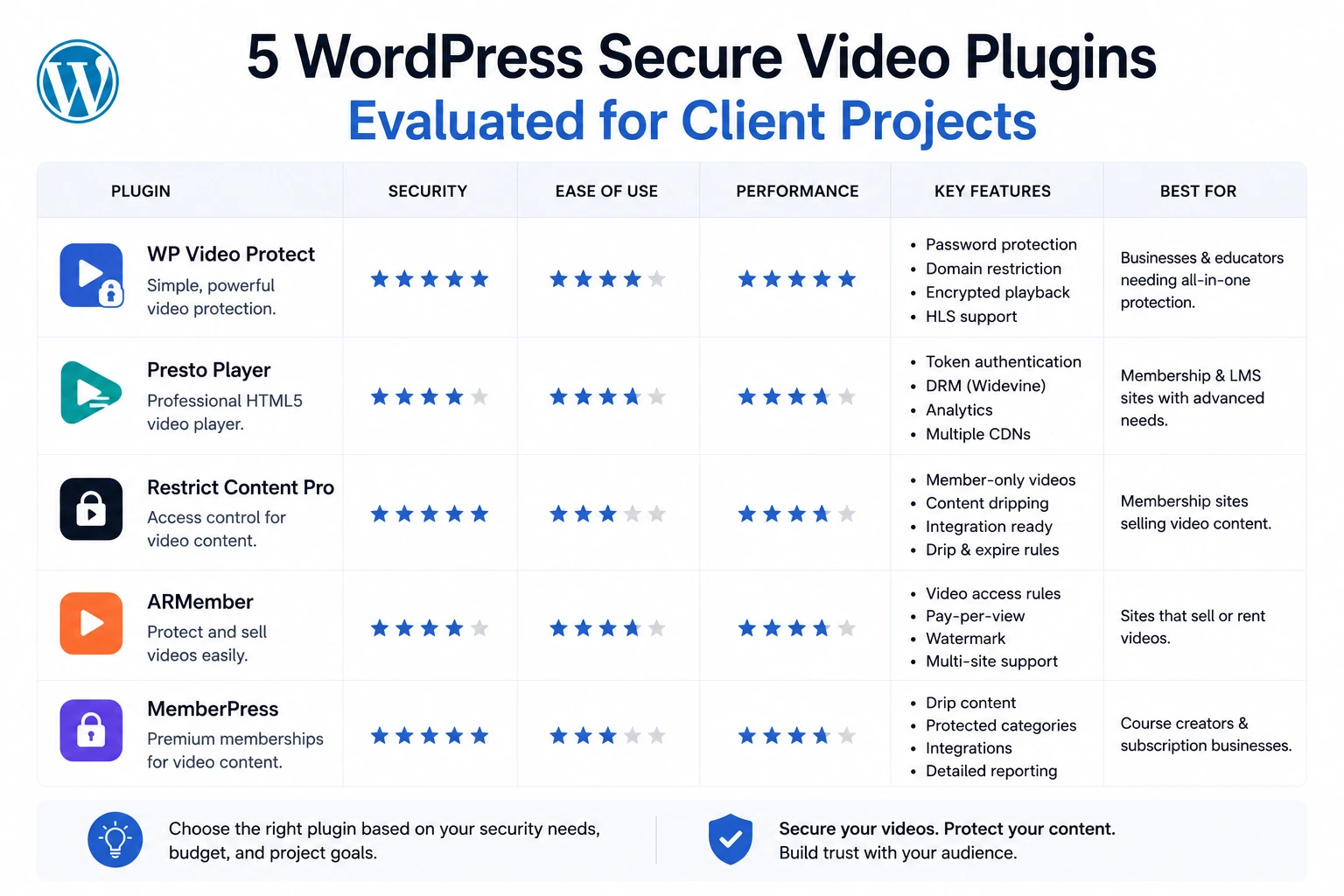
Choosing a video security stack for a client project isn’t the same decision as choosing one for your own site. Client work carries different constraints: predictable ongoing costs the client can budget for, a support relationship you’re not personally on the hook for, documentation solid enough that a client’s future developer can maintain it, and a feature set that matches what the client is actually protecting — not the most impressive spec sheet.
This evaluation covers five WordPress secure video solutions agencies are actively considering in 2026, benchmarked against real client project scenarios: a course platform, a membership site, a media publisher, a WooCommerce store, and a budget-constrained small business. Pricing, features, and integration depth are sourced from each vendor’s current public documentation and third-party review platforms as of May 2026.
Evaluation Criteria for Client Work
Before the comparisons, the criteria that actually matter when you’re the one implementing and supporting this for someone else’s business:
- Predictable cost the client can budget for — flat annual/monthly pricing beats usage-based billing that’s hard to forecast in a client proposal
- Setup complexity relative to your billable time — a plugin that takes 10 minutes to configure vs. one requiring custom encoding scripts changes your project scope and margin
- What “secure” actually means for this vendor — token-authenticated HLS delivery vs. full DRM (Widevine) vs. simple UI-level download blocking are three very different security tiers at three very different price points
- LMS/membership/WooCommerce compatibility — does it plug into what the client already uses, or does it require replacing existing infrastructure
- Support and maintenance burden after handoff — will the client’s future developer (who isn’t you) be able to maintain this
1. MediaHaven (Free / Pro $79–$499/year)
Best for: Course platforms, membership sites, media publishers, and WooCommerce stores where the primary threat is hotlinking and casual downloading rather than professional piracy operations.
Security model: HLS adaptive streaming with signed, expiring token authentication delivered through Bunny Stream’s CDN. Per the official WordPress.org plugin documentation: “Encrypted HLS delivery — signed URLs and token authentication block hotlinking and direct downloads.”
What’s confirmed in v1.7.3:
- One-click HLS conversion (click “Sync” and the video is automatically converted — no manual encoding)
- Adaptive bitrate streaming, adjusting quality in real time to viewer connection speed
- Global CDN delivery via Bunny — zero video bytes served from the client’s own hosting
- Token authentication blocking hotlinking and direct downloads
- 10+ video source support (YouTube, Vimeo, TikTok, self-hosted, HLS, and more) in one plugin
- Bunny Storage (Pro) extends secure, token-authenticated delivery to all media types — images, audio, documents — not just video
- WooCommerce-native integration: product gallery video replacement, video tabs, shoppable video overlays with VAST ad support
- Schema.org VideoObject markup generated automatically (relevant for any client project with SEO deliverables)
Pricing structure: MediaHaven Lite is free with full HLS security included. Pro is $79/year (1 site), $159/year (5 sites), $249/year (10 sites) — with a 14-day money-back guarantee. Actual Bunny Stream usage costs run separately, typically $0.01/GB storage and $0.01/GB bandwidth with a $1/month account minimum — meaning a small-to-mid video library often runs $12–$50/year in real infrastructure cost on top of the plugin itself.
Agency verdict: The combination of free core security, genuinely fast setup (~10 minutes per the documented process), and native WooCommerce/multi-source support makes this the strongest default recommendation for the majority of client project types — especially where the client’s budget doesn’t support enterprise DRM pricing, and where the actual threat model is hotlinking/downloading rather than sophisticated piracy operations targeting high-value film or broadcast content.
Where it’s not the right fit: Clients requiring Widevine-level DRM specifically (e.g., licensing agreements with studios that mandate DRM compliance), or clients needing per-viewer dynamic watermarking as a contractual requirement.
2. VdoCipher ($129–$5,499/year)
Best for: E-learning platforms and media companies with an explicit contractual or compliance requirement for enterprise-grade DRM, or clients who have already experienced significant piracy losses and need dynamic watermarking specifically.
Security model: Hollywood-grade DRM encryption (Widevine), dynamic per-viewer watermarking, and hacker/piracy identification analytics. Per VdoCipher’s WordPress.org plugin listing: “A combination of Hollywood standard DRMs and viewer-specific watermarking, hacker user id identification ensures that videos can’t be downloaded or shared illegally.”
What’s confirmed:
- DRM-encrypted streaming using Widevine to resist unauthorized downloading and screen capturing
- Dynamic watermarking with viewer email/ID/IP overlaid on the video — directly deters screen recording by making leaked copies traceable
- AWS-powered server and CDN infrastructure
- Detailed per-user analytics, including detection of password sharing and piracy attempts in real time
- Play Integrity SDK for mobile apps — blocks playback on emulators and rooted devices
- Native LMS integrations: LearnDash, Tutor LMS, LifterLMS, Academy LMS, MasterStudy LMS, Moodle, Kajabi, Thinkific, Teachable
Pricing structure: Six tiers — Starter ($129–149/year, 1,000 GB bandwidth), Value ($429/year), Express ($699/year), PRO ($1,549/year), Plus ($2,999/year), Premium ($5,499/year) — plus overage charges of $0.16–$0.29/GB bandwidth and $0.70/GB storage beyond plan limits.
Agency verdict: The strongest DRM story on this list, and the right choice when a client’s business model genuinely depends on Hollywood-grade content protection — high-value courses that have already been pirated, or licensing situations that mandate DRM compliance. But this is meaningfully more expensive than the actual threat model requires for most small-to-mid client projects, and reviewers note the annual-only payment model “felt rigid” for testing purposes (G2 review, 2026). Setup complexity is also non-trivial — one review platform notes VdoCipher’s “setup can be overwhelming for new users” (InstaWP, 2026).
Client billing consideration: At $129–$1,549+/year before overages, this needs to be clearly scoped and budgeted in your proposal — it’s a recurring line item the client needs to view as ongoing infrastructure cost, not a one-time plugin purchase.
3. Presto Player ($69–$99+/year)
Best for: Marketing-focused client sites where video is primarily a conversion tool (lead capture, sales funnels) and moderate privacy protection (login-gated private video) is sufficient — not clients with a specific anti-piracy requirement.
Security model: Private video access restricted to logged-in users via dynamic, expiring links — not full DRM or token-authenticated streaming security in the VdoCipher/MediaHaven sense. Per Capterra’s plugin summary: “The software supports both public and private video options, with private videos accessible only to logged-in users through dynamic expiring links.”
What’s confirmed:
- Two private video modes: Self-hosted private and Bunny.net private
- Both require login to access
- Watermark overlay feature to discourage screen recording
- Bunny.net integration for HLS adaptive streaming (client needs a separate Bunny account, similar to MediaHaven’s model)
- Lead capture forms, chapter markers, call-to-action overlays — features oriented toward marketing/course-sales use cases rather than pure security
- Sticky player, muted autoplay previews (Pro)
Pricing structure: Starter tier around $69–99/year (reported figures vary by source and have shifted over time); a lifetime license option exists with split-payment availability.
Agency verdict: Solid choice specifically for client sites where the video’s job is marketing conversion — sales videos, course sales pages, lead magnets — and where “private” access control (logged-in users only) is the actual requirement, rather than defeating sophisticated piracy. The security model here is meaningfully lighter than MediaHaven’s signed-token HLS approach or VdoCipher’s DRM — Presto’s “private video” is closer to access-gating than to cryptographically-enforced, expiring, per-segment authentication. Good fit when the client’s primary goal is conversion features with reasonable privacy, not maximum anti-theft protection.
4. FV Player / FV Flowplayer (Free / Pro tiers)
Best for: Developer-heavy client projects requiring deep customization and fine-grained shortcode control, where the agency team is comfortable configuring 40+ shortcode parameters directly.
Security model: Optional DRM warning overlay; primarily a highly customizable HTML5 player rather than a dedicated security-first platform. Per Ultimate Elementor’s 2026 plugin roundup: “You can optionally add a DRM warning to your videos… The shortcode accepts 40+ parameters and could be fine-tuned to fit your requirements.”
What’s confirmed:
- Highly extensible shortcode system (40+ parameters)
- Playlist embedding, viewer playback speed control, sticky video support
- Pre- and post-roll screen support for ads or CTAs
- Strong Google Analytics integration for video analytics
- CDN integration available only in paid versions
- Player extensible with custom HTML/CSS for agencies wanting full visual control
Pricing structure: Free core version available; paid tiers required for CDN integration and advanced features (exact current pricing should be confirmed directly with vendor, as third-party sources show inconsistent recent figures).
Agency verdict: The “DRM warning” language in FV Player’s own feature description is a meaningful signal — it’s a notice/deterrent, not cryptographic protection. This is the right tool when a client project’s priority is player customization depth and shortcode flexibility rather than anti-piracy security. Recommending this specifically as a “secure video” solution to a client with real theft concerns would be a mismatch between the tool’s actual design intent and the client’s stated need — use it for its strengths (customization, analytics, playlist handling), and pair it with a genuinely secure CDN layer if the client also needs theft protection.
Where it falls short for security-focused client work: No native signed-token HLS delivery or DRM comparable to MediaHaven or VdoCipher; CDN integration is a paid add-on rather than a core, one-click feature.
5. Native WordPress Self-Hosting (Free, No Plugin)
Best for: Nothing involving paid or premium content. Included here specifically because agencies occasionally inherit client sites already doing this, and need to know exactly why it’s inadequate.
Security model: None. A direct MP4 file uploaded to the WordPress media library and embedded via the default video block has zero delivery-level protection.
What this actually means technically:
- Any visitor can right-click → Save Video As, or use Chrome’s native download icon in the player controls
- The file URL is fully hotlinkable — anyone can embed it on their own site directly
- No token expiration, no domain restriction, no adaptive bitrate — large files served directly strain the client’s own server bandwidth and hosting costs as traffic grows
- Zero SEO structured data unless manually added
Agency verdict: If you inherit a client project using this method for anything beyond free, publicly-shareable promotional content, this is the first thing to flag and migrate — not because of a specific incident, but because the exposure is structural and total. This is the baseline every other option on this list is an improvement over.
Side-by-Side Comparison Table
| Plugin | Security model | Starting price | Setup time | Best client type |
|---|---|---|---|---|
| MediaHaven | Signed-token HLS via Bunny CDN | Free (Pro $79/yr) | ~10 min | Courses, membership, media, WooCommerce — general purpose |
| VdoCipher | Widevine DRM + dynamic watermarking | $129–149/yr | Moderate–high | High-value e-learning, licensing-compliant media |
| Presto Player | Login-gated private video + optional Bunny HLS | ~$69–99/yr | ~15–20 min | Marketing/sales video, course sales pages |
| FV Player | Customizable player, optional DRM warning | Free (paid CDN tiers) | Variable (shortcode-heavy) | Developer-customized players, analytics-focused |
| Self-hosted MP4 | None | Free | N/A | Nothing with paid or premium content |
Recommendation Matrix by Client Scenario
Client is launching a paid online course, moderate catalog size, standard budget: → MediaHaven. Free core security, fast setup, native LMS-adjacent workflow via WooCommerce/membership stacking, and a Pro tier ($79/year) that scales sensibly if they later want shoppable video or Ajax filtering for a larger content library.
Client has already experienced significant piracy or has a studio/licensing DRM mandate: → VdoCipher. The Widevine DRM and per-viewer watermarking genuinely address determined piracy in a way lighter solutions don’t, and the analytics for detecting credential sharing are a real differentiator at this price tier.
Client’s video is primarily a sales/marketing tool, security is secondary to conversion features: → Presto Player. Lead capture, CTAs, and chapter markers matter more here than cryptographic streaming security.
Client wants a highly customized player with deep shortcode control and doesn’t have a strong security requirement: → FV Player, layered with a separate secure CDN if theft protection becomes a later requirement.
Client is on a genuinely tight budget and only needs basic protection against casual hotlinking/downloading, with WooCommerce or a video gallery already in scope: → MediaHaven free tier. This is the only option on the list providing genuine token-authenticated HLS security at zero plugin cost, which matters directly for proposal economics on budget-constrained projects.
A Note on Scoping This Correctly in Client Proposals
The single most common mistake agencies make here is conflating “the client wants their videos to feel protected” with “the client has a specific, articulable threat model.” Before recommending a tier, ask directly: is the concern casual hotlinking and downloading (most clients), or has there been an actual piracy incident / is there a contractual DRM requirement (a smaller subset, but real)? The former is well-served by MediaHaven’s free-to-$79/year tier. The latter genuinely justifies VdoCipher’s higher price point. Recommending enterprise DRM pricing for a threat model that doesn’t require it is an easy way to lose a budget-conscious client’s trust in your technical judgment — and recommending a UI-level solution for a client who’s already been pirated is the opposite failure.
Frequently Asked Questions
What should I look for in a secure WordPress video plugin?
A secure WordPress video plugin should support adaptive HLS streaming, secure delivery options, responsive playback, performance optimization, and flexible hosting choices. Features like VideoObject schema, multiple video source support, and reliable updates also help ensure your videos remain both discoverable and easy to manage.
How does MediaHaven help protect video content?
MediaHaven integrates with Bunny Stream to deliver videos using adaptive HLS streaming. After syncing a video, Bunny Stream handles HLS conversion and secure delivery, while MediaHaven manages playback through WordPress, providing a streamlined workflow for creators and businesses.
Can MediaHaven stream videos securely without an expensive enterprise platform?
Yes. MediaHaven combines WordPress with Bunny Stream to provide professional video delivery without requiring many enterprise video platforms. You can upload videos, generate adaptive HLS streams, and publish them directly on your own website while keeping full control over your content.
Which video sources does MediaHaven support?
MediaHaven supports self-hosted videos, HLS (M3U8), Bunny Stream, YouTube, Vimeo, TikTok, Facebook, Instagram, LinkedIn, Twitch, Wistia, Dailymotion, Rumble, and external video URLs. You can manage multiple platforms from one dashboard and display them in responsive galleries.
Does MediaHaven improve video SEO?
Yes. MediaHaven automatically generates Schema.org VideoObject structured data for published videos. Combined with SEO-friendly gallery pages and responsive layouts, this helps search engines better understand your content and can improve visibility in Google Video search.
Can I create secure WooCommerce product videos?
Absolutely. MediaHaven integrates with WooCommerce to display product videos while supporting secure HLS playback through Bunny Stream. Pro users can also enhance compatible videos with interactive product overlays, making product demonstrations more engaging and conversion-focused.
Does MediaHaven perform well on high-traffic websites?
Yes. MediaHaven is designed with performance in mind, using Smart Asset Loading, lazy loading, optimized database queries, and advanced filtering features for large video libraries. Assets load only where they’re needed, helping maintain fast page speeds as your content grows.
Does MediaHaven work with Gutenberg and page builders?
Yes. MediaHaven includes native Gutenberg blocks and shortcode support for Elementor, Divi, Beaver Builder, WPBakery, and other popular WordPress page builders. This makes it easy to publish secure video galleries anywhere on your website without custom coding.
Can I monetize secure videos with MediaHaven?
Yes. MediaHaven Pro supports VAST advertising for compatible videos, including pre-roll, mid-roll, and post-roll placements. You can also combine video monetization with WooCommerce product videos and interactive product overlays to create multiple revenue opportunities.
Is MediaHaven suitable for agencies and client projects?
Absolutely. MediaHaven is built for developers, agencies, publishers, and businesses that need a scalable WordPress video platform. Its support for multiple video sources, responsive galleries, secure streaming workflows, performance optimizations, and flexible integrations makes it well suited for client websites of all sizes.
What makes MediaHaven different from other secure WordPress video plugins?
MediaHaven combines responsive video galleries, Bunny Stream integration, adaptive HLS streaming, VideoObject schema, WooCommerce support, VAST advertising, Gutenberg blocks, Ajax filtering, and performance optimization in one plugin. Rather than relying on separate tools for playback, SEO, monetization, and organization, it provides a unified platform for managing professional video websites.
- Evaluate MediaHaven for your next client project: Install free: wordpress.org/plugins/mediahaven-lite
- Official documentation: mediahaven.io/docs/
- Upgrade to Pro: mediahaven.io/pricing — $79/year · 14-day money-back guarantee
- Support: support@wpninjadevs.com
Leave a Reply