

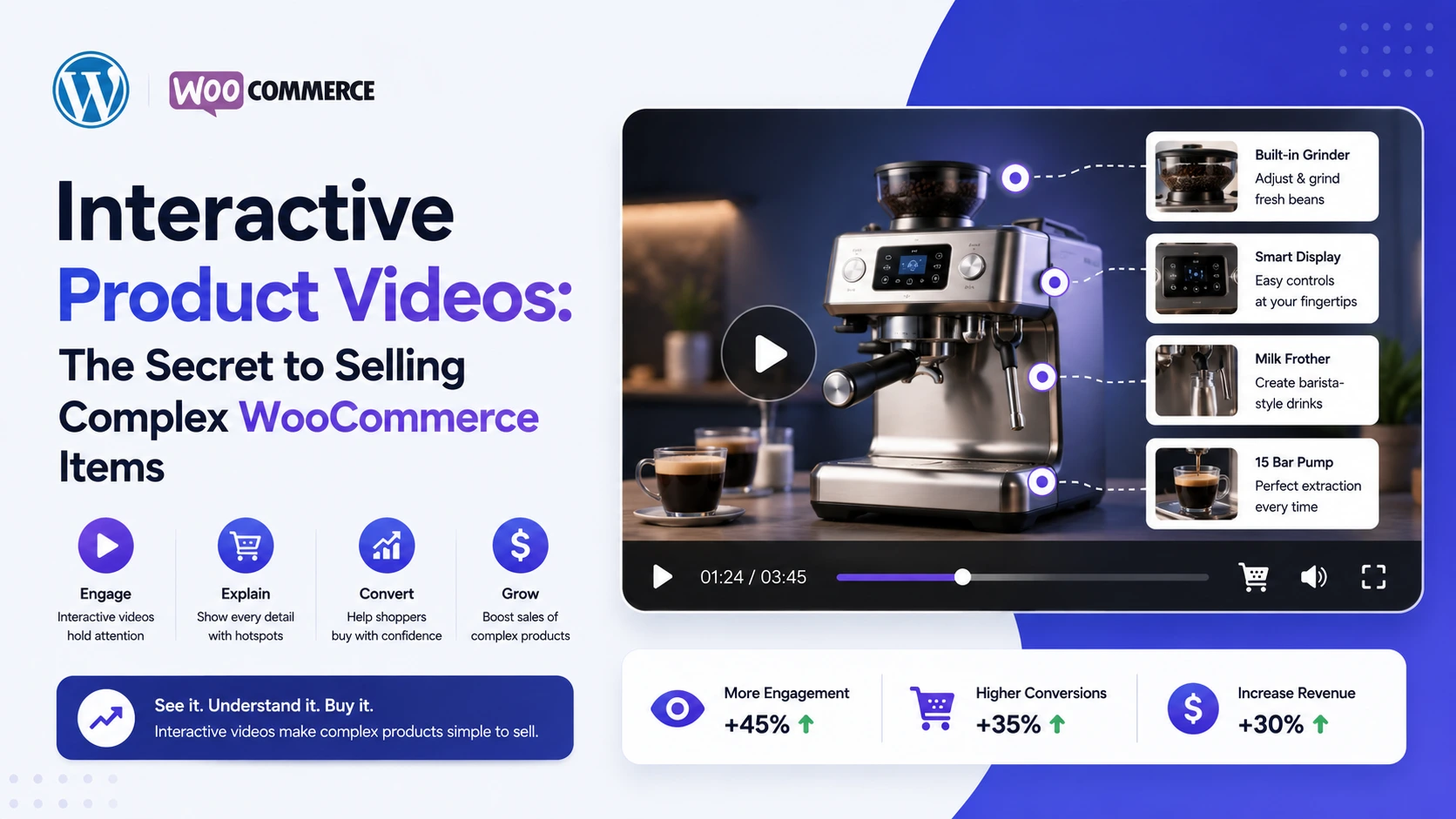
Some products sell themselves with a single good photo. A phone case. A candle. A t-shirt in one color. But a lot of WooCommerce catalogs aren’t that simple — modular furniture, electronics with a dozen configuration options, equipment with technical specs that matter, apparel with size, color, and fit variations all at once. Static images and a wall of bullet-point specs ask the shopper to do a lot of mental work to understand what they’re actually buying.
This is where interactive product video earns its keep. Not as a nice-to-have polish item, but as the specific tool that reduces the cognitive load complex products put on shoppers — showing, rather than describing, and letting the shopper act on what they see without leaving the moment they understood it. This guide covers why that matters for complex WooCommerce products specifically, and how to build it using the MediaHaven plugin.
Why Complex Products Are Harder to Sell Online
A “complex” product, for this purpose, is anything where:
- There are multiple variations (size, color, material, configuration) that meaningfully change the product
- The value or function isn’t obvious from a still image (how does it fold, how does it fit, how does it sound, how does it move)
- The buyer needs more information before committing than a simple product requires
Static photos and specification tables put the burden of translation on the shopper — they have to imagine the product in motion, imagine themselves using it, and cross-reference a spec sheet against their own needs. Every one of those mental steps is a place where doubt (and abandonment) can creep in.
Video removes a large part of that translation burden by showing the product doing the thing the shopper actually cares about. Interactive video goes one step further: it lets the shopper act on their understanding — pick the configuration they saw, check the price for it, add it to cart — without breaking away from the video to do it.
What “Interactive Product Video” Actually Means in MediaHaven
MediaHaven is a WordPress plugin (free Lite version, with a Pro upgrade) built specifically for video-driven WooCommerce stores. For complex products, the relevant capability is Interactive Shoppable Videos (Pro), which lets you place directly inside a self-hosted product video:
- Clickable product cards
- Live pricing pulled from your actual WooCommerce product data
- Variation selectors — size, color, material, configuration, or any product attribute
- Quantity selectors
- Promotional banners and coupon codes, timed to specific moments
- An Add to Cart button
This overlay is built for self-hosted, HLS, and Bunny Stream video — embedded YouTube, TikTok, and Vimeo videos display well in galleries, but the interactive layer requires content MediaHaven hosts directly, since third-party platforms control their own player.
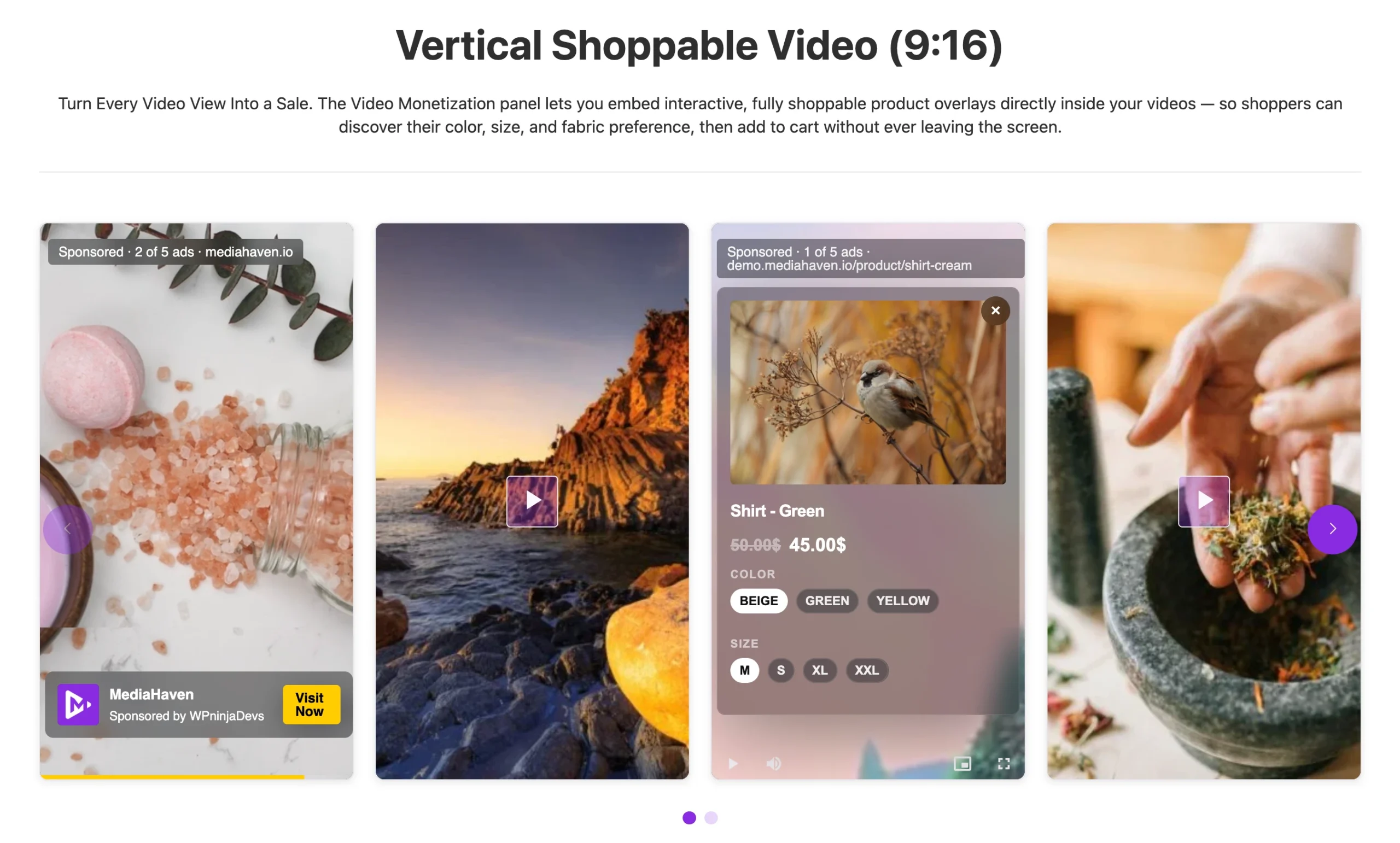
Live demo for Shoppable Video 🔥
Matching Interactive Video to Different Kinds of Complex Products
Modular or Configurable Furniture
A sectional sofa with a dozen configuration and fabric options is nearly impossible to represent with static photos alone — there are too many combinations to photograph individually. A video walking through how the modules combine, with variation selectors for fabric and configuration built directly into the playback, lets the shopper explore combinations without a separate configurator tool.
Multi-Spec Electronics
A product with storage tiers, color options, and accessory bundles benefits from a demo video showing the device in use, with a variation selector letting shoppers switch between storage/color combinations and see live pricing update per combination — right where they’re already watching the feature that convinced them.
Apparel and Footwear With Size, Color, and Fit Variation
Fit is the single hardest thing to communicate with a photo. A video showing the garment or shoe in motion, paired with size and color selectors timed to appear as each option is shown on screen, directly answers “will this actually look like that on me” without sending the shopper hunting through a separate size chart.
Equipment or Tools With Technical Function
For products where how it works matters more than what it looks like — tools, appliances, fitness equipment — a demonstration video with chapters (Pro) breaking down setup, use, and maintenance sections lets shoppers jump straight to the part they care about, rather than watching a full video to find one answer.
Learn more about shoppable video
Building It: A Step-by-Step Approach
Step 1 — Free Foundation
- Install MediaHaven Lite, run the Setup Wizard.
- Add your product video and assign it to the product through the WooCommerce product editor.
- Choose display placement: Product Tab, Before Summary, or After Summary.
- Connect Bunny Stream (free) via MediaHaven → Settings → Storage & CDN for fast, adaptive HLS delivery — complex products often have longer, more detailed videos, so playback speed matters even more here.
Step 2 — Add the Interactive Layer (Pro)
- Upgrade to MediaHaven Pro.
- Open the video’s shoppable overlay settings.
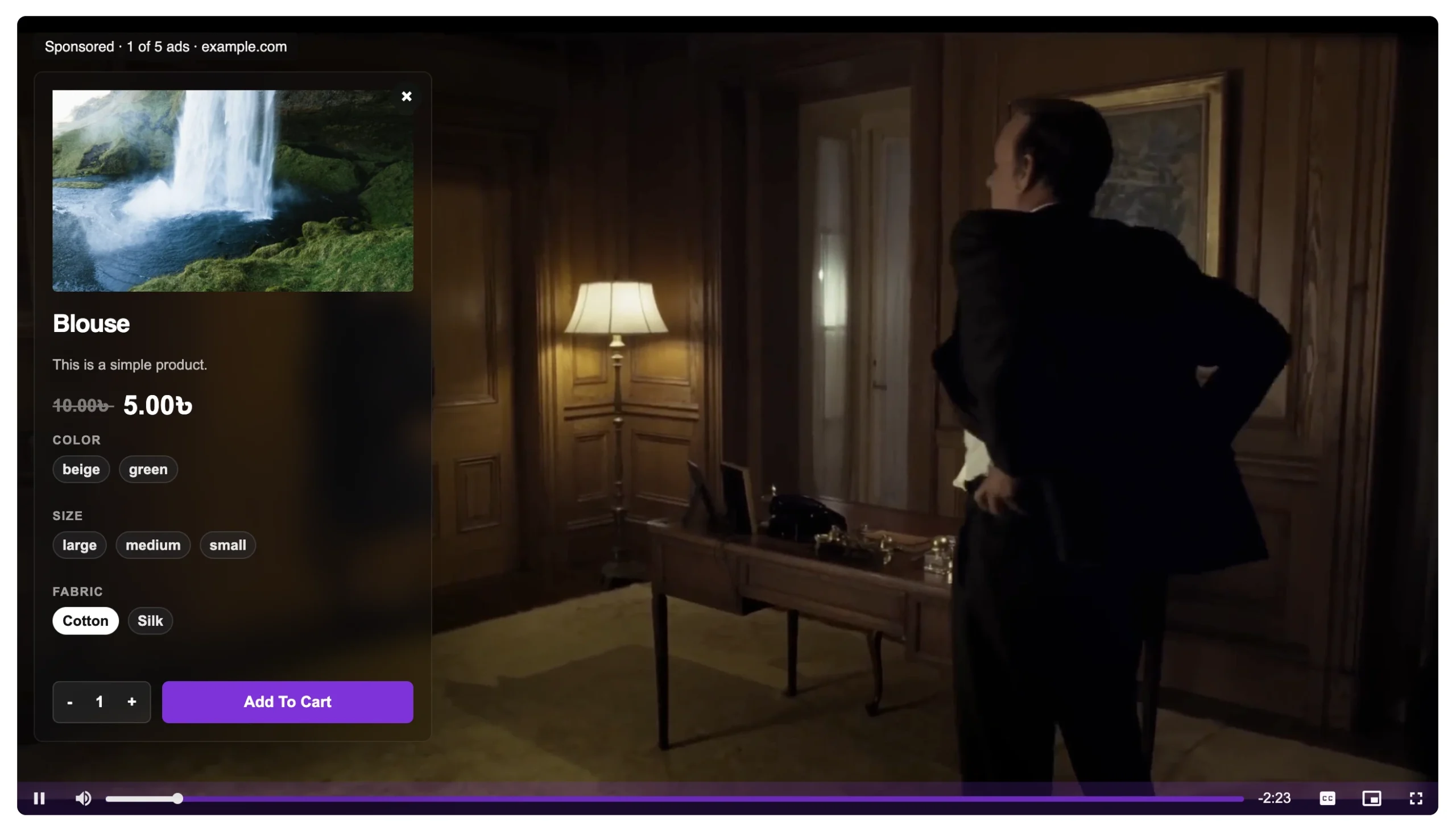
- Add variation selectors matching the product’s actual attributes (size, color, configuration, etc.).
- Enable live pricing so the displayed price reflects the selected combination.
- Add a quantity selector and Add to Cart button.
- Time each overlay element to appear when that specific option is being shown or discussed in the video.
Step 3 — Make Longer Videos Navigable
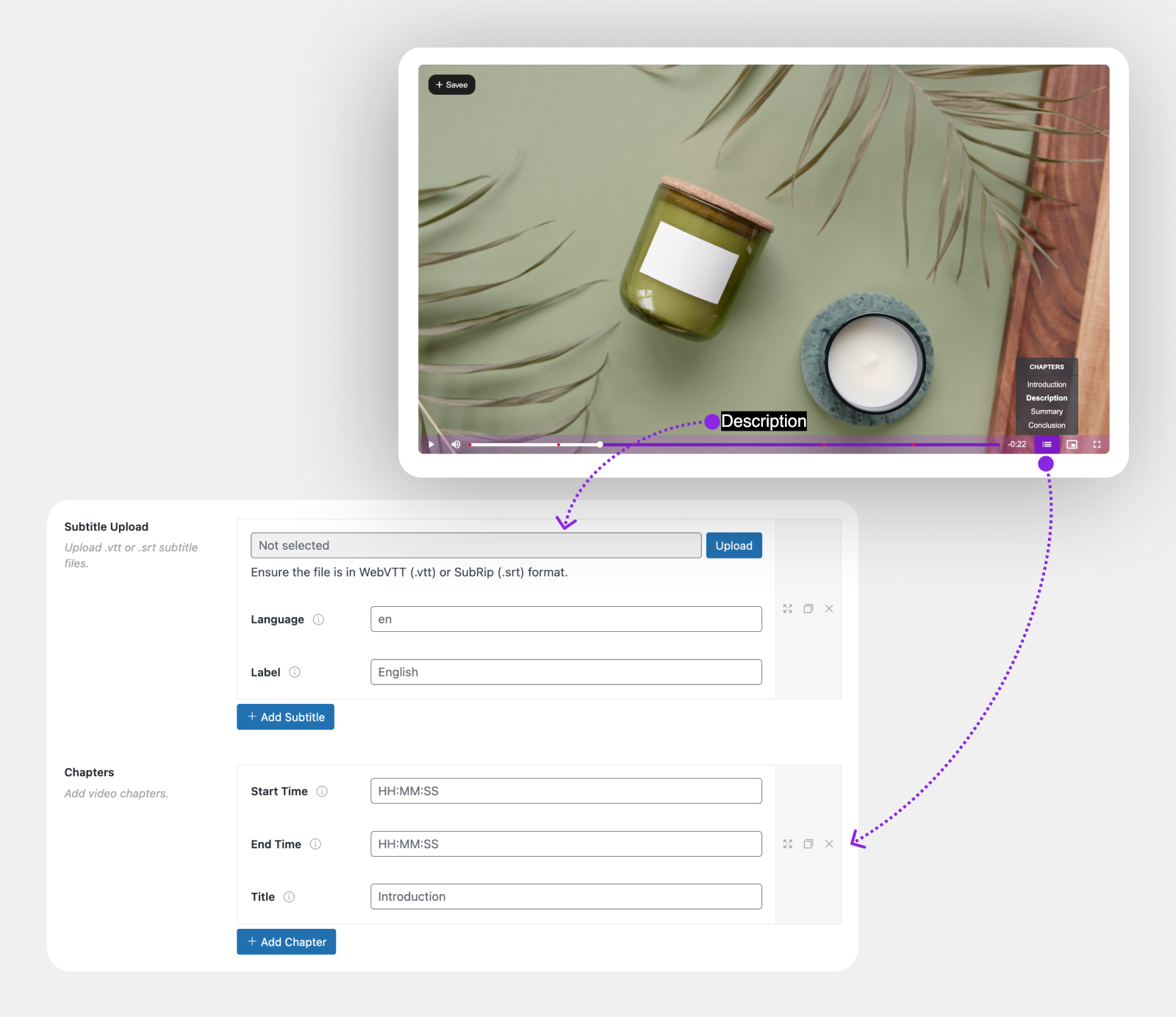
Complex products often need longer explainer or demo videos. Use:
- Interactive Video Chapters (Pro) — so a shopper can jump straight to the section covering the configuration or feature they care about, rather than watching the whole thing.
- Dynamic Subtitles (Pro) — multi-language, precisely timed, and useful for both accessibility and international buyers evaluating a technical product.
Step 4 — Help Shoppers Find the Right Video in a Large Catalog
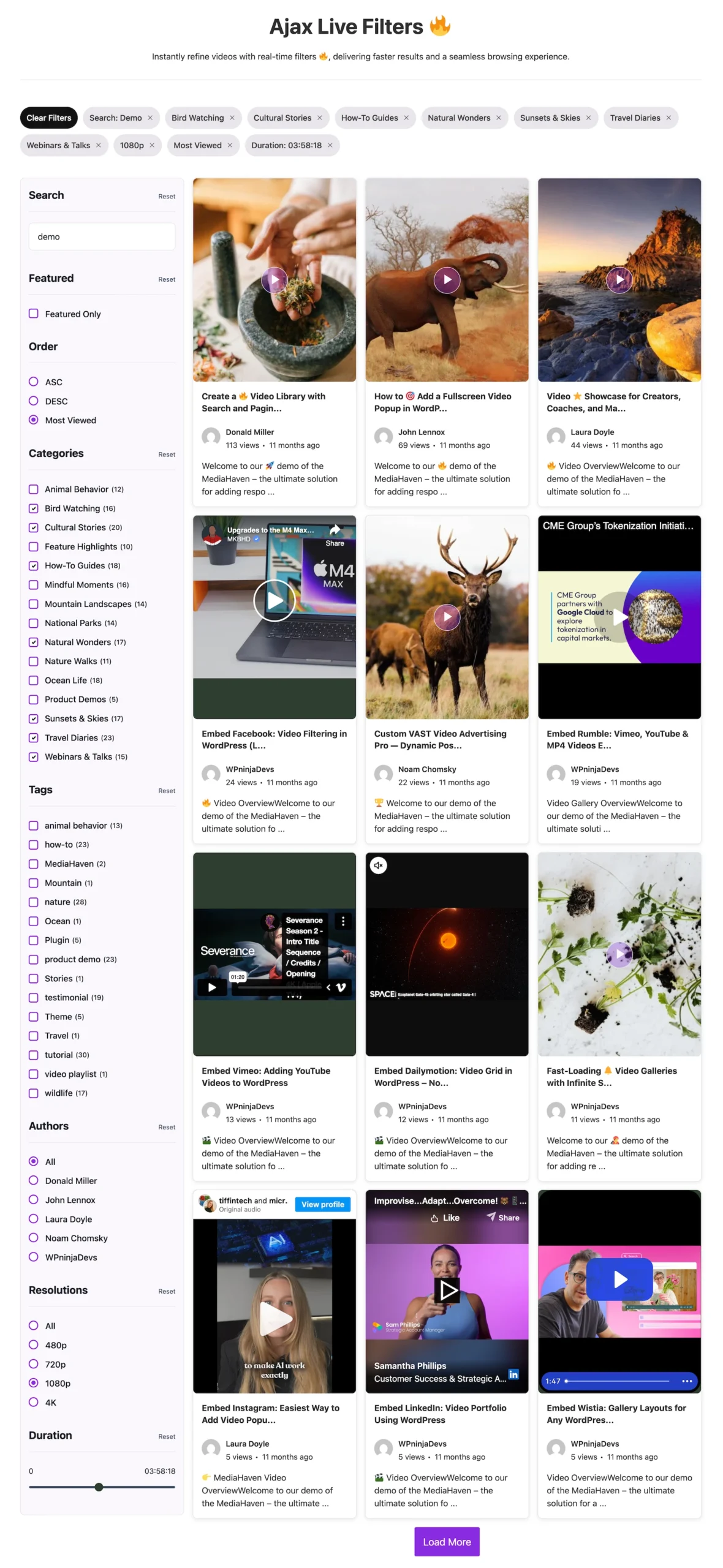
If you sell many configurable or technical products, the Ajax Video Live Filter (Pro) lets shoppers search and filter your video library by category, tag, duration, or resolution without page reloads — useful when a catalog has dozens of demo or configuration videos.
Why This Matters for the Business, Not Just the Shopper
Complex products typically carry higher average order values, which means the cost of a lost sale is higher too. A shopper who leaves a $40 t-shirt page over confusion is a small loss; a shopper who leaves a $2,000 configurable furniture page over the same confusion is a meaningfully larger one. Interactive product video is disproportionately valuable exactly where order values are highest and the room for buyer confusion is greatest.
There’s also an operational efficiency angle worth noting: because the overlay’s pricing and variation data pulls directly from WooCommerce, you’re not maintaining a separate, manually updated “video catalog” alongside your actual product data — a configuration change or price update in WooCommerce is reflected in the video overlay automatically, without re-editing the video itself.
Common Pitfalls With Complex Product Video
- Trying to show every configuration in one video. For highly configurable products, it’s often better to have a shorter core video with variation selectors than one exhaustive video trying to demonstrate every combination.
- Burying the interactive elements too late. If your video is 90 seconds long and the Add to Cart button only appears at the end, you’ve lost shoppers who didn’t watch that far — use chapters to let them skip ahead instead.
- Forgetting that this only works with self-hosted or Bunny Stream video. An embedded YouTube demo, however good, won’t support variation selectors or an in-video Add to Cart button.
- Ignoring mobile. Complex products often get researched on mobile even when purchased later on desktop — make sure variation selectors and chapters are usable on a small screen.
Frequently Asked Questions
1. What makes a WooCommerce product “complex” enough to benefit from interactive video? Products with multiple meaningful variations, technical function that’s hard to show in a photo, or a higher level of detail a buyer needs before committing — configurable furniture, multi-spec electronics, technical equipment, and variation-heavy apparel are common examples.
2. Do I need MediaHaven Pro for interactive product video, or does the free version help too? The free MediaHaven Lite version lets you add standard product video to WooCommerce pages, which already helps with complex products by showing rather than describing. The interactive layer — variation selectors, live pricing, in-video Add to Cart — is part of MediaHaven Pro.
3. Can I use interactive video for a product with many configuration combinations, without filming every single combination? Yes — that’s the point of variation selectors inside the overlay. A single well-shot video can be paired with selectors for color, size, or configuration, rather than needing a separate video for every combination.
4. Does this work with my existing YouTube demo videos? YouTube, TikTok, and Vimeo videos display fine in your galleries and product tabs, but the interactive overlay — variation selectors, live pricing, in-video Add to Cart — requires self-hosted, HLS, or Bunny Stream video, since embedded platforms control their own player.
5. My demo videos are long — will shoppers actually get to the interactive elements? Use Interactive Video Chapters (Pro) so viewers can jump directly to the section they care about, and place key interactive elements (variation selector, Add to Cart) early enough that they’re not missed by viewers who don’t watch to the end.
6. Will the price shown in the video stay accurate if I change pricing in WooCommerce later? Yes — the shoppable overlay’s live pricing pulls from your actual WooCommerce product data, so a price change in WooCommerce is reflected without needing to re-edit the video.
7. Is this useful for B2B or technical products, not just consumer goods? Yes — anywhere a buyer needs to understand technical function or configuration options before purchasing benefits from the same show-rather-than-describe logic, along with chapters for jumping to the relevant section of a longer explainer video.
8. Does interactive product video work on mobile for complex products? Yes — MediaHaven’s player and shoppable overlays are responsive across devices, which matters for complex products that are frequently researched on mobile.
9. Can this work alongside a size guide or spec sheet I already have on the page? Yes — interactive video complements rather than replaces existing product information; it reduces how often shoppers need to leave the video to consult that information separately, but a full spec sheet or size guide can still remain on the page for shoppers who want it.
10. Does this feature only work with WooCommerce? No — MediaHaven’s shoppable video overlay system is also compatible with FluentCart and SureCart, in addition to WooCommerce.
The Bottom Line
Complex products don’t fail to sell because shoppers aren’t interested — they fail because photos and spec sheets ask too much translation work of the buyer. Interactive product video removes that burden by showing the product doing the thing the shopper cares about, and lets them act on that understanding immediately, in the same place, without re-navigating the page. For the highest-value, highest-complexity items in a WooCommerce catalog, that’s not a cosmetic upgrade — it’s often the difference between a shopper who understands the product and one who gives up trying to.
👉 Start with MediaHaven Lite (free) — explore the plugin, understand the gallery and video system
👉 Upgrade to MediaHaven Pro from $79/year — unlock VAST ads, Ajax filtering, video chapters, and all monetization features
👉 View the live VAST ad demo — see exactly how ads render in the player
Leave a Reply