

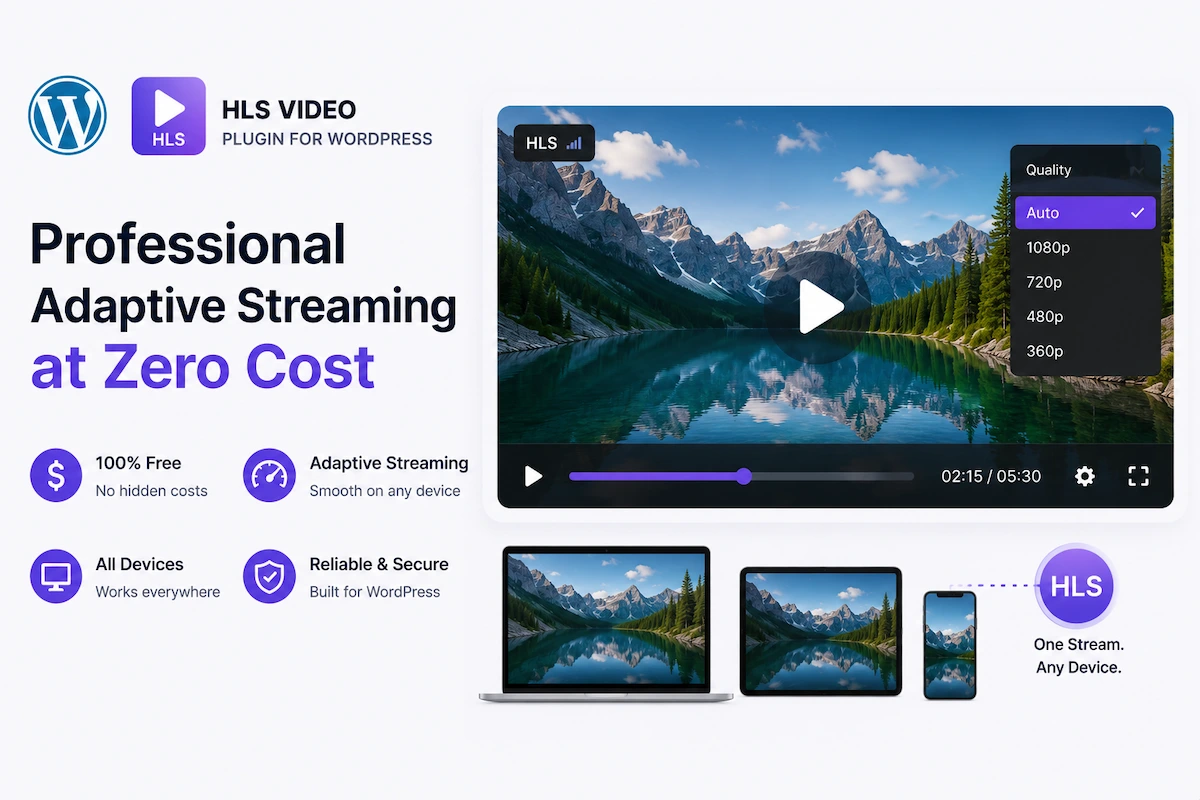
You need a WordPress plugin that plays HLS video (M3U8 streams) — without paying for a premium solution. The good news: MediaHaven Lite, the free version of one of WordPress’s most feature-complete video plugins, includes full HLS (M3U8) playback at no cost.
No credit card. No feature-locked trial. No “7 days free then $49/month.” Just install, paste your M3U8 URL, and stream.
This guide covers exactly what you get in the free version, what’s reserved for Pro, and how to get the most out of a free HLS setup on WordPress in 2026.
Is There Actually a Good Free HLS Plugin for WordPress?
Yes. MediaHaven Lite (v1.7.1) — available on WordPress.org — includes:
- HLS / M3U8 video playback (live streams and VOD)
- Adaptive bitrate streaming via hls.js
- Responsive player (all screen sizes)
- Lazy loading (player initializes on scroll, not on page load)
- Video poster/thumbnail support
- Keyboard playback controls
- Schema.org VideoObject structured data (automatic)
- Gallery layouts: Grid, Carousel, Multi-row Carousel
- YouTube feed integration (alongside HLS)
- Video subtitles (WebVTT / SRT)
- AJAX Like/Dislike and view counter
- Export/Import via JSON and CSV
- Gutenberg Shortcode View block with live preview
- Works with Elementor, Divi, WPBakery, Beaver Builder
- Smart asset loading (no site-wide performance penalty)
All free. All in version 1.7.1
What Does “Free HLS Playback” Actually Mean in MediaHaven Lite?
Adaptive Bitrate HLS Streaming (Free)
MediaHaven Lite uses hls.js internally to play M3U8 streams. This provides:
- Automatic quality selection — the player monitors bandwidth in real time and serves the appropriate rendition (360p through 4K, depending on what your CDN generates)
- Seamless quality switching — transitions between renditions are invisible to the viewer
- Live stream and VOD support — the same player handles both M3U8 live streams and on-demand HLS recordings
- Cross-browser compatibility — hls.js handles Chrome, Firefox, and Edge; Safari plays HLS natively
This is the same adaptive bitrate technology used by Netflix, Twitch, and YouTube — available free in MediaHaven Lite.
Lazy Loading (Free)
The HLS player only initializes when the viewer scrolls it into view. Before that point, MediaHaven displays a static poster image. This means:
- Your page’s above-the-fold content loads at full speed
- Multiple HLS players on one page don’t compound load time
- Core Web Vitals scores (especially LCP) are preserved
Automatic Schema.org VideoObject Markup (Free)
Every HLS video added to MediaHaven Lite receives VideoObject structured data automatically. This enables Google to:
- Index your self-hosted HLS content as video rich results
- Display video thumbnails, duration, and dates in search results
- Attribute the content to your domain rather than YouTube’s
For SEO-conscious site owners, this alone makes MediaHaven Lite worth using over simpler HLS players.
Smart Asset Loading (Free)
MediaHaven’s CSS and JavaScript only load on pages where a gallery shortcode is present. If you have 50 pages on your site and only 5 have HLS videos, the other 45 pages load without any MediaHaven overhead.
Subtitle Support (Free)
Upload WebVTT (.vtt) or SubRip (.srt) subtitle files to any HLS video. Multiple languages supported. Critical for:
- WCAG accessibility compliance
- Mobile viewers watching without sound (a large percentage)
- International audiences
- SEO — subtitle text is crawlable content
What’s Reserved for Pro?
Being honest about the free/Pro boundary helps you plan:
| Feature | Free (Lite) | Pro |
|---|---|---|
| HLS M3U8 playback | ✅ | ✅ |
| Adaptive bitrate streaming | ✅ | ✅ |
| Live stream support | ✅ | ✅ |
| Lazy loading | ✅ | ✅ |
| Schema.org markup | ✅ | ✅ |
| Subtitles (VTT/SRT) | ✅ | ✅ |
| Gallery layouts (Grid/Carousel) | ✅ | ✅ |
| Keyboard controls | ✅ | ✅ |
| Smart asset loading | ✅ | ✅ |
| Video chapters | ❌ | ✅ |
| VAST ad monetization | ❌ | ✅ |
| WooCommerce/FluentCart/SureCart overlays | ❌ | ✅ |
| Player styling (colors, controls) | ❌ | ✅ |
| WebP thumbnail conversion | ❌ | ✅ |
| Blazing-fast Ajax Live Filter | ❌ | ✅ |
| Drag & Drop card builder | ❌ | ✅ |
| SEO-friendly filter URLs | ❌ | ✅ |
| Indexed lookup table | ❌ | ✅ |
| Header right button | ❌ | ✅ |
Bottom line: The free version is fully functional for anyone who needs professional HLS playback without monetization or heavy customization. Pro is for businesses that need to generate revenue from the video player itself.
Setting Up Free HLS Video on WordPress: Step-by-Step
Step 1: Get an M3U8 URL
MediaHaven Lite plays any valid M3U8 URL. You need to source this from a CDN:
Bunny.net Stream (Free to start, pay-as-you-go):
- Sign up at bunny.net
- Create a Video Library → Upload your MP4
- After encoding, copy the HLS URL:
https://vz-xxxxxxxx.b-cdn.net/VIDEO-GUID/playlist.m3u8
Cloudflare Stream:
- Upload video → copy HLS manifest URL from video settings
For Live Streams:
- Any RTMP-to-HLS service (Bunny Live, Cloudflare Stream, Wowza) provides a live M3U8 URL
- Or if your server has nginx-rtmp configured, your own live M3U8 endpoint works directly
Step 2: Install MediaHaven Lite
- WordPress Admin → Plugins → Add New
- Search: MediaHaven
- Install and Activate
- Run the Setup Wizard (2–3 minutes)
Step 3: Add Your HLS Video
MediaHaven → Videos → Add New:
| Field | What to Enter |
|---|---|
| Video Source | HLS / Live Stream (M3U8) |
| HLS URL | Your M3U8 URL from the CDN |
| Title | SEO-optimized title for the video |
| Description | Keyword-rich description (indexed by Google) |
| Poster Image | Custom branded thumbnail (strongly recommended) |
| Categories | Organize by topic or type |
| Tags | Keyword tags for filtering and SEO |
| Subtitles | Upload VTT or SRT files if available |
Click Publish.
Step 4: Create a Gallery or Single Player View
For a single video player:
- Access the video’s permalink for the built-in single video page
- Or create a View with single-video source configuration
For a multi-video HLS library:
- MediaHaven → Views → Add New
- Layout: Grid / Carousel / Multi-row Carousel
- Configure columns per device breakpoint
- Set which elements to display (title, meta, views, description)
- Pagination: Load More (recommended for HLS libraries)
Step 5: Embed Anywhere
Copy your shortcode (e.g., ) and paste into:
- Any WordPress page or post
- Elementor → Shortcode widget
- Divi → Text Module
- WPBakery → Raw HTML element
- Gutenberg → Shortcode View Block (includes live preview in the editor)
Free HLS Plugin Compared: Why MediaHaven Lite Wins
Many WordPress site owners consider basic alternatives — here’s the honest comparison:
Standard HTML5 <video> tag with hls.js script:
- ✅ Works
- ❌ No lazy loading
- ❌ No schema.org markup
- ❌ No gallery system
- ❌ No subtitle management UI
- ❌ Requires developer to implement
Basic HLS embed plugins (minimal free plugins):
- ✅ Play HLS
- ❌ No schema.org markup (SEO invisible)
- ❌ No gallery layouts
- ❌ No YouTube/TikTok/Vimeo integration
- ❌ No subtitle upload UI
- ❌ Minimal development and support
- ❌ Bunny Stream CDN — Automatic Secure HLS Video Hosting
MediaHaven Lite (free):
- Full hls.js adaptive bitrate playback
- Automatic VideoObject schema.org (immediate SEO value)
- Gallery system with Grid, Carousel, Multi-row Carousel
- Subtitle upload UI with multi-language support
- Lazy loading built in
- Smart asset loading
- YouTube/TikTok/Vimeo/HLS all in one gallery
- Export/Import for library management
- Keyboard controls
- Gutenberg live preview block
- Actively developed (v1.7.1, latest update March 2026)
- PHP 8.5 compatible
- Bunny Stream CDN — Automatic Secure HLS Video Hosting
MediaHaven Lite provides more HLS functionality than most premium-only plugins — completely free.
Business Value of Free HLS Streaming
Even without the Pro monetization features, MediaHaven Lite’s free HLS capabilities deliver measurable business value:
SEO Value From VideoObject Schema
Self-hosted HLS videos with automatic VideoObject schema are eligible for Google Video Rich Results. These display your video thumbnail directly in search results with duration and publication date — a click-through rate advantage that standard blue links don’t have.
Free. Automatic. Compounding over time.
Reduced Viewer Abandonment
Adaptive bitrate streaming via hls.js means mobile viewers on variable connections don’t abandon your video due to buffering. Every viewer retained is engagement that translates to email list growth, trust building, or direct conversion.
Free. Built into the Lite version.
Platform Independence
Self-hosted HLS on your WordPress site via MediaHaven Lite means no YouTube dependency. Your content isn’t subject to algorithm changes, demonetization policies, or platform removal. Your distribution is owned infrastructure.
Free. Permanent.
Professional Viewer Experience
Keyboard controls, responsive scaling, lazy loading, poster images, and subtitle support create a professional viewing experience that builds trust with your audience — essential for course creators, consultants, agencies, and any business where credibility matters.
All free in MediaHaven Lite.
Practical Scenarios: When the Free Version Is Enough
Scenario 1: Early-stage course creator You have 10–15 course videos hosted on Bunny.net. You want professional HLS playback organized in a clean gallery on your WordPress site. You don’t need VAST ads yet.
→ MediaHaven Lite is everything you need.
Scenario 2: Corporate trainer Your HR team needs internal training videos hosted privately on your WordPress site with subtitle support. Budget is limited; no external monetization is needed.
→ MediaHaven Lite handles it completely.
Scenario 3: Small news site You publish 2–3 video segments per week, hosted via HLS. You want them organized in a searchable archive with schema markup for Google News visibility.
→ MediaHaven Lite is sufficient for the playback and SEO layer. Upgrade to Pro when VAST monetization becomes a priority.
Scenario 4: Developer building a client site A client needs an HLS video gallery with Elementor integration. Budget conversation hasn’t happened yet. You want to prototype professionally.
→ MediaHaven Lite for the prototype. Upgrade to Pro (10-site license at $249/year) for the full client build.
When to Upgrade to Pro
You’ll know you need MediaHaven Pro when:
- Revenue from video is a priority: VAST ad monetization is Pro-only. If your video content generates traffic, not monetizing it with VAST is leaving money on the table.
- You sell products adjacent to videos: WooCommerce/FluentCart/SureCart product overlays are Pro-only.
- You have a large, searchable library: The blazing-fast Ajax Live Filter with SEO-friendly URLs and the indexed lookup table are Pro features essential for libraries exceeding 50–100 videos.
- Player branding matters: Matching the player to your brand design (colors, button styles, control bar) is Pro.
- Video chapters improve your content: Long-form tutorials, webinars, and courses benefit enormously from clickable chapters — a Pro feature.
- You need WebP thumbnails: Pro’s automatic WebP conversion for gallery thumbnails is the last performance optimization before you’ve done everything possible.
Pro starts at $79/year for a single site — a straightforward ROI calculation for any business earning from video content.
Frequently Asked Questions
Is MediaHaven Lite actually free forever, or does it lock features after a period? Genuinely free. MediaHaven Lite is available on WordPress.org as a permanent free plugin. The free features don’t expire or become paid over time. Pro is a separate, optional upgrade.
Does the free version have ads or branding? No MediaHaven branding is injected into your video player or gallery in the free Lite version.
Can I use MediaHaven Lite on unlimited sites? Yes — the free Lite plugin has no site limit.
Does the free version get updates? Yes — MediaHaven Lite receives regular updates alongside Pro. The most recent update (v1.6.5, March 2026) added the setup wizard video tutorial, PHP 8.5 compatibility, and responsive column improvements. Version 1.6.8 is the current stable release.
Can I mix free HLS videos with YouTube videos in the same gallery? Yes — MediaHaven galleries are fully source-agnostic in the free version. HLS, YouTube, Vimeo, TikTok, and all other supported sources can coexist in a single gallery shortcode.
What if my M3U8 URL requires authentication headers? Standard public CDN M3U8 URLs (Bunny.net, Cloudflare Stream) work without authentication in MediaHaven Lite. Token-signed URLs for premium content access work with standard URL parameter-based signing (e.g., Bunny’s token URL system).
Conclusion: Start Free, Scale When Ready
For any WordPress site owner who needs professional HLS video playback, MediaHaven Lite is the right answer in 2026. It’s free, actively maintained, performs well, generates SEO value automatically, and supports 14 video sources in one gallery — more capability than most paid HLS plugins offer.
Start free. Build your video library. When you’re ready to monetize with VAST ads, add WooCommerce product overlays, or unlock the full Ajax filter for large libraries, MediaHaven Pro is waiting at $79/year.
→ Download MediaHaven Lite Free — No Credit Card Required
→ Compare Free vs Pro Features
Last updated: June 2026 | MediaHaven Lite v1.7.1 | Plugin by WPninjaDevs Contact: assist.wpninjadevs@gmail.com | Support: wordpress.org/support/plugin/mediahaven-lite/
Leave a Reply