

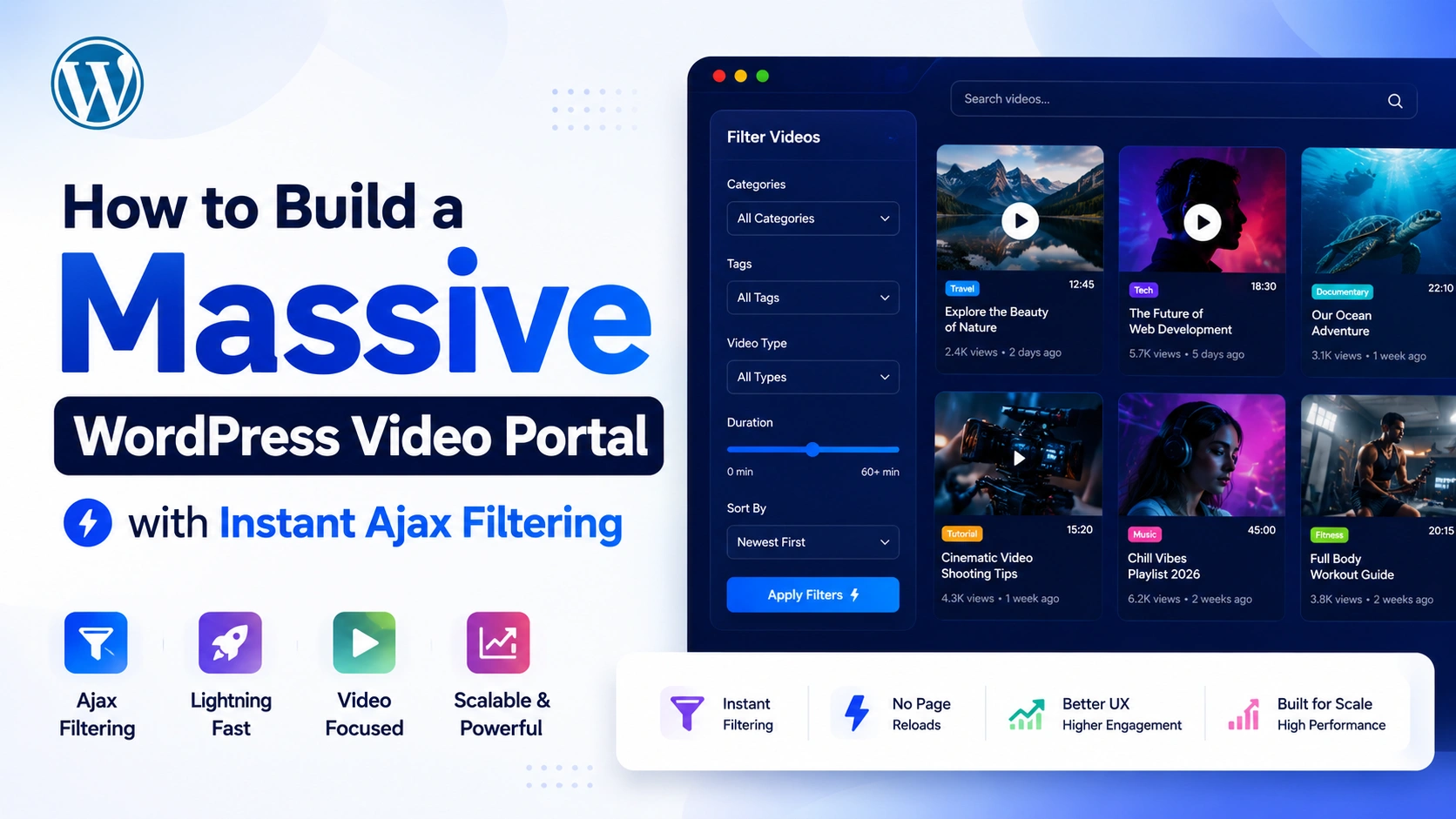
A video library with 500 videos and no filtering isn’t a library — it’s a wall. Visitors land, scroll for a few seconds, find nothing relevant fast enough, and leave. The content is there. The discovery mechanism isn’t. This is the single most common failure point in large WordPress video portals, and it’s almost never a content problem — it’s a navigation problem.
MediaHaven’s Ajax Video Live Filter solves this specific bottleneck: visitors search, filter by category, tag, duration, or resolution, and see results update instantly — with zero page reloads. This guide walks through building a full-scale, high-traffic video portal around this feature, from your first gallery to a searchable library of thousands of videos that stays fast at every size.
Why Large Video Libraries Fail Without Instant Filtering
The core problem with an unfiltered video gallery scales in direct proportion to your success. Ten videos in a grid is browsable. A hundred videos is a scroll marathon. A thousand videos with no filtering is functionally unusable — visitors simply cannot find what they’re looking for, no matter how good the individual content is.
MediaHaven’s own product description names this problem directly: “MediaHaven’s Ajax Video Live Filter solves the biggest problem of large video galleries — slow navigation and poor content discovery. Visitors can instantly filter and search videos without page reloads, keeping them engaged and helping them find the right content fast.”
The mechanism matters as much as the outcome. A traditional filter that triggers a full page reload for every click resets scroll position, forces a fresh page-load cycle, and breaks the visitor’s browsing momentum. An Ajax-powered filter updates the results in place — the page never reloads, the visitor’s context is preserved, and each additional filter click costs almost nothing in perceived wait time.
What the Ajax Live Filter Actually Lets Visitors Do
Confirmed directly from MediaHaven’s WordPress.org plugin listing (v1.7.3), the Ajax Video Live Filter includes:
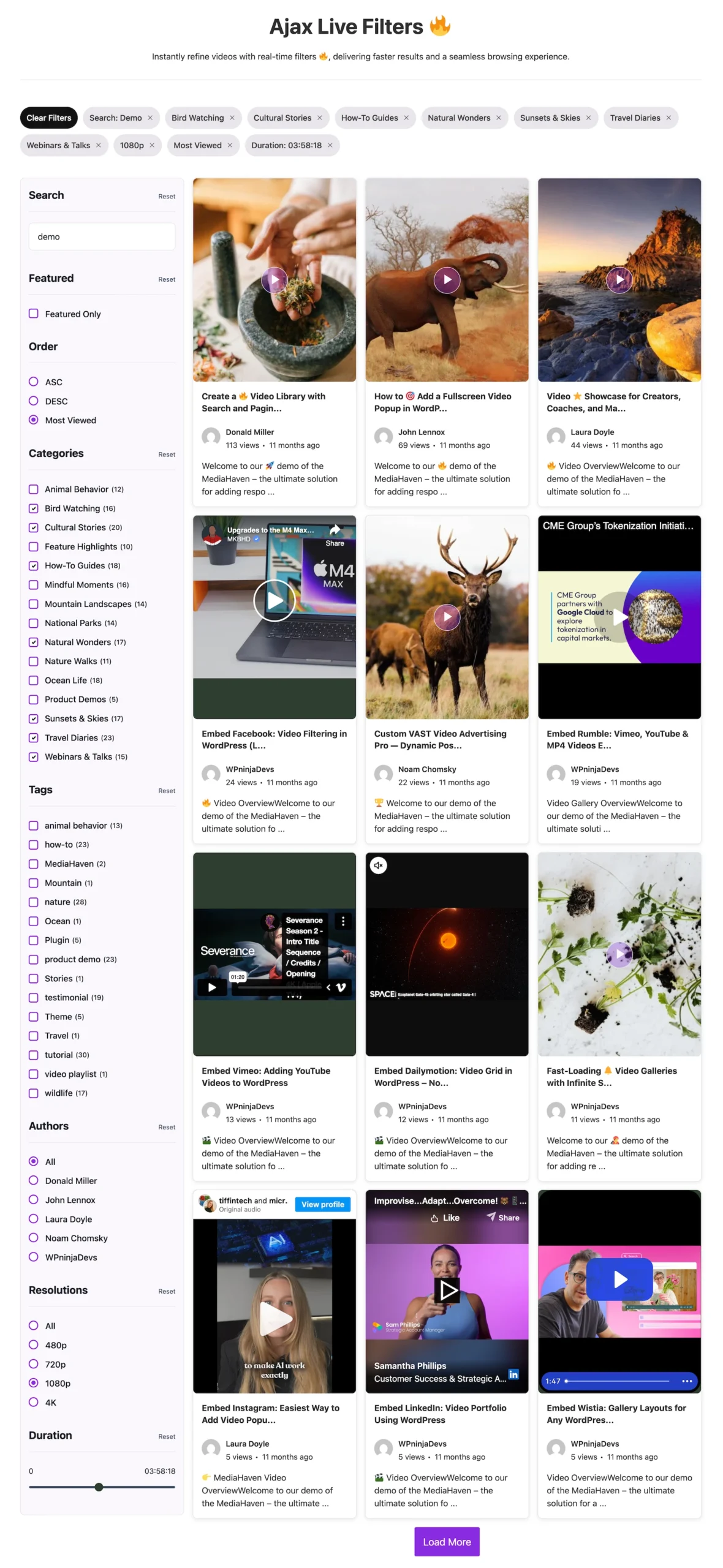
- 🔍 Live search as you type — results narrow in real time as a visitor types, no search button required
- 🏷️ Filter by category, tag, author, duration, resolution, and featured status — visitors can stack multiple filters simultaneously
- 📄 Three pagination modes — numbered pagination, a Load More button, or Infinite Scroll, chosen per gallery
- 🎨 Fully customizable filter sidebar with complete style controls
- 🔗 SEO-friendly filter URLs — every filter combination generates its own indexable, shareable URL
That last point is a genuine differentiator most competing video plugins don’t offer: a filtered result isn’t a dead-end JavaScript state — it’s a real, bookmarkable, shareable URL that search engines can crawl and index independently.
Building Your Portal: Step by Step
Step 1: Install MediaHaven and Complete the Setup Wizard
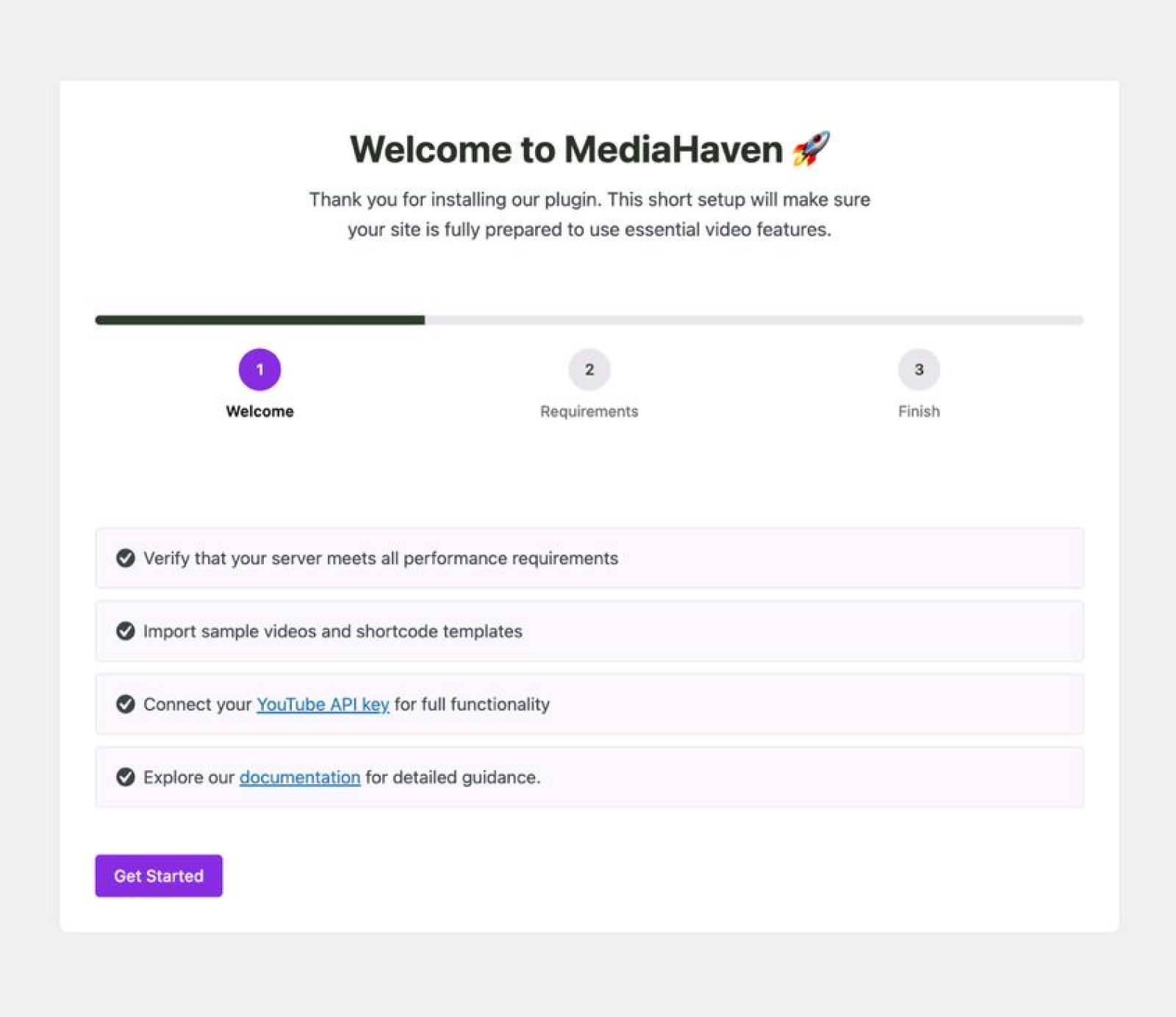
From Plugins → Add New Plugin, search “MediaHaven” and install “MediaHaven – Video Gallery, HLS Player & WooCommerce Product Videos” by WPninjaDevs. Activation redirects you automatically to the Setup Wizard, which checks your permalink structure (in 1.6.6v Fixed permalink rewrite issue — no longer requires manual permalink flush) — MediaHaven requires the “Post name” permalink format for clean, filterable video URLs, and the wizard will prompt you to fix this under Settings → Permalinks if needed.
Step 2: Structure Your Taxonomy Before You Upload
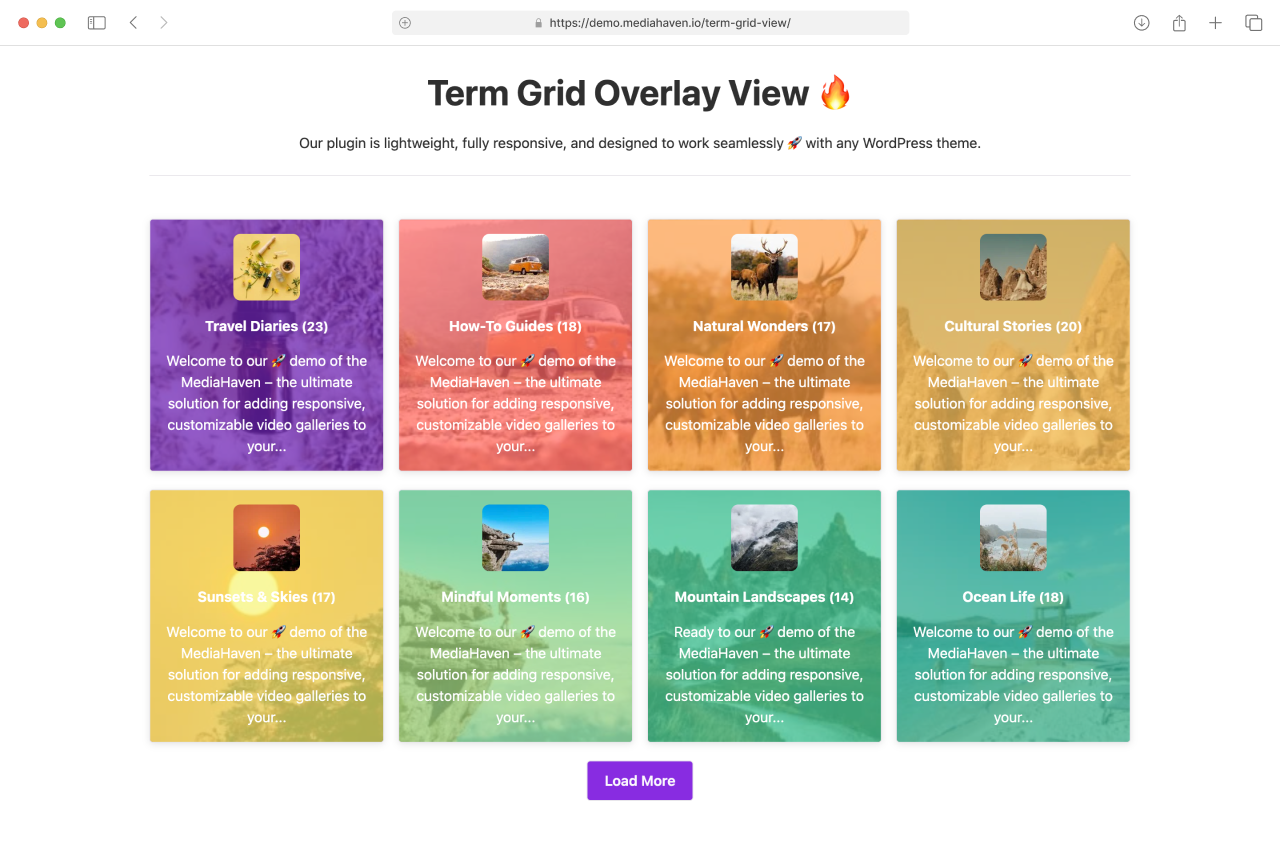
This is the step that determines whether your filter system actually works well at scale. Before adding videos, plan your category and tag structure the way you’d plan a product catalog:
- Categories should represent your primary content divisions — the broad buckets a visitor would think in first (“Tutorials,” “Product Demos,” “Interviews,” “Case Studies”)
- Tags should represent the cross-cutting attributes that matter for discovery within a category (“Beginner,” “Advanced,” “15 Minutes,” “2026”)
Go to MediaHaven → Categories and MediaHaven → Tags to build this structure deliberately, rather than creating categories ad hoc as you upload — a messy taxonomy is the single most common reason an Ajax filter feels unhelpful even when the technology works perfectly.
Step 3: Add Your Video Library
For each video, at minimum, assign:
- A title and description — these populate both the visible card and the VideoObject schema.org metadata used for SEO
- Categories and tags — these are what the filter actually queries against
- Duration and resolution metadata — where applicable, since these are native filter options
- A poster thumbnail — either uploaded manually or auto-generated, with Pro enabling automatic WebP conversion for faster page loads
For libraries in the hundreds or thousands, use MediaHaven’s Export & Import tools (JSON and CSV format, confirmed free feature) to bulk-import video metadata rather than entering each one manually through the editor.
Step 4: Build the Gallery and Enable the Filter
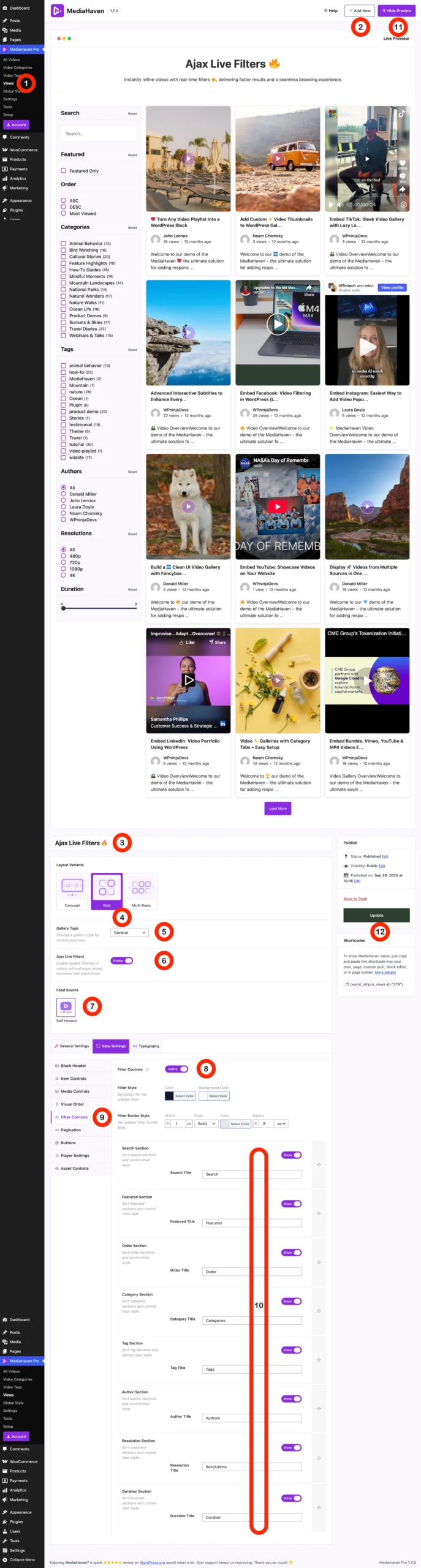
Go to MediaHaven → Views and create your gallery shortcode. Choose your layout — Grid is the standard choice for a filterable portal, since it displays the most videos per screen and reflows cleanly as filtered results change.
Open the Filter tab in the gallery editor and enable the Ajax Video Live Filter. Configure:
- Which filter types to expose (category, tag, author, duration, resolution, featured)
- Your pagination mode — Load More is generally the best fit for a scroll-heavy discovery portal, while numbered pagination suits libraries where visitors expect to jump to a specific page
- Sidebar styling to match your site’s branding
Use the Shortcode Live Preview (Pro) to see the exact rendered output — layout, spacing, filter sidebar — before publishing, rather than the traditional save-refresh-check cycle.
Step 5: Publish and Verify
Copy the generated shortcode and paste it into any page using the MediaHaven Shortcode View Gutenberg block (which shows a live preview directly in the editor) or any page builder’s shortcode widget — Elementor, WPBakery, Divi, Beaver Builder, and Bricks are all confirmed compatible.
Load the live page and test: type into the search box, apply a category filter, stack a second tag filter on top. Confirm the URL updates to reflect your filter state and that the results update without a full page reload.
Why This Stays Fast Even at Massive Scale
The typical failure mode for “instant” filtering on WordPress is that it works fine with 50 videos and grinds to a halt at 5,000, because the underlying database queries weren’t built for filtered search at scale. MediaHaven addresses this architecturally, not just at the UI layer.
Per the plugin’s own description: “Even at scale, MediaHaven stays lightning-fast thanks to its custom lookup table, delivering smooth AJAX filtering and instant loading for high-volume video libraries.”
A custom lookup table means filter queries aren’t running expensive joins across WordPress’s standard post-meta structure on every request — they’re querying a purpose-built, indexed table designed specifically for this access pattern. This is the architectural difference between a filter that feels instant at 50 videos and one that stays instant at 5,000.
The SEO Layer Most Video Portals Miss
Every filtered view in MediaHaven Pro generates its own unique, indexable URL — for example, /videos/?category=tutorials&duration=short. This matters enormously for a large content portal because it means Google can crawl and rank individual filtered views, not just your homepage gallery.
A visitor searching “beginner WordPress tutorial videos under 15 minutes” can land directly on your pre-filtered category-plus-duration page — a page that exists automatically because of how you built your taxonomy, without you manually creating a landing page for every possible filter combination.
Combined with MediaHaven’s automatic Schema.org VideoObject markup (generated on every video with no separate SEO plugin required, per the official plugin FAQ), a large, well-tagged video portal becomes a genuine organic search asset — not just a browsing experience for visitors who already found you.
Business Impact of Getting This Right
Session duration and engagement compound. When visitors can find relevant content in seconds rather than scrolling through irrelevant results, they watch more videos per session — and every additional video watched is an additional opportunity for engagement, conversion, or ad impression (if you’re running VAST monetization on self-hosted content).
Bounce rate drops on your highest-traffic entry pages. A visitor who lands on an unfiltered wall of 500 videos with no way to narrow results has a strong reason to leave immediately. A visitor who lands on the same page and can filter to exactly what they came for has a strong reason to stay.
Your content library becomes an SEO asset, not just a media archive. Because each filter combination is independently indexable, a large, properly tagged video portal generates dozens or hundreds of long-tail landing pages automatically — pages that would otherwise require manual creation and maintenance.
Free vs. Pro: What You Need for a Massive Portal
| Capability | Free (Lite) | Pro |
|---|---|---|
| Grid, Carousel, Multi-row Carousel layouts | ✅ | ✅ |
| Unlimited galleries and videos | ✅ | ✅ |
| Schema.org VideoObject SEO markup | ✅ | ✅ |
| Export/Import (JSON/CSV) for bulk libraries | ✅ | ✅ |
| Built-in lazy loading and smart asset loading | ✅ | ✅ |
| Ajax Video Live Filter | ❌ | ✅ |
| SEO-friendly filter URLs | ❌ | ✅ |
| Custom lookup table for high-volume performance | ❌ | ✅ |
| Shortcode Live Preview | ❌ | ✅ |
| WebP thumbnail auto-conversion | ❌ | ✅ |
For a portal genuinely intended to scale into the hundreds or thousands of videos, the Ajax Live Filter and the custom lookup table architecture behind it are the features that make the difference between a browsable library and an unusable wall of content — this is squarely a Pro-tier capability, priced from $79/year with a 14-day money-back guarantee.
Frequently Asked Questions
What is a WordPress video portal?
A WordPress video portal is a website that organizes large collections of videos into searchable categories, tags, playlists, or topics. Instead of displaying individual videos separately, a video portal helps visitors quickly discover relevant content through filtering, browsing, and responsive gallery layouts.
How does Ajax filtering improve a WordPress video portal?
Ajax filtering updates video results instantly without reloading the page, creating a faster and smoother browsing experience. Visitors can filter videos by category, tag, source, or custom criteria while staying on the same page, making it easier to discover relevant content.
Can MediaHaven create a large WordPress video portal?
Yes. MediaHaven is designed for everything from small video libraries to large-scale portals. Its View Builder, responsive gallery layouts, multiple video source support, Ajax filtering, and performance-focused architecture help you organize and manage extensive video collections efficiently.
Which video sources does MediaHaven support?
MediaHaven supports YouTube, Vimeo, TikTok, Facebook, Instagram, LinkedIn, Twitch, Wistia, Dailymotion, Rumble, self-hosted videos, HLS (M3U8) streams, Bunny Stream, and external video URLs. This flexibility allows you to build a unified video portal from multiple platforms.
Can I organize videos into categories and custom galleries?
Absolutely. MediaHaven lets you organize videos using categories, tags, playlists, and custom Views. You can create separate galleries for tutorials, webinars, product videos, courses, news, or portfolios, making it easier for visitors to browse large video libraries.
Will MediaHaven keep a large video portal fast?
Yes. MediaHaven includes Smart Asset Loading, lazy loading, Ajax filtering, and performance optimizations that help large video portals remain responsive. Plugin assets load only where needed, reducing unnecessary requests while delivering a smoother browsing experience.
Does MediaHaven support SEO for large video websites?
Yes. MediaHaven automatically generates Schema.org VideoObject structured data for published videos, helping search engines better understand your content. Combined with organized galleries and dedicated video pages, this supports better visibility in Google search results.
Can I use Gutenberg and page builders with MediaHaven?
Yes. MediaHaven includes native Gutenberg blocks and shortcode support for Elementor, Divi, Beaver Builder, WPBakery, and other popular page builders. You can build custom video portal pages without writing code or relying on multiple gallery plugins.
Can I monetize a WordPress video portal with MediaHaven?
Yes. MediaHaven Pro supports VAST advertising for compatible videos, allowing you to display pre-roll, mid-roll, and post-roll ads. You can also combine WooCommerce product videos and interactive product overlays to create additional revenue opportunities from your video content.
Is MediaHaven suitable for websites with thousands of videos?
Absolutely. MediaHaven is built with scalability in mind. Advanced filtering, optimized queries, responsive gallery layouts, and support for multiple video sources help maintain a smooth user experience as your video library continues to grow.
Does MediaHaven support responsive video portals on mobile devices?
Yes. Every MediaHaven gallery is fully responsive and automatically adapts to desktops, tablets, and smartphones. You can also customize the number of columns and gallery layouts for different screen sizes to deliver an excellent viewing experience on every device.
Why choose MediaHaven for building a WordPress video portal?
MediaHaven combines responsive video galleries, instant Ajax filtering, multiple video source support, HLS streaming, VideoObject schema, WooCommerce integration, Gutenberg blocks, and performance optimization in one plugin. Instead of piecing together multiple tools, you get a scalable WordPress video platform designed for high-traffic video portals.
- Install free: wordpress.org/plugins/mediahaven-lite
- See the Ajax Live Filter live: demo.mediahaven.io/ajax-live-filters
- Official documentation: mediahaven.io/docs/
- Upgrade to Pro: mediahaven.io/pricing — from $79/year · 14-day money-back guarantee
- Support: support@wpninjadevs.com
Leave a Reply