

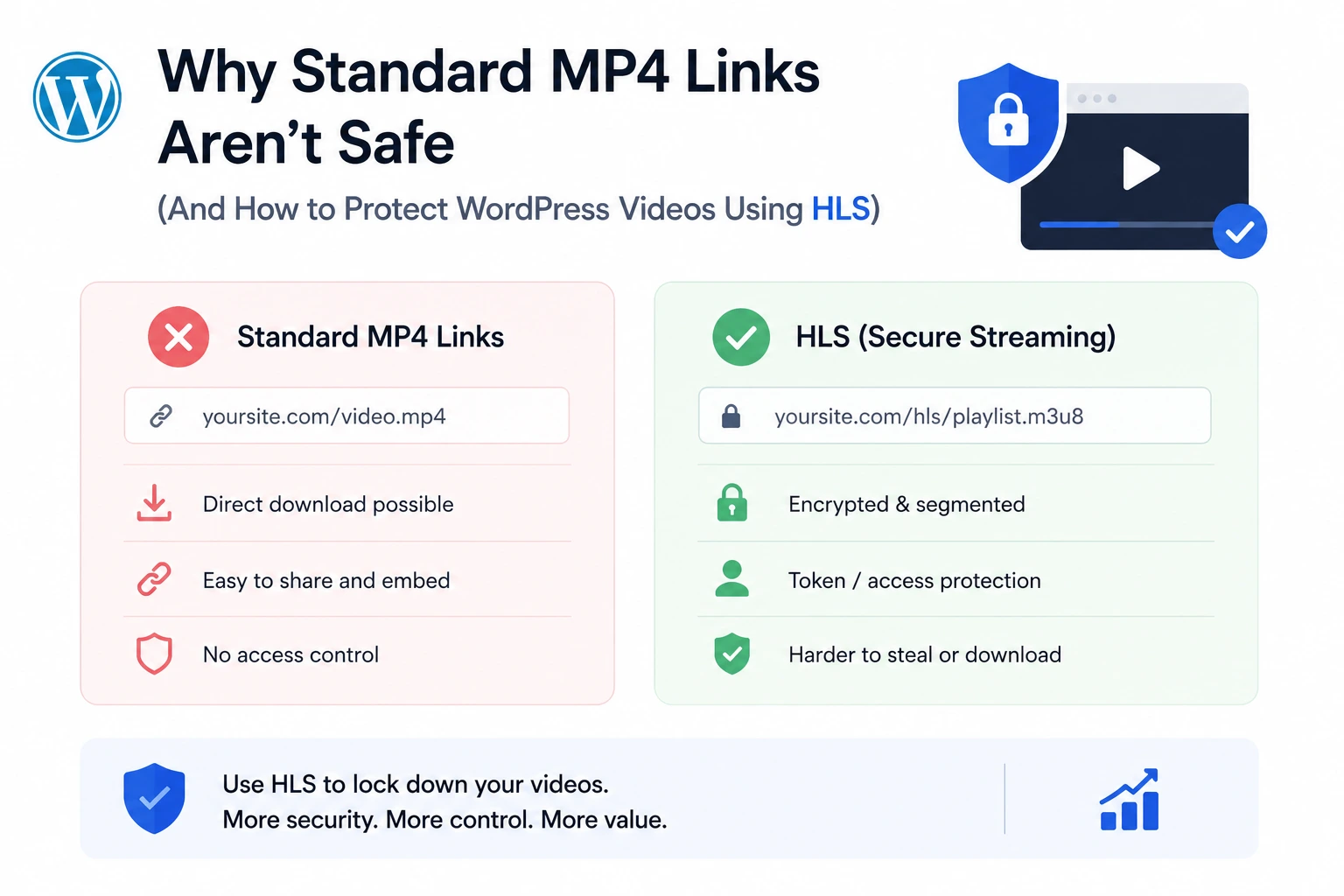
If your WordPress video is embedded as a direct link to an .mp4 file, it is not protected — no matter what player controls sit on top of it. The file exists at a fixed, predictable URL. Right-click, “Save Video As,” done. Zero technical skill required, zero specialized tools, and the entire video is on the downloader’s hard drive in seconds.
This article explains, at the technical level, exactly why standard MP4 delivery is fundamentally insecure, why the common WordPress “protection” plugins don’t fix the underlying problem, and how switching to HLS (HTTP Live Streaming) — the same protocol Netflix and Apple use — closes the gap. The implementation reference throughout is MediaHaven, a free WordPress plugin that automates HLS conversion through Bunny Stream.
The Fundamental Problem With MP4 Delivery
A standard <video> HTML5 tag pointing to an MP4 source looks like this in the page’s underlying markup:
<video src="https://yoursite.com/wp-content/uploads/2026/05/lesson-1.mp4"></video>That URL is not a secret. It’s sitting in the page’s HTML, visible to anyone who views the page source, and it’s a complete, self-contained file — meaning whoever has that URL has the entire video, in full quality, permanently, with no further action required.
Three specific properties make this architecture insecure:
It’s a single, complete file. There’s no segmentation, no partial delivery — the whole video exists at one URL. Downloading it is a single HTTP request.
The URL is static and non-expiring. Once someone has the link, it works indefinitely. There’s no built-in mechanism for the URL to stop functioning after a viewing session ends.
There’s no authorization check on the file request itself. Even if the page the video is embedded on requires login, the direct file URL — once discovered — typically bypasses that check entirely, because standard WordPress media uploads are served as public static files by default.
Why “Video Protection” Plugins That Just Hide the Download Button Don’t Work
A large category of WordPress video security advice amounts to: disable the right-click context menu, remove the download icon from custom player controls, or overlay a transparent div to block interaction.
None of these change the underlying URL’s structure. They modify what’s visually presented in the browser interface, not what’s actually being requested over the network. Any visitor can open browser developer tools (F12 on virtually every browser, no special software required), click the Network tab, reload the page, and see the exact MP4 URL being requested — completely independent of what buttons are visible or hidden in the player UI.
This is the core distinction that matters: UI-level protection is cosmetic. Protocol-level protection is structural. The rest of this article is about the latter.
What HLS Changes at the Protocol Level
HLS (HTTP Live Streaming) restructures how a video is delivered in a way that directly addresses all three insecure properties of MP4 delivery described above.
1. The Video Is Segmented, Not a Single File
Instead of one large MP4, an HLS-delivered video is broken into small segments — typically a few seconds of video each — referenced by a manifest file (.m3u8). The player doesn’t request “the video.” It requests the manifest, then requests each segment in sequence as playback progresses.
Why this matters for security: there is no single URL that represents “the whole video.” A visitor attempting to download the content would need to individually capture and correctly reassemble dozens or hundreds of small segment files — a task orders of magnitude harder than a single right-click, and far outside what a casual, opportunistic downloader will bother attempting.
2. Adaptive Bitrate Streaming Is a Structural Side Benefit
Because HLS references multiple quality renditions of the same content in its manifest, the player can automatically switch between them based on the viewer’s real-time connection speed — the same mechanism behind smooth Netflix and YouTube playback on any connection quality, confirmed in MediaHaven’s own documentation: “Adaptive bitrate streaming — quality adjusts in real-time to the viewer’s connection — smooth even on 3G.”
3. Signed Token Authentication Closes the Remaining Gap
Segmentation alone still leaves a gap: if the manifest and segment URLs are publicly accessible with no authorization check, someone could still hotlink the manifest itself or share it freely. Token authentication closes this specific gap.
Each request for the manifest or a segment carries a cryptographically signed token — typically generated via HMAC hashing combining a secret key, the file path, and an expiration timestamp — appended as a URL query parameter:
https://yourzone.b-cdn.net/videos/lesson-1/playlist.m3u8?token=8f3a91b2c4d5&expires=1598024587The delivery server independently recalculates the expected token on every single request and compares it against the one provided. If it doesn’t match, or if the current time is past the expires timestamp, the request is rejected — regardless of whether the URL otherwise “looks correct.”
This is the mechanism that actually stops hotlinking and shared-link reuse. A captured URL isn’t just discouraged from working — it’s cryptographically invalid outside its authorized window.
Implementing HLS + Token Authentication in WordPress with MediaHaven
Building this pipeline manually — encoding software, CDN configuration, server-side token signing logic, HLS-compatible player integration — is a legitimate multi-day engineering project for a developer unfamiliar with video infrastructure. MediaHaven (WordPress.org, free, version 1.7.3) automates the entire pipeline by connecting to Bunny Stream.
The Setup (Documented, ~10 Minutes, No Coding)
- Install MediaHaven Lite from Plugins → Add New Plugin
- Create a free account at bunny.net
- Create a Stream Library; copy the API Key, Library ID, and CDN Hostname
- Enable Token Authentication in the Bunny Stream library’s security settings
- In WordPress: MediaHaven → Settings → Storage & CDN
- Set Serve From to CDN, Storage Provider to Bunny Stream
- Enter credentials, enable Secure Stream Playback
- Save, upload a video, click Sync
Per the plugin’s official FAQ: “When you connect Bunny Stream and click Sync on any video, it is automatically converted to secure HLS (HTTP Live Streaming) format on Bunny Stream — no manual encoding or extra tools needed… Completely free.”
Verifying the Switch From MP4 to Secured HLS
After syncing a video, confirm the change by inspecting the page’s network requests (F12 → Network tab):
- Before: a request for a single
.mp4file, with a static, permanent URL - After: a request for an
.m3u8manifest carryingtokenandexpiresquery parameters, followed by a sequence of small segment file requests
That structural difference — one static downloadable file versus a segmented, token-authenticated stream — is the entire security upgrade, made visible.
MP4 vs. HLS: A Direct Comparison
| Property | Standard MP4 | HLS + Token Authentication (MediaHaven) |
|---|---|---|
| File structure | Single complete file | Segmented into small chunks via manifest |
| Downloadable via right-click | ✅ Trivially | ❌ No single file exists to save |
| URL expiration | Never (static) | Yes — tokens expire on a defined schedule |
| Hotlinking on another site | ✅ Works indefinitely | ❌ Blocked — token invalid outside authorized context |
| Adaptive quality per connection | ❌ Fixed quality only | ✅ Automatic, real-time adjustment |
| Server load under high traffic | Scales with every request | Delivered via CDN — zero origin server load |
| Setup complexity | None (WordPress default) | ~10 minutes via MediaHaven + Bunny Stream |
| Cost | “Free” (but bandwidth costs scale with your host) | Free plugin; usage-based CDN pricing (~$0.01/GB) |
Why This Also Fixes Performance, Not Just Security
The security upgrade and the performance upgrade come from the same architectural change, which is worth understanding as a single decision rather than two separate problems.
MP4 delivery from your WordPress server means every video request consumes your hosting’s bandwidth allocation directly, and large files with no adaptive quality mean slower load times and more buffering — especially for visitors on weaker connections or located far from your server.
HLS delivery via Bunny Stream’s CDN means, per MediaHaven’s documentation, “zero server load — your hosting never serves a single video byte” — every request is handled by Bunny’s global edge network instead. Combined with adaptive bitrate streaming, this simultaneously solves the buffering problem that plagues direct MP4 embeds on typical WordPress hosting.
In other words: switching from MP4 to token-authenticated HLS isn’t a trade-off between security and performance. It improves both, because both problems stem from the same root cause — a single large file served directly from an origin server with no intelligent delivery layer.
What Token-Authenticated HLS Doesn’t Solve
Precision matters here. Signed HLS delivery closes the structural vulnerabilities of MP4 — direct downloading, hotlinking, indefinite link sharing. It does not prevent screen recording: a determined viewer running capture software while the video plays will still obtain a copy, because they’re not attacking the delivery mechanism — they’re capturing the rendered output on their own screen, which no delivery-layer protection can intercept.
For that residual risk, the appropriate mitigation is dynamic watermarking (overlaying viewer-identifying information onto the video during playback, making leaked copies traceable) — a specialized capability found in dedicated DRM platforms, outside MediaHaven’s core streaming feature set. For the large majority of WordPress sites, closing the MP4-specific structural vulnerabilities addressed in this article eliminates the casual, high-volume theft vectors; screen-recording-specific protection is a separate, higher-tier consideration relevant mainly to high-value, high-profile content.
Free vs. Pro: Where This Sits in MediaHaven
The complete HLS conversion, adaptive streaming, and token authentication pipeline described in this article is a free feature in MediaHaven Lite — confirmed directly from the plugin’s official documentation. Pro ($79/year, 14-day money-back guarantee) adds capabilities on top of this same secure foundation: Bunny Storage for offloading non-video media, interactive video chapters, multi-language subtitles, and Ajax-powered filtering for large video libraries. The core “MP4 to secure HLS” migration this article covers requires no paid upgrade.
- Install free: wordpress.org/plugins/mediahaven-lite
- Official documentation: mediahaven.io/docs/
- Bunny Stream setup guide: mediahaven.io/docs/#/cleardocs/how-to-set-up-bunny-cloud-with-mediahaven
- Upgrade to Pro: mediahaven.io/pricing — from $79/year · 14-day money-back guarantee
- Support: support@wpninjadevs.com
Leave a Reply