

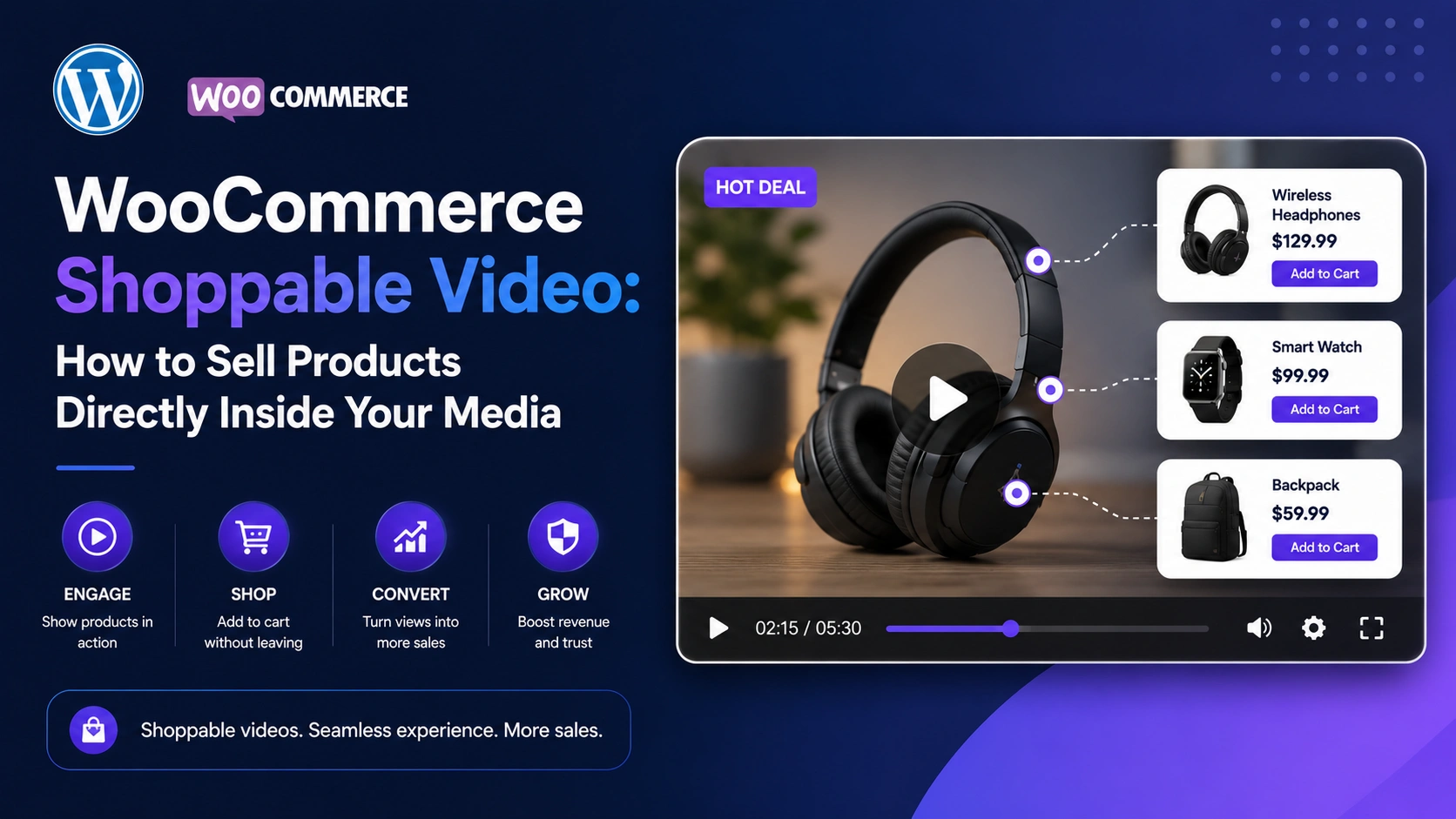
Static product photos are no longer enough to win a sale. Shoppers scroll past them, compare them across five tabs, and still leave with questions. Video answers those questions in seconds — and when that video is shoppable, it doesn’t just inform the buyer, it closes the sale on the spot.
This guide breaks down exactly what WooCommerce shoppable video is, the real business impact it can have on conversion rate and average order value, and — step by step — how to set it up on your own store using MediaHaven, a WordPress video gallery and product video plugin.
Whether you’re an entrepreneur launching your first store, a publisher monetizing video content, or an agency building storefronts for clients, the goal of this article is the same: help you turn ordinary product videos into a measurable revenue channel.
What Is WooCommerce Shoppable Video?
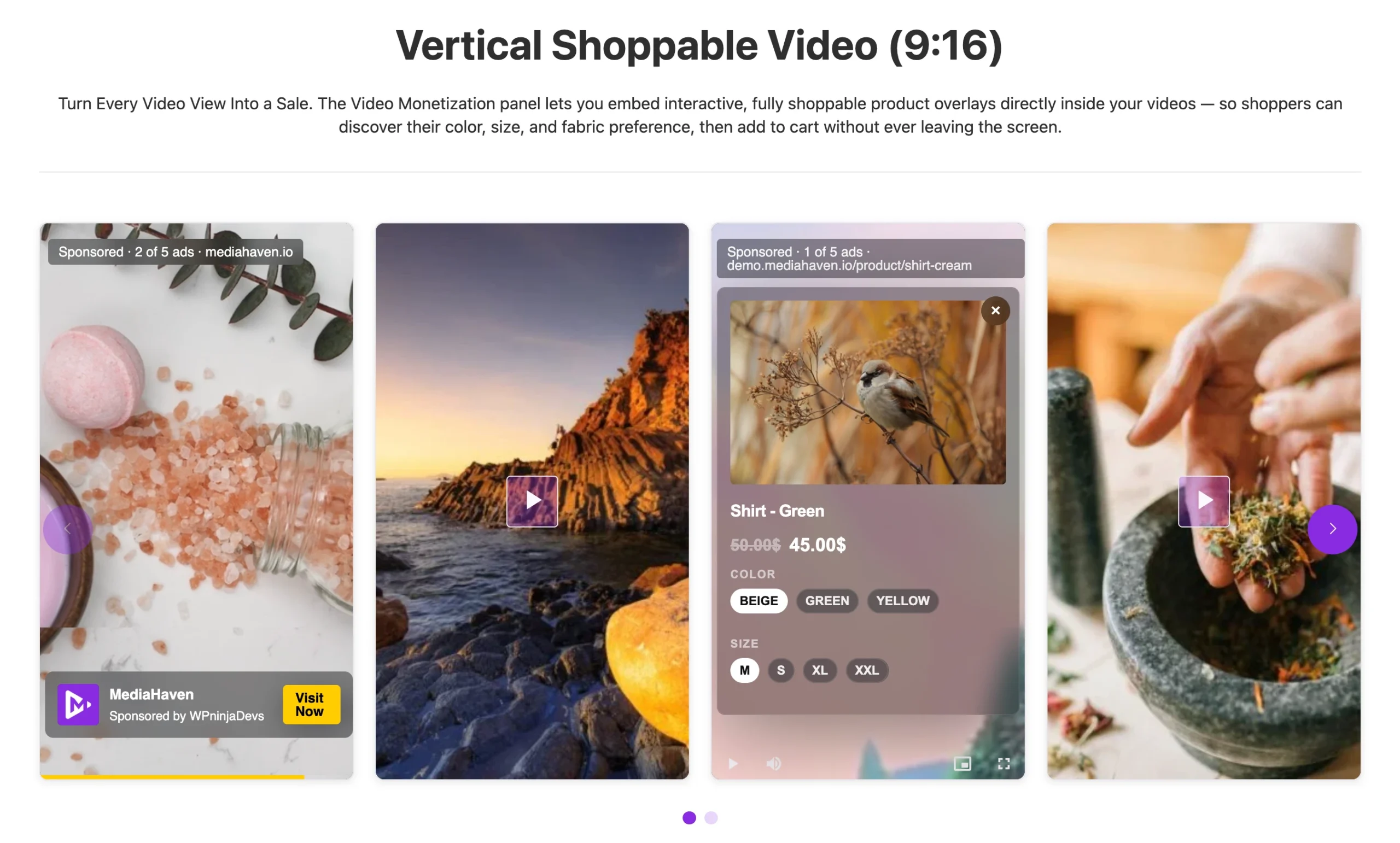
A WooCommerce shoppable video is a product video with interactive, clickable elements layered directly on top of the playback — things like product cards, prices, variation selectors, coupon codes, and an Add to Cart button. Instead of sending a viewer away from the video to find the “Buy” button, the video becomes the buy button.
It’s the same interaction model that has powered billions of dollars in sales through TikTok Shop, Instagram Shopping, and YouTube Shopping. The difference is that with a plugin like MediaHaven, that experience lives natively on your own WooCommerce store — no dependence on a third-party platform’s algorithm, no revenue share, and no losing the customer relationship to someone else’s app.
Why This Matters for Revenue Right Now
Video has quietly become one of the highest-leverage levers in ecommerce conversion optimization. Independent 2026 benchmarking from video commerce platforms and agencies points in a consistent direction:
- Retailers adding shoppable short-form video to product pages have reported conversion lifts in the 25–30% range, according to a 2026 Channelize industry report.
- A Yans Media video benchmark study found websites using video convert at roughly 4.8%, compared to 2.9%for pages without video.
- Wyzowl’s State of Video Marketing research found that 88% of shoppers say a video convinced them to buy a product, and a large majority of businesses now treat video as a core part of their marketing mix.
- Ecommerce analysts have also observed that pages with product video see meaningfully higher add-to-cart activity than pages with static images alone, because video removes pre-purchase doubt before it turns into cart abandonment.
- Across a large 2026 dataset of Shopify and Amazon product listings, plain static product pages converted at roughly 2–3.5%, while stores that layered in optimized shoppable video pushed conversion well into double digits — illustrating just how wide the performance gap has become between video-first stores and everyone else.
The pattern across every study is the same: video builds buyer confidence, and shoppable video converts that confidence into a transaction without friction. For a store doing steady traffic, even a conservative 20–30% conversion lift on key product pages compounds into a meaningful, measurable revenue increase — without spending an extra dollar on ads.
None of these numbers are a guarantee — results depend on your traffic, your niche, and how well the video itself is made. But they explain why shoppable video has moved from “nice to have” to a standard part of a serious WooCommerce growth strategy in 2026.
Meet MediaHaven: A WordPress Plugin Built for Video-Driven WooCommerce Stores
MediaHaven (currently on version 1.7.3) is a WordPress video gallery, HLS streaming, and WooCommerce product video plugin built by WPninjaDevs. It’s available as a free plugin on WordPress.org (MediaHaven Lite) with an optional Pro upgrade that unlocks the full shoppable video and monetization toolkit.
At its core, MediaHaven lets you:
- Build responsive video galleries from 10+ sources: YouTube, Vimeo, TikTok, Twitch, Wistia, Dailymotion, Rumble, Facebook, Instagram, LinkedIn, HLS streams, and self-hosted video files.
- Attach product videos directly to WooCommerce products.
- Stream video through Bunny Stream, a global CDN, with automatic secure HLS conversion — free, even on the Lite version.
- Turn self-hosted product videos into interactive shoppable experiences with the Pro upgrade.
Let’s walk through exactly how each layer of the plugin connects to a business outcome.
Step 1: Add Product Videos to WooCommerce (Free, in MediaHaven Lite)
As of version 1.7.3, MediaHaven Lite added native WooCommerce product video support. This is the foundation every store should start with before layering on shoppable overlays.
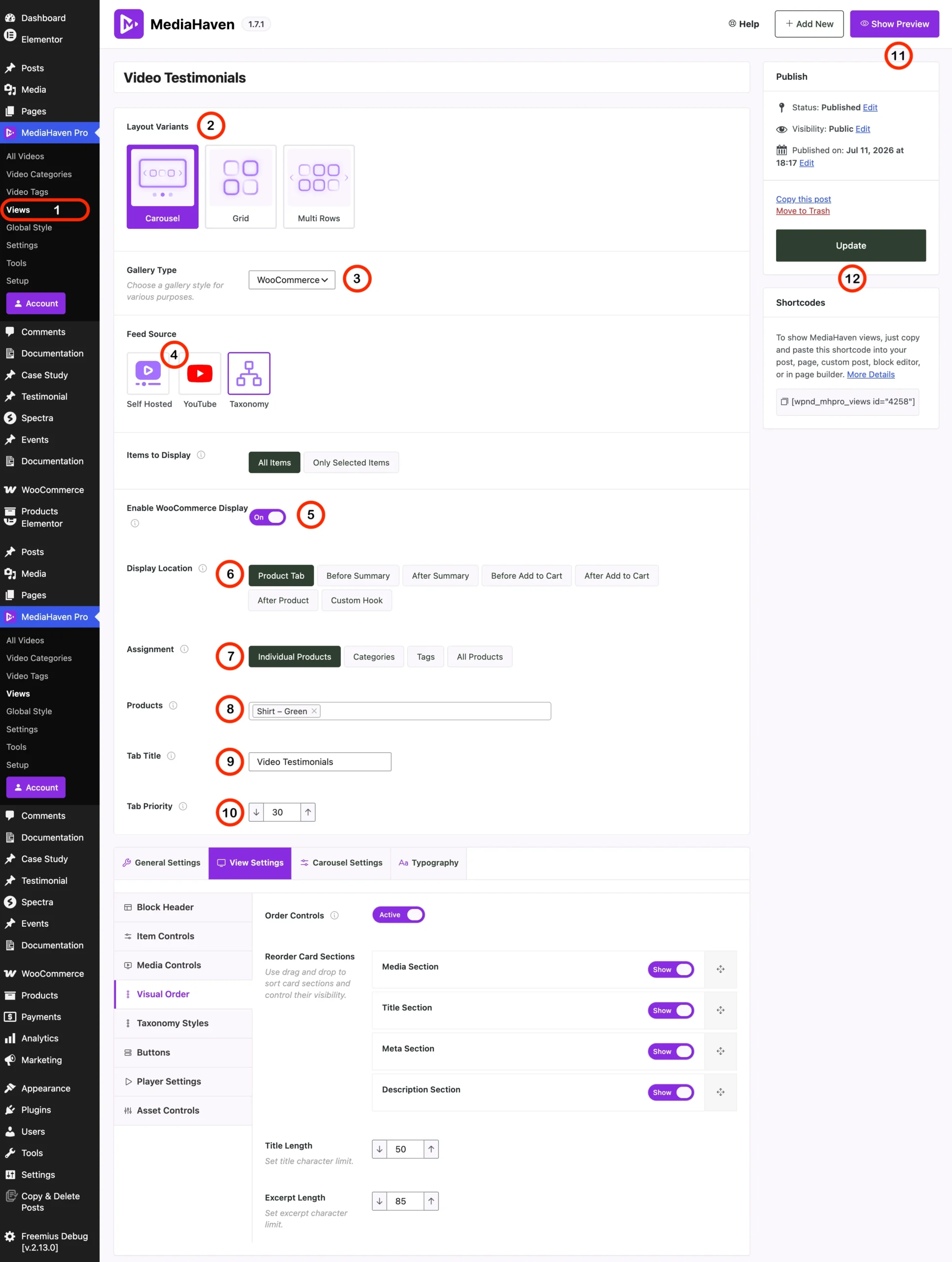
With the free version, you can:
- Display a dedicated video tab on the WooCommerce product page.
- Show video before the product summary or after the product summary, using WooCommerce’s native hooks.
- Assign a specific video gallery to an individual product.
- Pull videos from YouTube, Vimeo, TikTok, self-hosted files, HLS streams, and more.
Business impact: This alone gives shoppers the trust-building content — demos, unboxings, size and fit walkthroughs, testimonials — that reduces the hesitation that leads to cart abandonment and product returns. It costs nothing beyond your normal hosting, and it’s the single fastest change most stores can make this week.
How to Set It Up
- Install and activate MediaHaven Lite from the WordPress plugin directory.
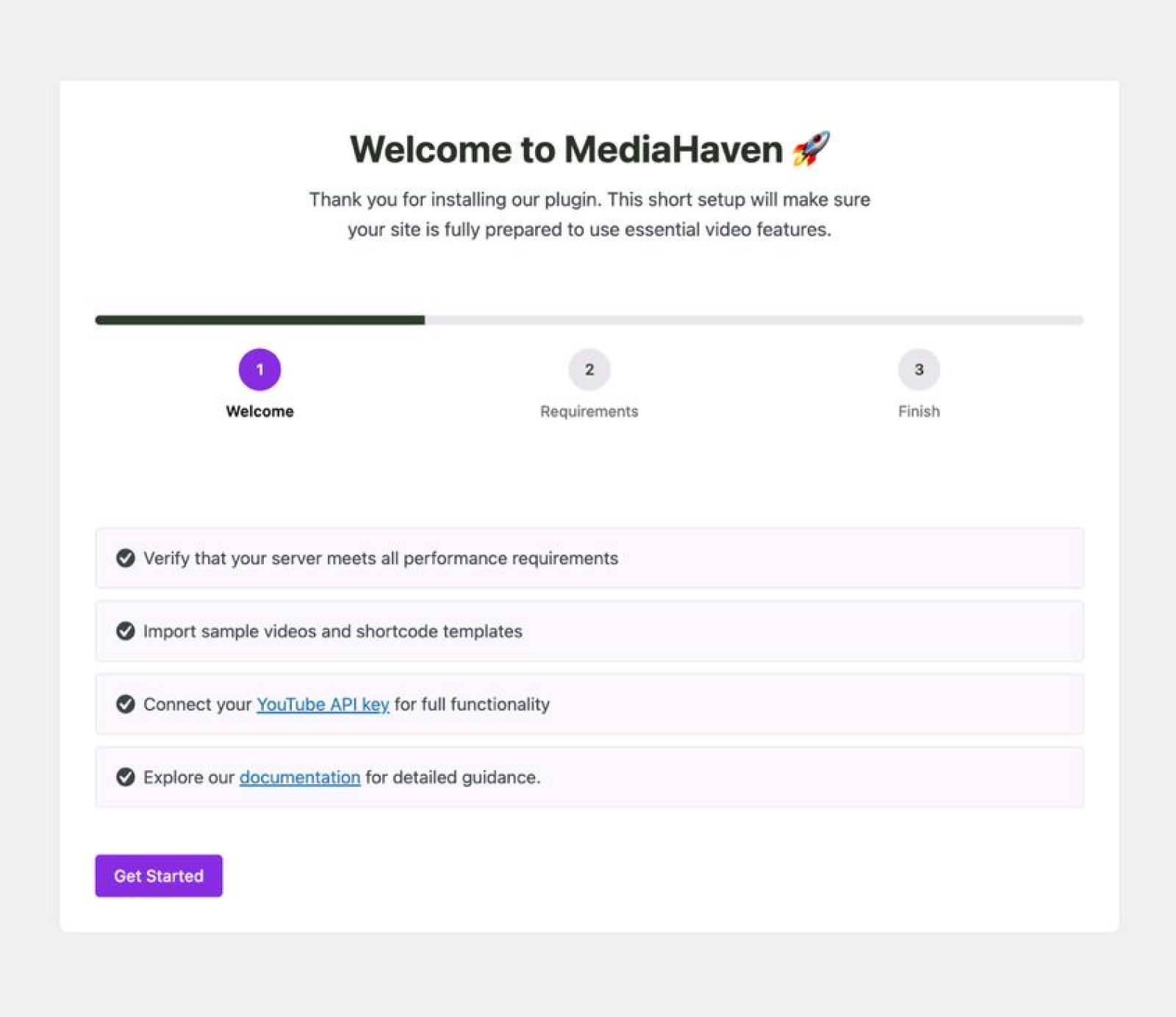
- Run the built-in Setup Wizard to configure your first gallery.
- Go to MediaHaven → Add New, upload or link your product video, and assign it to a gallery.
- Open the WooCommerce product editor, and assign that gallery to the product using MediaHaven’s product video field.
- Choose whether the video shows in a tab, before the summary, or after the summary.
- Publish, and preview the live product page.
Step 2: Turn Product Videos Into Shoppable Experiences (Pro)
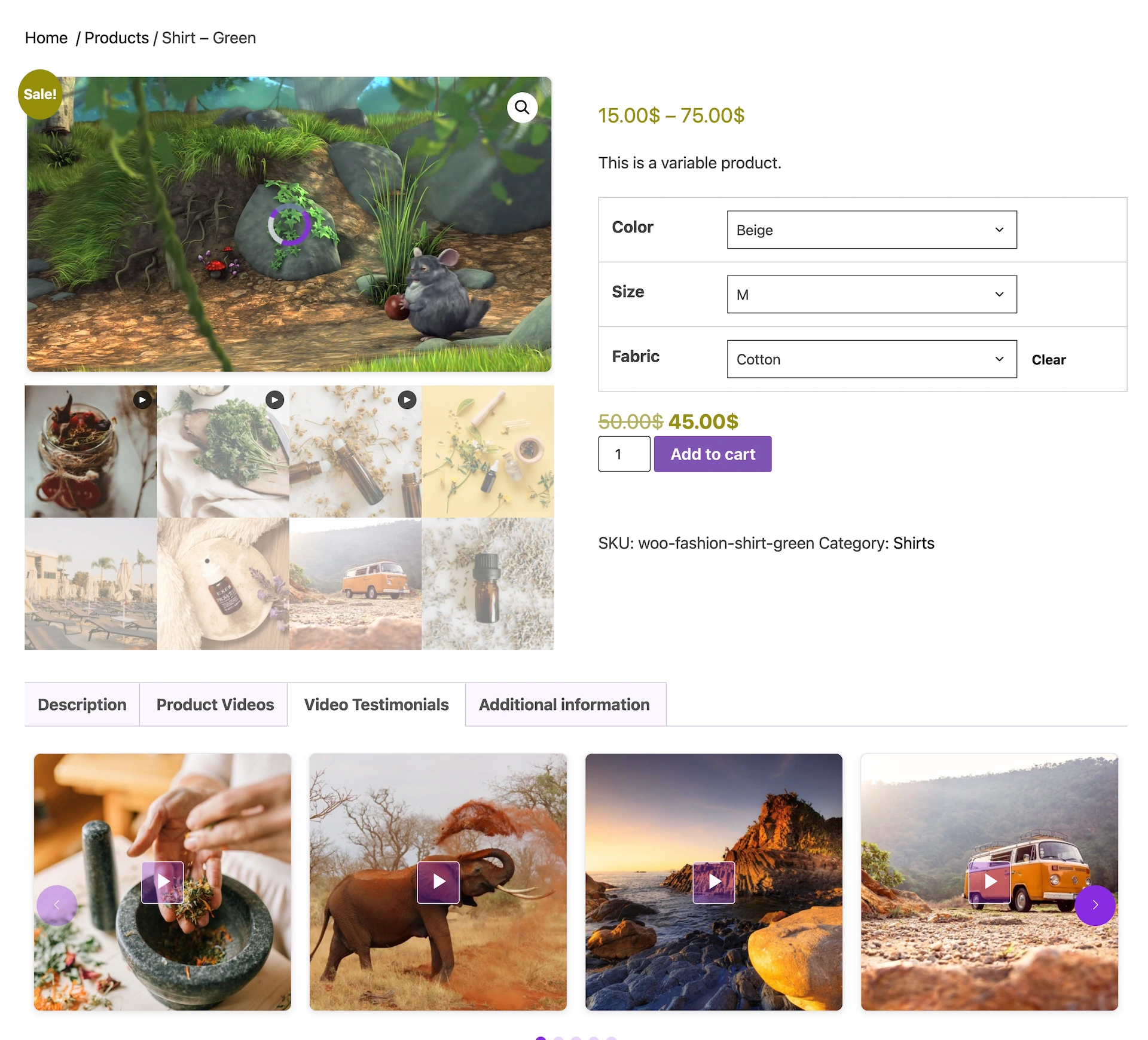
This is where MediaHaven moves from “video gallery plugin” to genuine video commerce engine. With MediaHaven Pro, you can:
- Replace static WooCommerce product gallery images with video, or display video alongside your existing gallery images.
- Add clickable product cards directly inside self-hosted product videos.
- Show live pricing, variation selectors, quantity selectors, coupon codes, and Add to Cart buttons inside the video itself.
- Automatically assign video galleries by product category, tag, or storewide, so you’re not manually tagging every SKU.
- Place shoppable video anywhere on the product page using advanced WooCommerce hook placement.
- Use these shoppable overlays alongside FluentCart and SureCart, in addition to WooCommerce.
Because the shoppable overlay system is built on MediaHaven’s own player, it works with self-hosted video, HLS, and Bunny Stream content. Embedded YouTube, TikTok, or Vimeo videos still display beautifully in your galleries, but the clickable shopping layer itself only applies to video you host through MediaHaven — since third-party platforms control their own player and ad systems.
Business impact: This is the step that directly ties video to revenue. A product demo stops being passive content and becomes a functioning sales funnel: a viewer watching a 30-second demo can add the product to their cart without ever leaving the video, right at the emotional peak of interest.
A Practical Use Case
Picture an apparel store selling a jacket. The product page has a 45-second video: someone walks through the fit, the material, and how it layers over a shirt. With MediaHaven Pro:
- At second 8, a clickable card appears showing the size options.
- At second 20, a promotional banner flashes a 10% discount code.
- At second 35, an Add to Cart button appears, pre-filled with the size and color the viewer is watching.
The viewer never has to scroll, search, or think — the path from “interested” to “purchased” collapses into a single click.
Step 3: Monetize Video With VAST Ads (Pro)
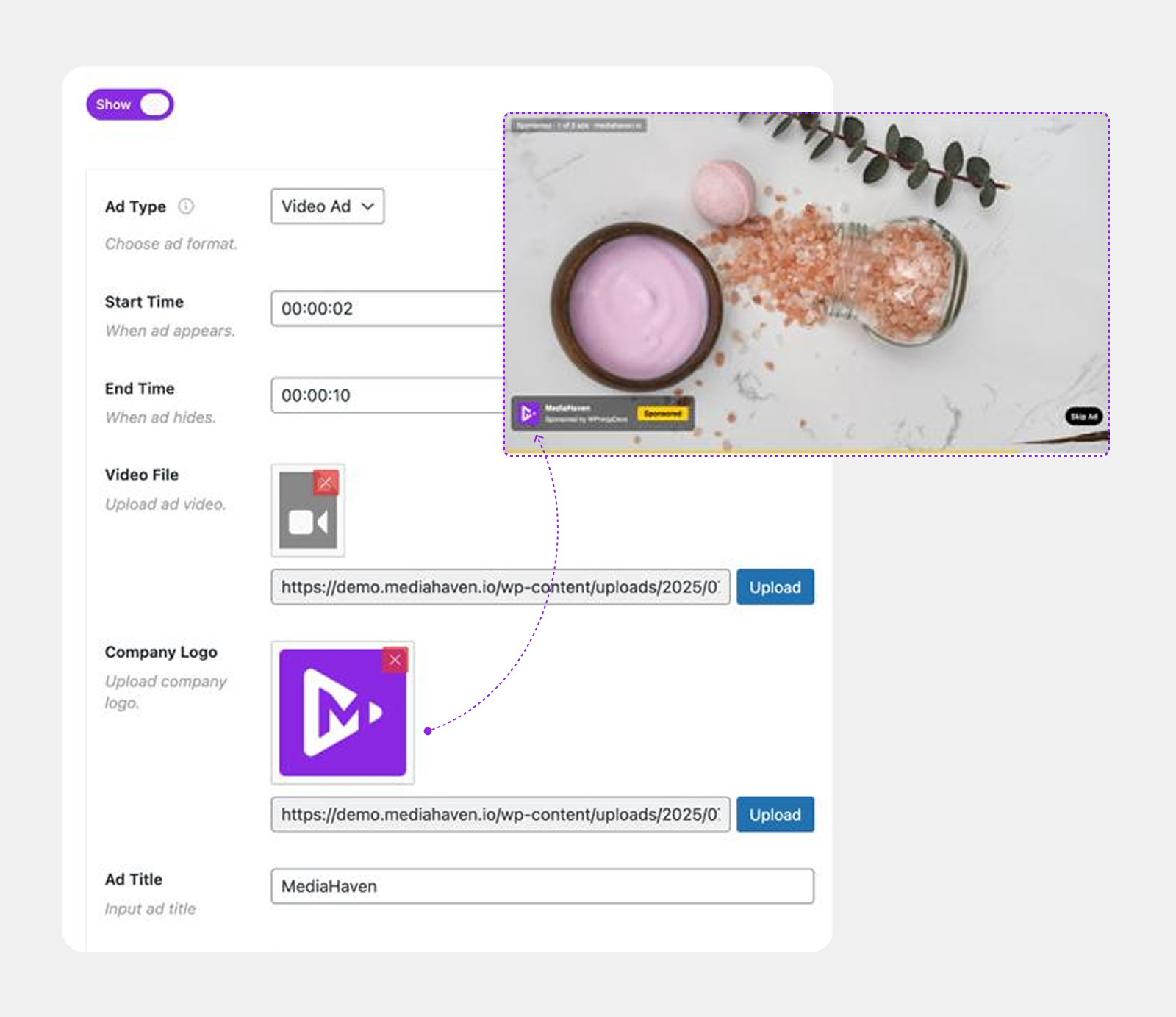
Beyond direct product sales, MediaHaven Pro includes full VAST ad support for self-hosted and Bunny Stream video, letting you display image, video, link, and text ads inside any video:
- 9 ad positions — top left, top center, top right, middle left, middle center, middle right, bottom left, bottom center, bottom right.
- Precise timing controls for exactly when an ad appears and how long it stays visible.
- Full style controls to match ads to your brand, plus an ad audio mute option.
Business impact: Publishers, content creators, and agencies running video-heavy WordPress sites can layer in a second revenue stream from the same video assets they already produce — whether that’s promoting your own products, running affiliate placements, or selling ad inventory to sponsors.
Step 4: Keep Video Fast With Bunny Stream CDN (Free)
None of this matters if your video buffers or your hosting bill spikes. MediaHaven connects directly to Bunny Stream, and this integration is free in the Lite version:
- One-click HLS conversion — click Sync and your video is automatically converted to secure, adaptive HLS format.
- Adaptive bitrate streaming so quality adjusts to the viewer’s connection, even on 3G.
- Encrypted HLS delivery with signed URLs and token authentication to block hotlinking and direct downloads.
- Global CDN delivery, so viewers anywhere get buffer-free playback.
- Zero server load — your own hosting never serves a single video byte.
Setup takes about 10 minutes: create a free Bunny.net account, create a Stream Library, copy your API key, Library ID, and CDN hostname into MediaHaven → Settings → Storage & CDN, enable Token Authentication, save, and click Sync on a test video.
Business impact: Page speed is a conversion factor and a Google ranking factor. A shoppable video that buffers loses the sale before the shopping overlay ever gets a chance to work. Offloading playback to a CDN protects both your search rankings and your checkout rate.
For stores that want to go further, Bunny Storage (Pro) offloads all media — images, audio, documents, and video — cutting server storage costs and improving Core Web Vitals across the entire site, not just product pages.
Step 5: Help Shoppers Find the Right Product Video Faster
A shoppable video only converts if the right shopper finds it. MediaHaven includes tools purpose-built for discoverability:
- Ajax Video Live Filter (Pro) — visitors search and filter your video library instantly, without page reloads, by category, tag, author, duration, resolution, or featured status, with numbered, Load More, or Infinite Scroll pagination and SEO-friendly filter URLs. Ajax Video Live Filter Demo
- Interactive Video Chapters (Pro) — break longer demo or tutorial videos into clickable sections so a shopper can jump straight to the feature or size guide they care about.
- Dynamic Subtitles (Pro) — multi-language, precisely timed subtitles, useful for both accessibility and reaching international buyers; subtitle text is also indexed by search engines, adding an SEO benefit.
- Schema.org structured data on every gallery (built into the free version) so search engines can understand and surface your video content in results.
Business impact: Faster discovery means more sessions actually reach a shoppable video in the first place — which is the precondition for every conversion benefit described above.
Step 6: Match the Player to Your Brand
First impressions affect trust, and trust affects conversion. With the Drag & Drop Layout Builder (Pro), you can:
- Rearrange video card sections — media, title, meta, description — without touching code.
- Customize player colors: play button, control bar, volume bar, and progress bar.
- Apply Google Fonts and full typography controls.
- Convert thumbnail images to WebP for faster load times.
Free-tier users still get automatic image optimization, lazy loading, and smart per-shortcode asset loading, so even a Lite-only store stays fast.
Putting It All Together: A 30-Day Implementation Plan
| Week | Action | Tool Used |
|---|---|---|
| 1 | Install MediaHaven Lite, run the Setup Wizard, add product videos to your 5–10 best-selling SKUs | MediaHaven Lite |
| 1 | Connect Bunny Stream and sync those videos for fast, secure HLS playback | Bunny Stream (Free) |
| 2 | Upgrade to Pro; replace static gallery images with product video on top sellers | MediaHaven Pro |
| 2–3 | Add shoppable overlays: product cards, pricing, and Add to Cart buttons inside each video | Shoppable Video (Pro) |
| 3 | Add video chapters and subtitles to longer demo or tutorial videos | Video Chapters & Subtitles (Pro) |
| 4 | Turn on the Ajax Live Filter so shoppers can browse your video catalog by category or tag | Ajax Live Filter (Pro) |
| 4 | Review conversion rate, add-to-cart rate, and revenue attribution on video-enabled product pages vs. the rest of your catalog | Your analytics / GA4 |
Tracking that last row matters more than any single feature. Before rolling shoppable video out storewide, measure it on a handful of product pages first — completion rate, click-through to the product card, add-to-cart rate, and last-click revenue attribution — so your investment in Pro is justified by numbers you can see in your own dashboard, not just industry averages.
Who Gets the Most Value From This?
- WooCommerce and ecommerce store owners — product demos, unboxings, and comparison videos become direct sales channels instead of passive content.
- Course creators and educators — secure HLS delivery, chapters, and subtitles make paid content feel professional and protected.
- Marketers and agencies — build YouTube and TikTok feed galleries for campaigns, then layer shoppable CTAs and VAST ads on top of owned video content for clients.
- Content creators and YouTubers — showcase a channel feed with live views and likes, and monetize embedded content with VAST ads.
- Membership and course platforms — token-authenticated, non-downloadable delivery protects paid video content from being copied or hotlinked.
Free vs. Pro: What You Actually Get
Free with MediaHaven Lite: Responsive video galleries (Grid, Carousel, Multi-row Carousel), 10+ video sources, WooCommerce product video tab and before/after-summary placement, Bunny Stream CDN with automatic HLS conversion, Schema.org SEO markup, lazy loading, image optimization, view counter, like/dislike system, JSON/CSV export & import, and a Gutenberg block.
Unlocked with MediaHaven Pro: WooCommerce product gallery video replacement, interactive shoppable video overlays, VAST video ads, Bunny Storage for offloading all media, Ajax Live Filter, drag-and-drop layout builder, interactive video chapters, multi-language dynamic subtitles, full player style customization, and WebP image conversion.
If you’re currently running the free version and relying on embedded YouTube or Vimeo videos for product pages, the single highest-ROI upgrade is moving your best-selling product’s video to self-hosted or Bunny Stream delivery and turning on the shoppable overlay — that’s the specific combination that turns a video from “content” into a “checkout.”
Frequently Asked Questions
1. What is a WooCommerce shoppable video, exactly? It’s a product video with clickable, interactive elements — product cards, pricing, variation selectors, and an Add to Cart button — layered on top of the playback, so a shopper can buy the product without leaving the video or navigating to a separate page.
2. Does shoppable video actually increase conversion rate, or is it just a trend? Multiple independent 2026 industry studies point to real, measurable lifts — commonly in the 20–30% range on the product pages where it’s implemented, with some optimized implementations reporting even larger gains. Results vary by niche, video quality, and traffic, so it’s worth testing on a handful of your top products first and measuring against your own baseline.
3. Can I add shoppable video to WooCommerce for free? You can add standard product videos to WooCommerce for free using MediaHaven Lite — in a tab, or before/after the product summary. The interactive shoppable overlay (clickable product cards, live pricing, and in-video Add to Cart) is a MediaHaven Pro feature.
4. Does shoppable video work with YouTube or TikTok videos, or only self-hosted video? Interactive shopping overlays and VAST ads work with self-hosted video files, HLS streams, and Bunny Stream video. YouTube, TikTok, Vimeo, and other embedded platform videos still display in your galleries, but the clickable shopping layer doesn’t apply to them, since those platforms control their own player.
5. Will adding video slow down my WooCommerce store? Not if it’s delivered correctly. MediaHaven offloads video playback to Bunny Stream’s global CDN (free in the Lite version), which means your own hosting never serves the video file, and includes built-in lazy loading and smart asset loading so plugin scripts only load on pages that need them.
6. What’s the difference between Bunny Stream and Bunny Storage in MediaHaven? Bunny Stream (free) handles video specifically and automatically converts it to secure adaptive HLS format. Bunny Storage (Pro) offloads all media types — images, audio, documents, and video — without automatic HLS conversion, and is aimed at stores that want to reduce total server storage costs across their whole media library.
7. Can I assign different product videos to different WooCommerce categories automatically? Yes, with MediaHaven Pro you can automatically assign video galleries by product category, tag, or across your entire store, rather than manually attaching a video to every individual product.
8. Is shoppable video compatible with page builders like Elementor or Divi? Yes. MediaHaven works with Elementor, WPBakery, Divi, Beaver Builder, Gutenberg, Bricks Builder, and other major builders — you build the gallery with MediaHaven’s shortcode builder, then drop the shortcode into any page builder element.
9. How do I measure ROI before committing to the Pro upgrade? Track completion rate, click-through to the product card, add-to-cart rate, and last-click revenue on a small set of product pages with video enabled, compared to pages without it. If the free WooCommerce product video tab already shows engagement and add-to-cart lift, that’s a strong signal the Pro shoppable overlay will compound the effect further.
10. Does MediaHaven support live shoppable video, like a live shopping event? MediaHaven supports live video streaming in M3U8/HLS format, which can be used for live product showcases and events. The interactive shoppable overlays are built for on-demand self-hosted and HLS video; check the current changelog for the latest live-shopping specific capabilities before planning a live event around it.
Final Takeaway
Shoppable video works because it removes the single biggest source of friction in ecommerce: the gap between “I’m interested” and “I’m ready to buy.” MediaHaven gives WooCommerce store owners a practical, WordPress-native way to close that gap — starting free with product video tabs and CDN-backed streaming, and scaling up to fully interactive, in-video shopping with the Pro upgrade.
Start with your top five products this week. Add video. Sync it to Bunny Stream. Measure what happens. Then decide, with your own numbers in hand, whether it’s time to turn those videos into a shoppable, revenue-generating channel.
- Install free: wordpress.org/plugins/mediahaven-lite
- See the Ajax Live Filter live: demo.mediahaven.io/ajax-live-filters
- Official documentation: mediahaven.io/docs/
- Upgrade to Pro: mediahaven.io/pricing — from $79/year · 14-day money-back guarantee
- Support
Leave a Reply