

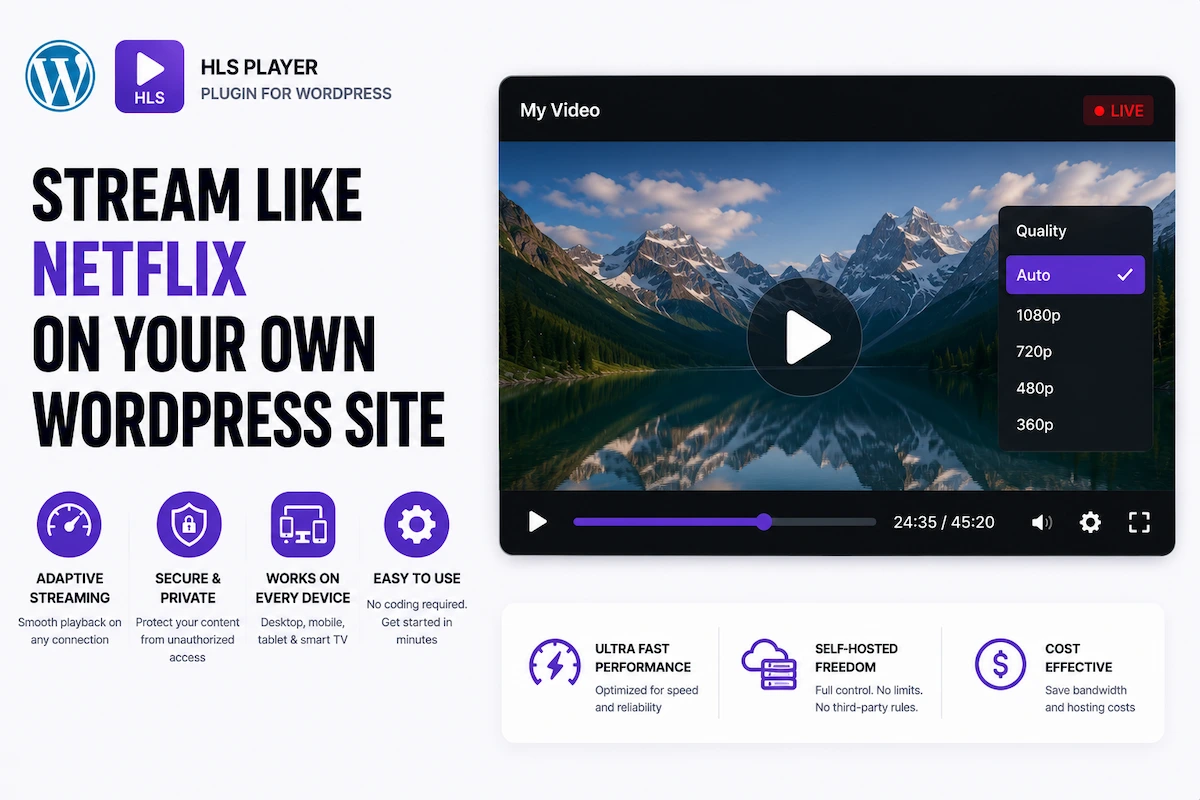
HTTP Live Streaming (HLS) is the same adaptive video technology powering Netflix, Twitch, YouTube, and every major streaming platform in the world. It delivers video in small, smart segments that automatically adjust quality based on your viewer’s internet speed — meaning no buffering, no quality drops, and no abandoned sessions.
Until recently, running HLS on WordPress meant hiring a developer, managing server configurations, or paying for expensive enterprise video platforms. In 2026, MediaHaven makes it a 20-minute setup — no code, no server config, no DevOps.
This guide explains everything you need to know about HLS streaming on WordPress: what it is, why it directly impacts your revenue, and exactly how to implement it with MediaHaven’s built-in HLS player.
What Is HLS and Why Should Every WordPress Site Owner Care?
HLS (HTTP Live Streaming) is a streaming protocol developed by Apple and now adopted as a universal web standard. Instead of delivering a single video file at a fixed quality, HLS:
- Encodes your video into multiple quality renditions (e.g., 360p, 720p, 1080p, 4K)
- Breaks each rendition into small 2–10 second segments (
.tsfiles) - Creates a master playlist (
.m3u8file) that maps all renditions - Delivers segments adaptively — the player reads the viewer’s bandwidth in real time and serves the appropriate quality automatically
The viewer never manually selects quality. On a fast fiber connection, they get 1080p. On a congested 4G connection, the player silently drops to 480p to prevent buffering. When bandwidth improves, it steps back up seamlessly.
For your business, this means:
- Fewer abandoned video sessions (buffering is the #1 cause of video abandonment)
- Better mobile viewer retention (cellular connections are variable by nature)
- Professional streaming experience that builds trust with your audience
- Support for live streaming alongside on-demand content
- Full ownership of the experience — no YouTube algorithm, no competitor ads
The Revenue Cost of Buffering and Platform Dependency
The business case for HLS is clearest when you look at what the alternative costs you:
Buffering = Revenue Loss Research consistently shows that 20–40% of viewers abandon a video within the first 30 seconds of a buffering event. At 1,000 monthly video plays, that’s 200–400 lost sessions. For an e-commerce store, each lost session is a potential lost sale.
YouTube Dependency = Revenue Sharing YouTube monetizes your audience with ads, keeps a substantial share of that revenue, shows competitor content in the sidebar, and can demonetize or remove your content at any time — all without your consent.
Static MP4 = Poor Mobile Experience A standard <video> tag serving a single MP4 at fixed quality fails mobile viewers on variable connections. 60–70% of global web traffic is mobile in 2026. Failing mobile viewers means failing the majority of your audience.
HLS streaming, properly implemented through MediaHaven on WordPress, eliminates all three problems simultaneously.
How HLS Works on WordPress With MediaHaven
MediaHaven’s HLS player is built into the plugin core — available free in MediaHaven Lite.
The implementation uses hls.js under the hood — the industry-standard JavaScript HLS player library — wrapped in MediaHaven’s performance-optimized, fully branded player interface.
What You Need
- An M3U8 URL — the master playlist URL from your CDN (Bunny.net, Cloudflare Stream, AWS MediaConvert, Wowza, Mux)
- MediaHaven installed on your WordPress site
- That’s it
No server configuration. No ffmpeg commands. No custom code. Paste the M3U8 URL into MediaHaven’s video source field, configure your player and gallery, and embed the shortcode.
MediaHaven HLS Player Features
Free (Lite) — Available in v1.6.8
Live M3U8 Stream Playback Any valid M3U8 URL — whether from a live stream or on-demand HLS source — plays immediately in MediaHaven’s responsive player.
Adaptive Bitrate Streaming MediaHaven’s HLS player automatically monitors bandwidth and switches quality renditions in real time. Viewers always get the best quality their connection supports.
Live Stream Support MediaHaven handles both live HLS broadcasts (RTMP → CDN → HLS) and on-demand HLS (VOD from CDN). Run a live event and serve your entire VOD library from the same plugin.
Responsive Player Scales perfectly across mobile (320px) to ultra-wide desktop (2560px+) without aspect ratio distortion, black bars, or overflow.
Video Subtitles Upload WebVTT (.vtt) or SubRip (.srt) subtitle files. Multiple languages supported per video. Subtitles improve accessibility (WCAG compliance), mobile engagement (silent viewing), and SEO (crawlable transcript text).
Lazy Loading The HLS player initializes only when scrolled into view. The poster image displays first — your page loads fast even with multiple HLS players embedded.
Keyboard Playback Controls
Space— Play/PauseF— FullscreenM— Mute/Unmute← / →— Seek 5 seconds↑ / ↓— Volume control0–9— Jump to timestamp percentage
Gallery Integration HLS videos participate fully in MediaHaven’s gallery system — they can be part of a Grid, Carousel, or Multi-row Carousel layout alongside YouTube, Vimeo, TikTok, or any other supported source.
Schema.org Markup Every HLS video receives automatic VideoObject structured data — making your self-hosted content indexable and eligible for Google Video Rich Results, just like YouTube content.
Export/Import HLS video configurations export and import via JSON/CSV — enabling efficient library management and content migration.
Pro — Advanced HLS Capabilities
Video Chapters Add clickable chapters with precise timestamps to any HLS video. For webinars, courses, conference recordings, and long-form content, chapters reduce friction in content navigation and measurably increase completion rates.
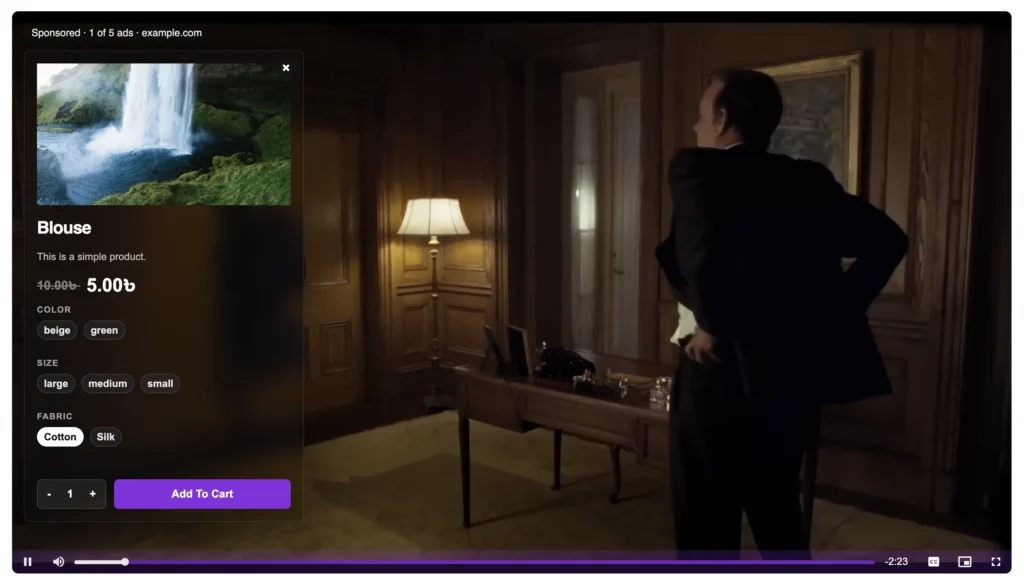
VAST Ad Monetization Monetize every HLS video play with industry-standard VAST ads:
- Pre-roll, mid-roll, post-roll, or custom timestamp positions
- Video ads, banner ads, clickable link ads
- 9 ad position options (top-left through bottom-right)
- Custom ad button labels
- Ad audio mute control
- Data stored in your WordPress database
- Performance tracking dashboard coming soon
E-commerce Product Overlays (WooCommerce, FluentCart, SureCart) Show an HLS product demo and prompt viewers to add to cart — inside the video player. For subscription boxes, software products, courses, or physical goods, this eliminates a full conversion step.
Player Unlimited Styles Complete brand control:
- Play button styles
- Control bar appearance
- Volume bar design
- Progress bar styling
WebP Thumbnail Conversion HLS video poster images automatically convert to WebP format — reducing image weight by 25–35% for faster initial page loads.
Ajax Live Filter with SEO-friendly URLs Filter HLS libraries by category, tag, duration, resolution, or featured status — instantly, without page reload. Each filter URL is indexable, creating additional SEO landing pages from a single gallery.
Drag & Drop Card and Single Page Builders Full layout control over how each HLS video displays — both in the gallery card view and on the dedicated single video page.
Setting Up an HLS Player on WordPress: Complete Guide
Phase 1: Prepare Your HLS Stream (Choose Your CDN)
You need an M3U8 URL before configuring MediaHaven. Here’s how to get one from the most popular sources:
Bunny.net Stream (Recommended — Best Value)
- Sign up at bunny.net → Navigate to Stream → Add Video Library
- Upload your MP4 video (drag and drop)
- Bunny auto-encodes to multi-rendition HLS (360p through 4K)
- Copy the HLS URL from your video:
https://vz-xxxxx.b-cdn.net/VIDEO_GUID/playlist.m3u8
Cloudflare Stream
- Cloudflare Dashboard → Stream → Upload
- After processing: copy the HLS manifest URL
- Format:
https://customer-xxxxx.cloudflarestream.com/VIDEO_ID/manifest/video.m3u8
For Live Streams Use OBS, Wirecast, or any RTMP-capable encoder → push to Bunny, Cloudflare, Wowza, or AWS IVS → get the live M3U8 URL → paste into MediaHaven.
Phase 2: Add HLS Video to MediaHaven
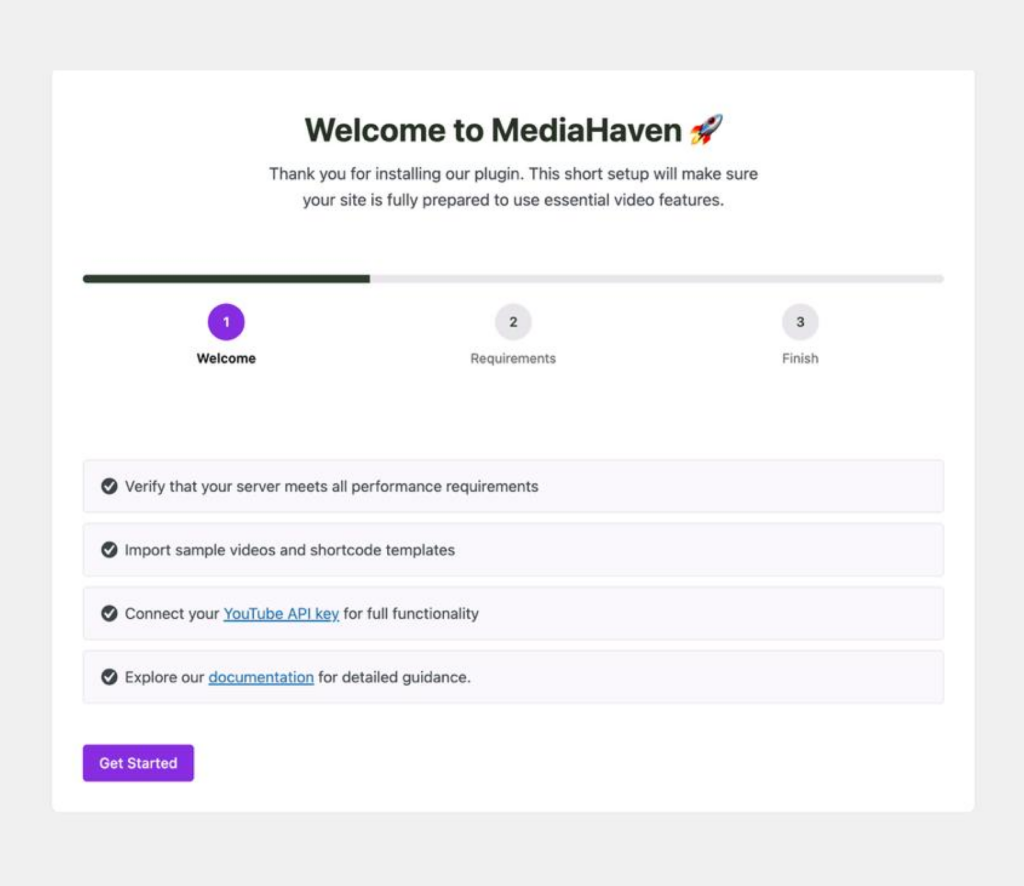
- Install MediaHaven Lite → Activate → Run Setup Wizard
- MediaHaven → Videos → Add New
- Set Video Source → HLS / Live Stream (M3U8)
- Paste your M3U8 URL in the HLS URL field
- Fill in:
- Title — write for SEO, not just description
- Description — keyword-rich content that gets indexed
- Poster/Thumbnail — upload a custom image (not a default video frame)
- Categories and Tags — for organization and filtering
- Subtitle files — upload VTT/SRT for accessibility
- Click Publish
Phase 3: Build Your Display
For a Single HLS Video Player (Landing Page, Course Page, Product Page)
- Navigate to MediaHaven → Views → Add New
- Configure a single video display
- Or use the built-in Single Video Page Template directly (accessible via video permalink)
For an HLS Video Library (Multiple Videos)
- MediaHaven → Views → Add New
- Layout: Grid (best for large libraries) or Carousel (best for featured highlights)
- Configure columns per breakpoint, display elements, and pagination
- Enable Ajax filters (Pro) for searchable, filterable libraries
Embed via Shortcode
[wpnd_mhpro_views id="x"]Or use the Gutenberg Shortcode View Block for live preview in the editor.
HLS Business Use Cases: Real-World Revenue Scenarios
Online Course Platform
Setup: Course videos → Bunny.net encoding → M3U8 URLs → MediaHaven with chapters and subtitles → membership-gated pages (MemberPress, etc.)
Revenue Model:
- Monthly or annual subscription for course access
- VAST ads on a free “preview” tier of content
- No Udemy/Teachable platform fees — 100% of revenue stays with you
Advantage over YouTube: Adaptive streaming prevents buffering disruptions during critical learning moments. Chapters allow instant navigation to specific lessons. Subtitles expand your global reach.
Corporate Training and HR
Setup: HR team uploads training videos → Bunny.net → M3U8 → MediaHaven organized by department (category) → employee access via login-gated pages
Revenue Model:
- Cost reduction: replace expensive per-seat enterprise video platforms (Kaltura, Vimeo Enterprise) with Bunny.net CDN costs + MediaHaven Pro license
- Productivity gain: employees find training faster via Ajax search and chapter navigation
Advantage: WCAG-compliant player with subtitles satisfies accessibility compliance requirements. No public streaming platform exposure for proprietary internal content.
Fitness and Wellness Platform
Setup: Workout videos → HLS encoding → MediaHaven with category organization (HIIT, Yoga, Strength, Recovery) → free tier with VAST ads, premium tier gated
Revenue Model:
- Free ad-supported tier: VAST ads on HLS videos
- Premium subscription: remove ads, access full library
- Total control over branding and content — no YouTube algorithm affects your distribution
Outcome: Membership site with two revenue streams (ads + subscriptions) operating entirely on your WordPress infrastructure.
Live Event and Conference
Setup: Live RTMP stream → CDN (Bunny/Cloudflare/Wowza) → Live M3U8 URL → MediaHaven player on a gated event page → after the event, the recording becomes VOD automatically
Revenue Model:
- Sell virtual event tickets; deliver HLS stream on a login-gated page
- VAST ads on the post-event replay for additional revenue
- Video chapters added to the replay to organize by speaker/session
- No Zoom, Vimeo Premium, or third-party event platform fees
News and Media Publishing
Setup: Self-hosted or Bunny-hosted news video → HLS → MediaHaven with category filters (Breaking News, Investigations, Business, Sports) → VAST pre-roll monetization
Revenue Model:
- VAST ad monetization on every video play — 100% of revenue vs. YouTube’s revenue share
- Video Rich Results in Google News via MediaHaven’s automatic schema.org markup
- Filterable video archive with SEO-friendly URLs creates organic search traffic to individual news video pages
Recommended HLS CDN Stack for MediaHaven
| CDN Provider | Best Use Case | M3U8 Output Format | Approx. Cost (500GB) |
|---|---|---|---|
| Bunny.net Stream | VOD + Live, budget-focused | https://vz-*.b-cdn.net/*/playlist.m3u8 | ~$2–5/month |
| Cloudflare Stream | Ease of use, global performance | Per-minute billing | ~$5/month |
| Mux | Developer analytics, rich data | Per-minute + storage | ~$10–20/month |
| AWS MediaConvert + S3 + CloudFront | Enterprise, maximum control | Configurable | Variable |
| Wowza | Live streaming focus | Real-time M3U8 endpoint | ~$25+/month |
Recommendation for most WordPress sites: Bunny.net Stream. Best balance of cost, simplicity, performance, and MediaHaven compatibility.
Performance: How MediaHaven HLS Beats Standard Video Embeds
| Metric | Standard MP4 <video> tag | YouTube iframe embed | MediaHaven HLS Player |
|---|---|---|---|
| Adaptive quality | ❌ Fixed quality | ✅ (YouTube’s system) | ✅ Full ABR via hls.js |
| Live streaming | ❌ | ❌ (via YouTube Live) | ✅ Direct M3U8 |
| Platform dependency | ❌ Self-hosted only | ❌ YouTube controls | ✅ Any CDN |
| VAST monetization | ❌ | ❌ (YouTube controls) | ✅ Full control |
| SEO (schema markup) | ❌ Manual | Limited | ✅ Automatic |
| Lazy loading | Manual implementation | ❌ | ✅ Built-in |
| Subtitle support | Manual | Automatic (captions) | ✅ VTT/SRT upload |
| Video chapters | ❌ | ❌ | ✅ (Pro) |
| Player branding | ❌ | ❌ | ✅ (Pro) |
Pricing Reference
MediaHaven Pro (required for VAST ads, chapters, player branding):
| Plan | Sites | Price |
|---|---|---|
| Single Site | 1 | $79/year |
| Business | 5 | $159/year |
| Developer | 10 | $249/year |
| Agency | 50 | $499/year |
All plans include 14-day money-back guarantee. Free Lite handles core HLS playback.
Frequently Asked Questions
Does the free Lite version support HLS? Yes — M3U8 HLS playback (both live and VOD) is included in MediaHaven Lite at no cost. Pro adds video chapters, VAST monetization, player branding, and WebP conversion.
Can I use HLS and YouTube in the same gallery? Yes. MediaHaven’s gallery system is source-agnostic. A single gallery can contain a mix of HLS videos, YouTube embeds, TikTok content, and Vimeo videos.
What happens if my CDN M3U8 URL changes? Simply update the URL in MediaHaven → Videos → Edit. Changes reflect immediately without updating any shortcodes.
Can MediaHaven play encrypted (DRM) HLS? The current version supports AES-128 encrypted HLS. Widevine/FairPlay DRM is on the development roadmap.
Will HLS video work on all browsers? Yes. MediaHaven uses hls.js for browsers that don’t natively support HLS (Chrome, Firefox, Edge). Safari supports HLS natively. Full cross-browser compatibility.
Does MediaHaven support CORS for cross-domain M3U8 files? Standard CDN providers (Bunny) configure CORS headers by default. If using a custom server, ensure your M3U8 and segment files have appropriate CORS headers set.
Conclusion: Own Your Streaming Infrastructure
In 2026, the businesses winning with video are the ones controlling their streaming infrastructure — not renting it from YouTube or Vimeo. MediaHaven’s WordPress HLS player makes professional adaptive streaming accessible to any WordPress site owner: no developer, no server config, no complex setup.
Start with MediaHaven Lite for free — your first HLS video will be streaming adaptively on your WordPress site in under 20 minutes.
→ Download MediaHaven Lite Free
→ Upgrade to Pro from $79/year
Last updated: June 2026 | Based on MediaHaven Lite v1.7.1 & Pro | Plugin by WPninjaDevs
Leave a Reply