

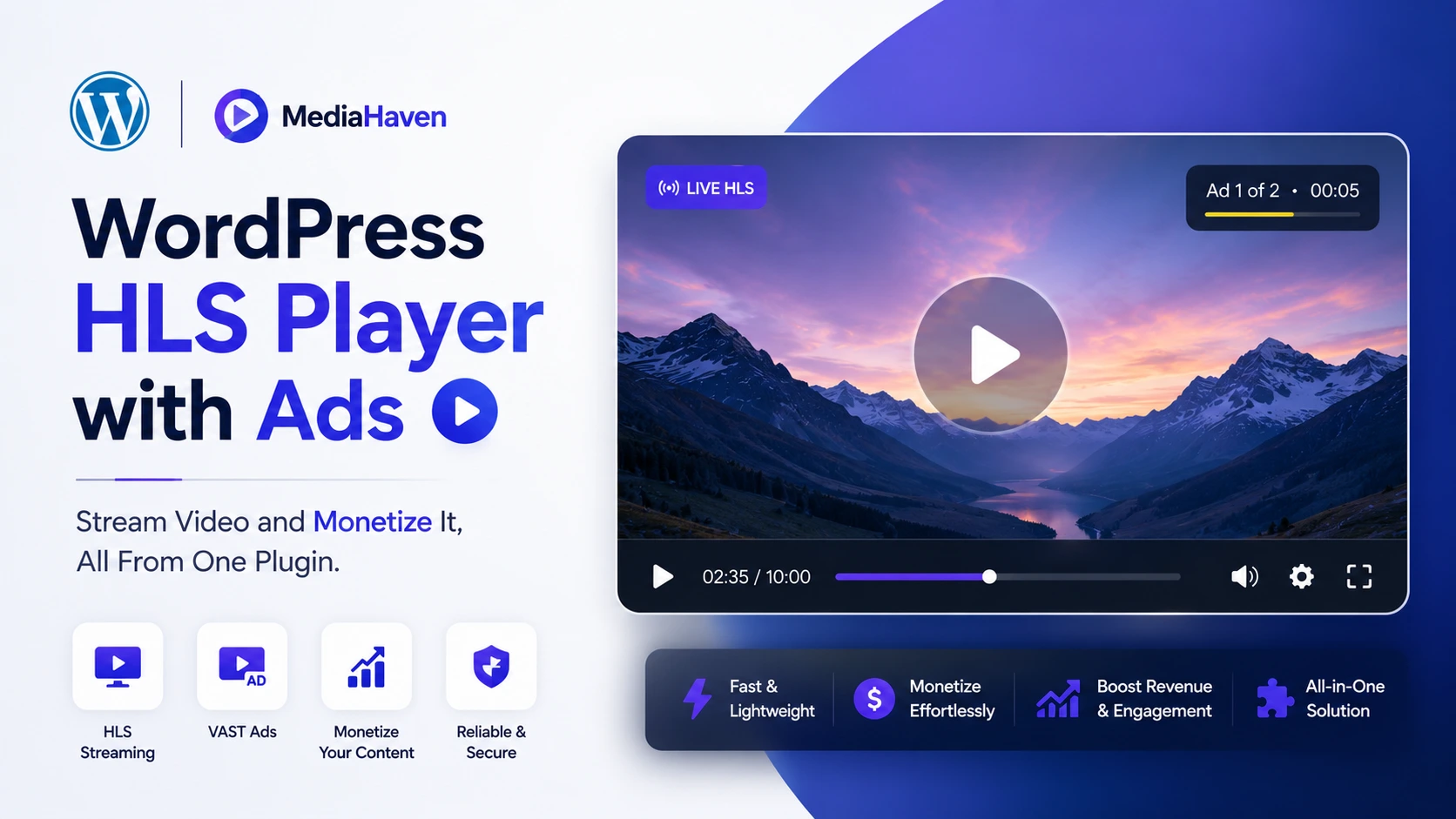
Streaming and monetization are usually solved by two different tools — a video hosting solution for delivery, and a separate ad plugin (or ad network script) bolted on top. That split creates real friction: mismatched styling, extra page weight from a second script, and playback that behaves differently depending on which layer is active. This article is about the case for handling both in one plugin, and how MediaHaven does it for WordPress specifically.
What HLS Actually Buys You (Beyond “It Streams”)
HLS (HTTP Live Streaming) is the delivery method behind most professional video today, including Netflix and Apple’s own platforms. For a WordPress site, the practical benefits are:
- Adaptive bitrate delivery — the same video is encoded at multiple quality levels, and the player automatically requests whichever one matches the viewer’s real-time connection, adjusting mid-playback if conditions change
- Universal compatibility — HLS plays natively across modern browsers and devices without additional plugins
- Reduced buffering — because quality adapts instead of forcing one fixed file on every connection
- CDN-friendly delivery — HLS segments are well suited to edge caching, so viewers load video from a nearby CDN node rather than your origin server
MediaHaven connects directly to Bunny Stream for this, and it’s included in the free Lite version. When you sync a video, it’s automatically converted to secure, adaptive HLS and delivered through Bunny’s global CDN — the same streaming technology used by major platforms, without needing a separate encoding tool or manual configuration.
Why Monetization Usually Gets Bolted On Separately — and Why That’s a Problem
The common WordPress setup looks like this: a video hosting plugin or CDN handles playback, and a completely separate ad plugin (or a manually pasted ad script) tries to layer promotional content on top. This creates a few recurring issues:
- Two systems, two sets of settings — position, timing, and styling have to be configured and kept consistent across tools that weren’t built to talk to each other
- Extra script weight — a second plugin loading its own JS/CSS on every video page adds page weight the streaming layer was supposed to avoid in the first place
- Inconsistent behavior across video sources — an ad overlay designed for one embed type may not render correctly across YouTube, self-hosted MP4, and HLS streams simultaneously
MediaHaven’s approach keeps ad placement, timing, and styling inside the same plugin managing the video itself, which avoids the settings-mismatch and double-script problems that come from stitching two unrelated tools together.
How MediaHaven’s Ad System Works on HLS Content
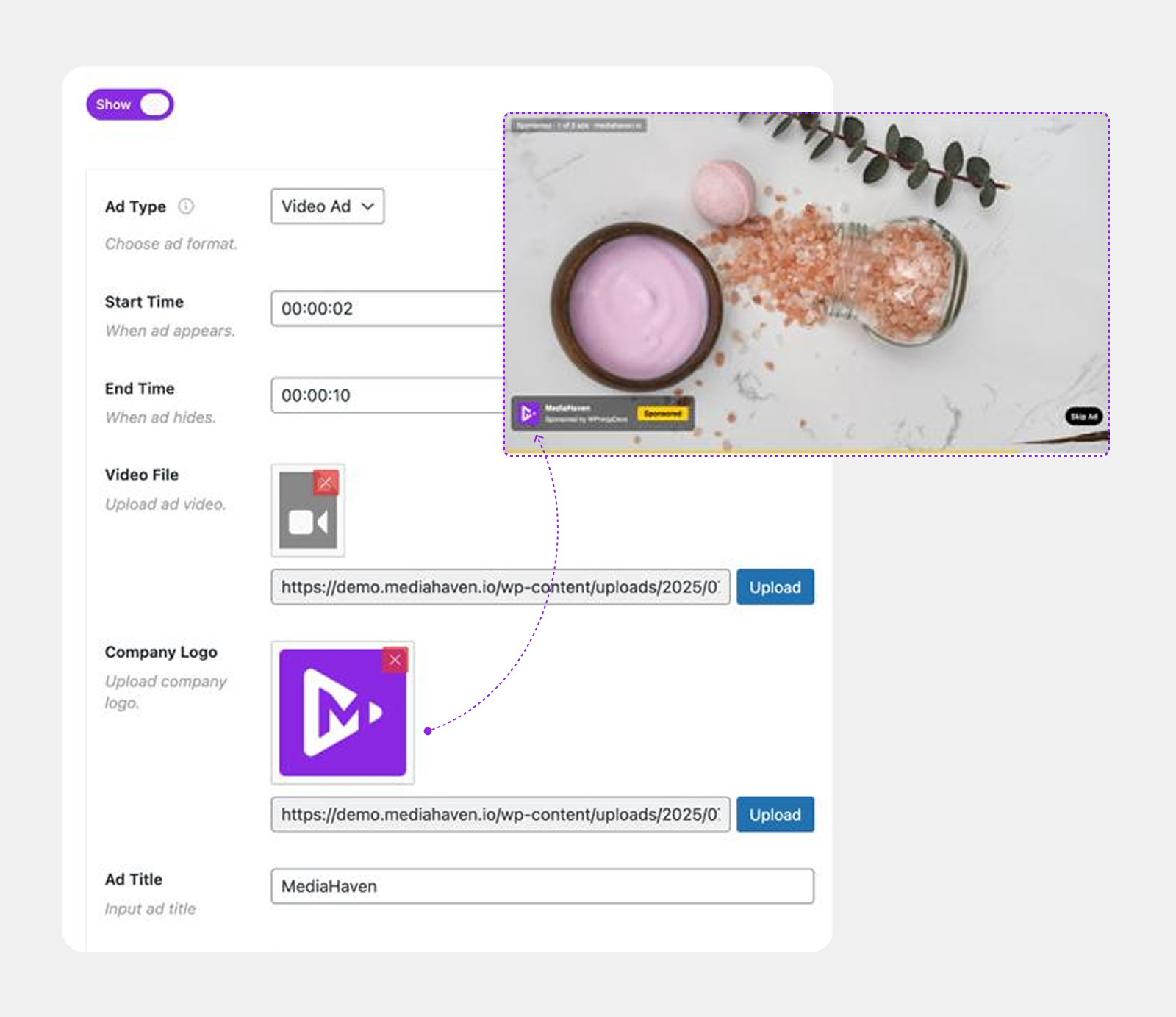
MediaHaven Pro’s video ad tools apply directly to self-hosted, HLS, and Bunny Stream video (the plugin’s own documentation is explicit that YouTube, TikTok, and other embedded-platform videos use their own player and ad systems, so this doesn’t extend to those sources). On qualifying video, you can:
- Place image, video, link, or text ads at any of 9 fixed positions on the player
- Set exact timing — when an ad appears and how long it’s visible
- Apply full style controls, including a custom ad button label
- Mute ad audio independently, keeping playback smooth
- Combine ad placements with interactive video chapters (Pro) so viewers can navigate long-form streamed content while ad placements remain intact at their set positions
To be precise about what this is: it’s a native, self-managed ad creative system — you upload and control the ad content directly, rather than pulling creative from a third-party ad exchange via an external tag. That makes it well suited to direct sponsorships, house promotions, and owned advertising campaigns, and less suited to a workflow that specifically requires plugging in a programmatic ad network’s tag URL.
Who This Combination Actually Serves
Streaming plus built-in monetization is relevant well beyond ecommerce:
- Course creators — secure HLS delivery (so course video isn’t easily downloaded or hotlinked) combined with sponsor or upsell placements inside lesson videos
- Membership sites — encrypted, token-authenticated video delivery, with the option to run promotional placements for premium tiers or related content
- Publishers and content sites — monetize video content directly with house ads or sold placements, without routing traffic through a third-party video host that inserts its own ads
- Podcasters with video — adaptive playback across devices and connections, with sponsor-read placements handled the same way as the video itself
- Live streamers — MediaHaven supports live M3U8/HLS streams directly as a video source, with the same ad and styling tools available on recorded content
Setting It Up
- Install MediaHaven (free Lite version here) and complete the Setup Wizard.
- Create a free Bunny.net account, set up a Stream Library, and copy your API Key, Library ID, and CDN Hostname.
- Enable Token Authentication in your Bunny Stream library for secure, signed playback.
- In WordPress, go to MediaHaven → Settings → Storage & CDN, set “Serve From” to CDN, and select Bunny Stream.
- Enter your credentials, enable Secure Stream Playback, and save.
- Upload your video and click Sync — it’s automatically transcoded to adaptive HLS.
- If on Pro, open the video’s ad settings, upload your ad creative, choose a position from the 9 available slots, and set timing.
- For live content, add your M3U8 live stream URL directly as a video source — no third-party embed required.
No custom code or server configuration is required for any of these steps.
Free vs. Pro for HLS Streaming and Monetization
(Pulled directly from MediaHaven’s official pricing and feature comparison, current as of plugin v1.7.3)
| Feature | Free (Lite) | Pro |
|---|---|---|
| Bunny Stream — automatic HLS transcoding & adaptive delivery | ✅ | ✅ |
| Token-authenticated secure playback | ✅ | ✅ |
| Live M3U8/HLS stream support | ✅ | ✅ |
| Single-language subtitles | ✅ | ✅ |
| Bunny Storage — offload images/docs/audio to CDN | ❌ | ✅ |
| VAST-style image/video/link/text ads (9 positions) | ❌ | ✅ |
| Interactive video chapters | ❌ | ✅ |
| Multi-language subtitles with precise timing (VTT) | ❌ | ✅ |
| Custom player styling | ❌ | ✅ |
Frequently Asked Questions
1. Does MediaHaven support HLS streaming for free?
Yes. Automatic HLS conversion and adaptive bitrate streaming via Bunny Stream is included in the free MediaHaven Lite plugin — no Pro upgrade required for the streaming itself.
2. Can I add ads to HLS video without a separate ad plugin?
Yes, with MediaHaven Pro. Ad placement, timing, and styling are built into the same plugin handling your HLS video, so you don’t need a second plugin or manually pasted ad script.
3. Does this work with third-party ad networks or programmatic advertising?
Not as documented. MediaHaven’s ad system is a native tool for placing your own image, video, link, or text ad creative directly — it’s built for direct/house ads and sponsor placements rather than connecting to an external ad exchange’s tag URL. Confirm directly with MediaHaven if your use case specifically requires programmatic ad network integration.
4. Can I stream live video through MediaHaven?
Yes. MediaHaven supports live M3U8/HLS streams as a direct video source, playable through the same player used for recorded video — useful for webinars, live courses, and live events.
5. Is HLS streaming secure enough for paid course or membership content?
MediaHaven’s Bunny Stream integration includes encrypted delivery with signed URLs and token authentication, which blocks hotlinking and direct downloads of the video file — a meaningful security layer for paid content, though no delivery method can make video technically un-downloadable to a sufficiently determined user.
6. Do ads work the same way on self-hosted MP4 and HLS video?
Yes, with one caveat: ads and shoppable overlays work with self-hosted files (MP4, WebM, MOV, MKV, AVI), HLS streams, and Bunny Stream video — but not with embedded YouTube, TikTok, or Vimeo videos, since those platforms control their own player.
7. Will adding ads slow down my HLS video playback?
The ad overlay renders as part of the same player already handling your HLS stream, rather than loading a separate script — this avoids the double page-weight problem common when a video plugin and a separate ad plugin are stacked together.
8. Do I need any coding or server access to set this up?
No. Both the Bunny Stream connection and the ad placement tools are configured entirely through WordPress admin settings screens, using your Bunny.net account credentials.
Bottom Line
Streaming and monetization don’t have to live in separate tools fighting for the same page. MediaHaven’s free Lite version handles HLS delivery through Bunny Stream — the same adaptive streaming technology behind major platforms. Pro adds a native ad system on top of the same player, built for direct/house advertising and sponsor placements, so the video that’s already streaming can also be the thing generating revenue.
- Download MediaHaven Lite Free — start streaming HLS video today.
- See the live demo — view ad placements on real HLS content.
- Upgrade to Pro from $79/year — unlock the ad system, video chapters, and Bunny Storage. 14-day money-back guarantee.
Leave a Reply