

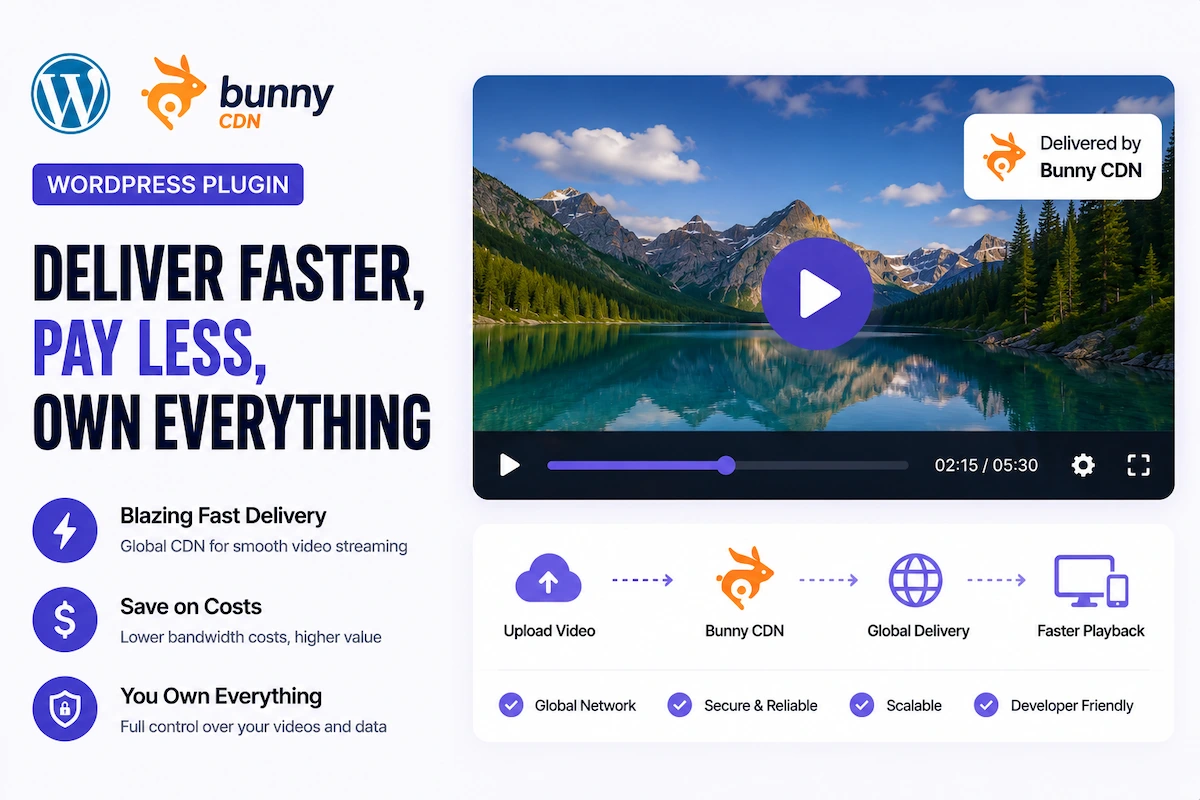
Bunny.net has quietly become the preferred CDN for serious WordPress site owners who want professional video delivery without enterprise-level costs. It’s the CDN powering tens of thousands of WordPress video sites — and for good reason: its pricing is dramatically lower than AWS or Cloudflare, its global edge network covers 100+ PoPs, and its built-in HLS video encoding turns an MP4 upload into a fully adaptive streaming experience in minutes.
But Bunny.net is delivery infrastructure — you still need a WordPress plugin to play, organize, SEO-optimize, and monetize the content it delivers. That’s where MediaHaven comes in.
This guide covers the complete Bunny.net + MediaHaven architecture: what each component does, why they work so well together, and exactly how to set up a professional video delivery system on WordPress that rivals enterprise platforms at a fraction of the cost.
Why Bunny.net Is the Best CDN for WordPress Video Delivery
Cost That Actually Makes Sense
Enterprise video CDNs charge for everything. Bunny.net charges only for what you use — and at rates that make enterprise-quality delivery accessible to independent creators and small businesses:
- Storage: Starting at fractions of a cent per GB per month
- Bandwidth: Starting at $0.005/GB (varies by region — lower in North America and Europe, slightly higher in Asia-Pacific)
- No per-seat fees, no platform fees, no minimum commit for most plans
For a video site with 500GB of monthly bandwidth — enough for tens of thousands of video streams — Bunny.net typically costs $2–5/month. Compare that to Vimeo Pro (~$20/month with strict storage caps) or Wistia (~$99/month).
Automatic HLS Encoding
Bunny Stream (their video platform product) automatically converts any MP4 you upload into:
- Multiple HLS renditions (360p, 480p, 720p, 1080p, 4K depending on source)
- A master playlist (
.m3u8) file - All segment (
.ts) files
You upload one video. Bunny handles the rest. MediaHaven plays it.
Global Edge Network
Bunny operates 100+ Points of Presence (PoPs) worldwide. Video segments are served from the nearest edge location to each viewer. A viewer in Singapore gets segments from a Singapore edge node, not from your origin server in the US.
For WordPress site owners: Global audiences get the same low-latency experience as local visitors — without expensive multi-region infrastructure.
WordPress-Friendly API
Bunny.net’s API provides clean, simple M3U8 URLs for every encoded video. These paste directly into MediaHaven’s HLS video source field. No configuration, no SDK required.
The MediaHaven + Bunny.net Architecture
Understanding how these two systems work together prevents confusion about what each does:
Your Original Video (MP4, MOV, etc.)
            ↓
Bunny Stream (Upload → Auto-Encode → CDN Storage)
            ↓
M3U8 Master Playlist URL
(e.g., https://vz-abc123.b-cdn.net/VIDEO_GUID/playlist.m3u8)
            ↓
MediaHaven (WordPress Player + Gallery + Schema.org +
            Subtitles + Chapters + VAST Ads +
            WooCommerce Overlays + Lazy Loading)
            ↓
Your WordPress Site Visitors
Bunny handles: Encoding, storage, CDN delivery, adaptive bitrate streaming, global edge distribution
MediaHaven handles: Player UI, gallery layouts, SEO structured data, lazy loading, accessibility, monetization (VAST), e-commerce integration, content organization, filtering, and WordPress embed
Neither system overlaps with the other. Together they cover every layer of professional video delivery.
Setting Up Bunny.net + MediaHaven: Complete Step-by-Step
Part 1: Set Up Bunny Stream (15 minutes)
Step 1: Create a Bunny.net Account Sign up at bunny.net. No upfront commitment. Pay-as-you-go pricing.
Step 2: Create a Video Library
- Navigate to Stream → Video Libraries → Add Video Library
- Name your library (e.g., “WordPress Site Videos”)
- Select a primary storage region closest to your largest viewer audience
Step 3: Configure Encoding Settings Under Library Settings:
- Enable output resolutions appropriate for your content (720p minimum recommended)
- Enable direct play and HLS output
- Configure watermarking if you need brand protection on the video itself
Step 4: Upload Your Video
- In your library, click Upload Video (drag and drop or browse)
- Bunny begins automatic encoding immediately
- Processing time: approximately 1–3 minutes per 10 minutes of video footage
Step 5: Get Your M3U8 URL After encoding completes:
- Click on your video in the library
- Find and copy the HLS URL (M3U8) field
- It follows this format:
https://vz-xxxxxxxx.b-cdn.net/VIDEO-GUID/playlist.m3u8 - This is the URL you’ll paste into MediaHaven
Part 2: Configure MediaHaven for Bunny HLS Playback (10 minutes)
Step 1: Install MediaHaven Lite
- WordPress Admin → Plugins → Add New → Search “MediaHaven” → Install → Activate
- Run the Setup Wizard
Step 2: Add a Video with Your Bunny M3U8 URL
- MediaHaven → Videos → Add New
- Video Source: HLS / Live Stream (M3U8)
- HLS URL: Paste your Bunny.net M3U8 URL
- Title: Write an SEO-optimized title (target keywords your audience searches)
- Description: Add keyword-rich description content (indexed on single video page)
- Poster Image: Upload a custom branded thumbnail
- Categories and Tags: Organize for filtering and SEO
- Click Publish
Step 3: Create a Display View (Gallery or Single Player)
For a video library:
- MediaHaven → Views → Add New
- Layout: Grid / Carousel / Multi-row Carousel
- Configure columns, display elements, pagination
- Add Ajax filters (Pro) for searchable libraries
For a single video player:
- Use the built-in Single Video Page template (accessible via the video’s permalink)
- Or create a dedicated shortcode View configured for single-video display
Step 4: Embed via Shortcode
[wpnd_mhpro_views id="x"]Or use the native Gutenberg Shortcode View block with live preview.
Business Use Cases for Bunny + MediaHaven
Online Course Platform (Replace Teachable or Udemy at a Fraction of the Cost)
Architecture:
- Upload course videos to Bunny.net → get M3U8 URLs
- Add to MediaHaven with video chapters and subtitles
- Organize by module (category) with Ajax live filters
- Gate access via a membership plugin (MemberPress, etc.)
Revenue Model:
- Keep 100% of course revenue — no Teachable (5%) or Udemy (50%+ revenue share)
- Run VAST ads (Pro) on a free course preview tier
- Bunny CDN costs: typically $3–10/month for a typical course library
Business Impact: A course priced at $197 selling 50 units/month = $9,850/month. On Teachable, you lose ~$493 in platform fees. On Bunny + MediaHaven, your infrastructure cost is under $90/year (Pro license) + ~$60/year CDN. The infrastructure savings alone pay for MediaHaven Pro many times over.
Video Membership Site (Your Own Netflix)
Architecture:
- Build a VOD library on Bunny.net (upload, encode, get M3U8 URLs)
- MediaHaven for playback, organization, and discovery
- WooCommerce or SureCart for subscription billing
Revenue Model:
- Tiered subscriptions: Free (ad-supported via VAST) + Premium (ad-free, full library)
- Bunny bandwidth costs scale predictably — no surprise overages
- Full audience ownership: email addresses, payment relationships, behavioral data
Business Impact: At $15/month × 200 subscribers = $3,000/month. With Bunny bandwidth costs at ~$5–15/month, your infrastructure margin is extraordinary.
E-Commerce Product Video Catalog
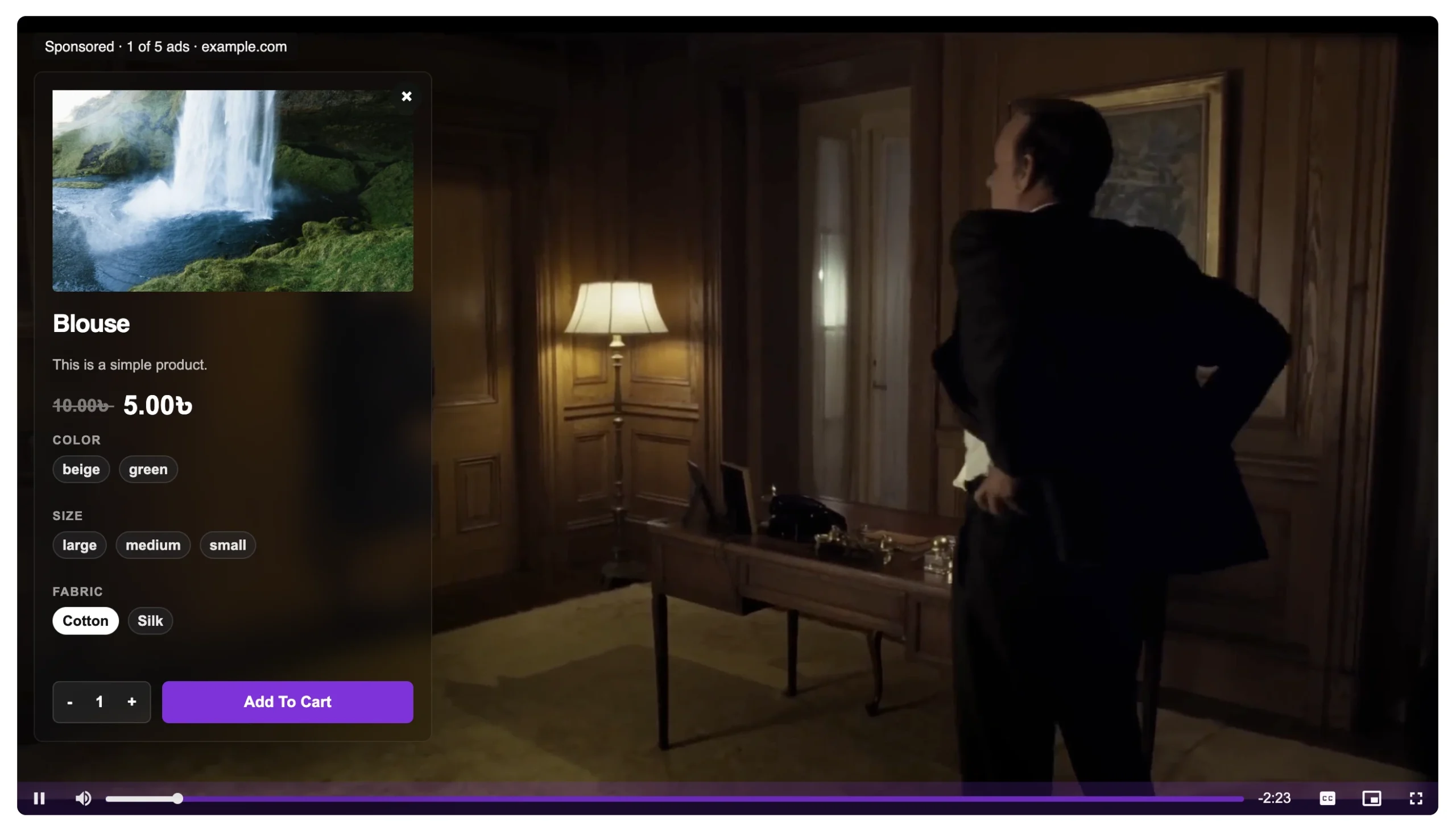
Architecture:
- Product videos uploaded to Bunny → M3U8 URLs
- MediaHaven gallery on each WooCommerce product category page
- WooCommerce product overlay (Pro) on individual product videos
Revenue Impact:
- Adaptive HLS ensures mobile shoppers (60–70% of e-commerce traffic) don’t hit buffering on product demos
- No YouTube ads appearing on your product videos pointing customers elsewhere
- Shoppable video overlay reduces path from “interested” to “purchased” to one click
News and Media Video Archive
Architecture:
- News video recordings uploaded to Bunny → M3U8 → MediaHaven
- Category-organized archive with Ajax live search
- VAST ad monetization on every video play
Revenue Model:
- Direct VAST revenue — no YouTube revenue sharing
- Video Rich Results in Google News via MediaHaven’s automatic schema.org markup
- Ajax filter URLs create indexable category pages from a single gallery configuration
Cost Comparison: Bunny.net + MediaHaven vs. Alternatives
Based on 10,000 monthly video plays, 200GB bandwidth:
| Solution | Monthly Cost | Revenue Share | Platform Control | Monetization |
|---|---|---|---|---|
| YouTube (embedded) | $0 | YouTube keeps ad rev | Very Low | Platform-controlled |
| Vimeo Pro | ~$20 | None (no ads) | Medium | None built-in |
| Wistia | ~$99 | None | High | Limited |
| Kaltura | ~$500+ | None | High | Enterprise only |
| Teachable (courses) | 5% of revenue | 5% per sale | Medium | Limited |
| Bunny.net + MediaHaven Lite | ~$2–5 CDN + Free | None | Full | None (Free) |
| Bunny.net + MediaHaven Pro | ~$2–5 CDN + $6.58/month | None | Full | Full VAST + WooCommerce |
MediaHaven Pro at $79/year ($6.58/month) + Bunny.net at ~$3–5/month = under $12/month for a complete, professionally-branded, monetization-enabled, SEO-optimized video platform.
Performance: What Bunny + MediaHaven Delivers Together
Adaptive Bitrate Streaming (ABR)
Bunny generates HLS renditions at multiple quality levels. MediaHaven’s player (via hls.js) selects the optimal rendition based on each viewer’s real-time bandwidth. Quality switches happen seamlessly — viewers never notice.
Business outcome: Mobile viewers on variable cellular connections complete more videos. Completion rates directly correlate with conversion rates for course content, product demos, and service-based videos.
Global Edge Delivery
Bunny’s 100+ edge nodes mean video segments serve from geographically local servers. Latency (buffer start time) drops from seconds to milliseconds.
Business outcome: International audiences get the same experience as your domestic audience — enabling global market expansion without additional infrastructure complexity.
WordPress Page Speed
MediaHaven’s smart asset loading ensures HLS player JavaScript only loads on pages with video. Lazy loading prevents the player from impacting initial page render. Poster image optimization (WebP via Pro) reduces thumbnail weight.
Business outcome: Video-capable pages still pass Core Web Vitals thresholds — preserving SEO rankings and low bounce rates that non-optimized video implementations would destroy.
Bunny Analytics + MediaHaven Engagement Data
Bunny provides CDN-level analytics: total plays, bandwidth consumed, geographic distribution, and engagement heatmaps (where viewers stop watching). MediaHaven adds view counts, like/dislike data, and filtering behavior.
Combined, this gives you a complete picture of content performance — identifying which videos drive the most engagement and which need improvement.
Bunny.net Configuration Tips for MediaHaven Users
Enable Bunny’s Pull Zone for WordPress Static Assets (Optional)
Beyond video, Bunny’s CDN can accelerate your WordPress static assets (images, CSS, JavaScript). Using Bunny for both video and static assets creates a fully CDN-accelerated WordPress site — further improving Core Web Vitals.
Set Appropriate Storage Replication
For global audiences, enable storage replication to multiple Bunny regions. Additional storage cost is minimal; performance gains are significant for international visitors.
Configure CORS Headers
If your WordPress site is on a different domain than your Bunny pull zone, ensure CORS headers allow cross-origin requests. Bunny handles this automatically for most configurations, but verify if you encounter playback issues.
Use Bunny’s Token Authentication for Premium Content
For gated or paid video content, Bunny’s token authentication URL signing prevents direct URL sharing. Each token-signed M3U8 URL expires after a configurable time period. Combine with a WordPress membership plugin for complete access control.
Common Setup Issues and Solutions
Issue: Video plays in the Bunny dashboard but not in MediaHaven Solution: Verify your CORS headers in Bunny’s pull zone settings. Ensure the WordPress domain is allowed.
Issue: Video quality never exceeds 360p Solution: Check that your Bunny library has higher-quality renditions enabled in encoding settings. Source video must be HD for HD output.
Issue: Thumbnails load slowly Solution: Enable WebP conversion in MediaHaven Pro settings. Additionally, set custom poster images rather than relying on video frame captures.
Issue: Live stream URL stops working after event ends Solution: For live-to-VOD workflows, get the new VOD M3U8 URL from Bunny after the live stream ends and update the video source URL in MediaHaven.
Frequently Asked Questions
Do I need a Bunny.net account to use MediaHaven’s HLS player? No — MediaHaven plays HLS from any CDN that provides an M3U8 URL. Bunny.net is strongly recommended for its combination of cost, simplicity, and performance, but Cloudflare Stream, AWS, Mux, and others work equally well.
Can I switch from YouTube embeds to Bunny-hosted HLS without losing SEO? Yes. MediaHaven generates VideoObject schema for Bunny-hosted videos, so Google can still index and display them as video rich results. Your existing video content retains its search visibility after migration.
Does Bunny Stream handle video encoding quality automatically? Yes — Bunny’s automatic encoding generates appropriate renditions based on your source video’s resolution. A 1080p source gets 1080p, 720p, 480p, and 360p renditions. A 4K source adds a 4K rendition.
Can I use Bunny for both live streaming and VOD in MediaHaven? Yes — Bunny supports live streaming inputs (RTMP) that it converts to HLS in real time, alongside its VOD encoding system. MediaHaven plays both from the same M3U8 format.
Is there a file size limit for Bunny uploads? Bunny supports very large uploads. Files up to several GB upload via the dashboard without issue. For very large files (full-length films, 4K recordings), SFTP upload is recommended.
Conclusion: Enterprise Video Infrastructure at Solo Creator Prices
The Bunny.net + MediaHaven combination is the most cost-effective professional video stack available for WordPress in 2026. Bunny handles the global infrastructure. MediaHaven handles the WordPress player, gallery, SEO, and monetization.
Together, they deliver:
- Adaptive bitrate HLS streaming (same tech as Netflix)
- Global CDN delivery with 100+ edge locations
- Automatic VideoObject schema for Google Video Rich Results
- VAST ad monetization (Pro)
- WooCommerce/FluentCart/SureCart product overlays (Pro)
- Full player branding (Pro)
- All at under $12/month total infrastructure cost
Start with MediaHaven Lite for free. Add Bunny.net for a few dollars per month. Upgrade to MediaHaven Pro when you’re ready to monetize.
→ Download MediaHaven Lite Free
→ Upgrade to Pro from $79/year
Last updated: June 2026 | Based on MediaHaven Lite v1.7.1 & Pro | Plugin by WPninjaDevs
Leave a Reply